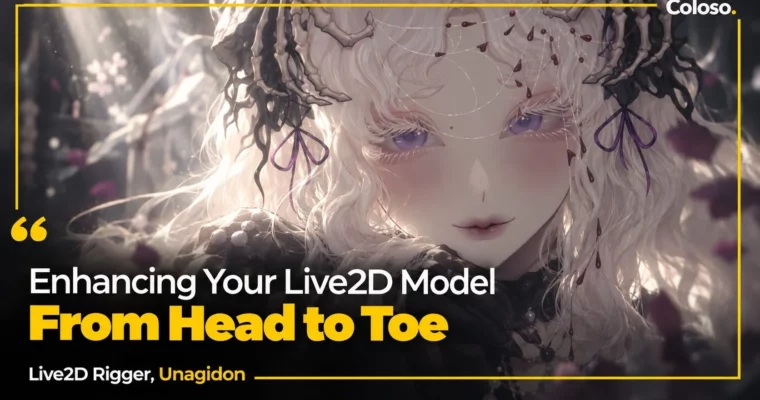
Enhancing Your Live2D Model From Head to Toe by Unagidon

Duration:22Hours 36Minutes
Actual Duration:22h 35m
Release date:2025
Publisher:Coloso
Skill level:Advanced
Language:English
Exercise files:Yes
Software:Live2D Cubism, VTube Studio, VBridger, SAI2
Course URL:https://coloso.global/en/products/live2drigger-unagidon-us
This is a full start-to-finish build with Unagidon — from checking your PSD to shipping a stream-ready model in Live2D Cubism, VTube Studio, and VBridger. You get her real freelance workflow for faces, angles, physics, and fun toggle animations, plus a bonus on perspective rotation.
🎯 What you’ll learn
- Prepare and clean a PSD so it’s actually ready to rig
- Rig eyes, mouth, and combined expressions for tracking
- Build head angles X, Y, Z with 3D rotation and hair fixes
- Build body angles X, Y, Z and extra arm and hair movements
- Set up natural hair, outfit, and animal ear physics
- Use VBridger to upgrade mouth shapes and face tracking
- Create interactive props – cup, fan, waving – with ON/OFF animations
- Export to moc3 and set up toggles in VTube Studio
✅ Requirements
- Skills: Basic understanding of Live2D Cubism UI and 2D layer structure
- Tools: Live2D Cubism 5.1, VTube Studio, VBridger, Photoshop or SAI2 / any drawing app
- Hardware: PC capable of running Live2D Cubism, webcam for face tracking tests
📝 Description
You start where most rigs go wrong: the file. Unagidon walks through how she reads a character design, checks cuts and fills, sorts drawing order, and fixes ArtMeshes for shadows and tricky outfit parts. No theory dump. You watch her clean a real PSD and get it rig-ready without breaking it later.
Then faces. You’ll set up blinks, basic mouth shapes, then stack them into happy + angry, sad + surprise combos that actually read on stream. The big upgrade is VBridger — she shows how to reshape mouths for accurate tracking, test for bugs in VTube Studio, and tweak parameters so expressions don’t warp or jitter.
Angles are next, and this is where the model stops looking flat. You’ll use 3D rotation for face X, Y, XY and head Z, add hair compensation so it doesn’t clip, then add manpu marks and animal ears that follow the head. Same logic for the body: X, Y, Z built around the design, plus extra arms for cup, fan, and waving, and braid / ponytail movement.
Physics is Unagidon’s favorite part, and it shows. She breaks down pendulum settings — duration, swing ease, reaction time — for short vs. long hair, then moves to chest, clothes, arms, skirt, pants, shoes, and a puffy jacket. You’ll finish with props that feel alive: liquid in a teacup, fan open / off with fanning motion, and a clean looping wave. Last step is export to moc3, tracking test, and toggle setup.
🧑🎓 Who this course is for
- 2D riggers who know the basics of Live2D and want more expressive, stream-proof models
- VTubers and virtual streamers who want personality, toggles, and physics that feel unique
- Animators curious what Live2D can do beyond rigging, including perspective-style shots
🧑🏫 About the Author
Hello, I’m Unagidon — call me Una or Unagi :3 I worked full-time as a freelance Live2D rigger from 2021 to 2023 after studying game design, then switched to part-time while studying in Japan. I mostly rig VTuber models, and I’m obsessed with smooth, fluffy, realistic physics for hair, fabric, and body motion.
I was a freelance illustrator until 2022, and I’ve kept digging into material motion ever since. Lately I’ve been making full animations in Live2D and learning After Effects for effects Live2D can’t do yet. I was also selected for the 2023 Live2D Creator Award. After three years of client work, this Coloso class is my first time sharing my full process — pitfalls, fixes, and all.
🏁 Final Result
- A fully rigged VTuber model with face XYZ angles, body XYZ angles, hair and outfit physics, VBridger expressions, and prop toggles – exported as moc3 and set up in VTube Studio, plus a bonus perspective rotation animation.
📢 Guys, this is a Group Buy campaign, check the GBC forum thread to get access
You can find the course preview in the download section below.
 Channel