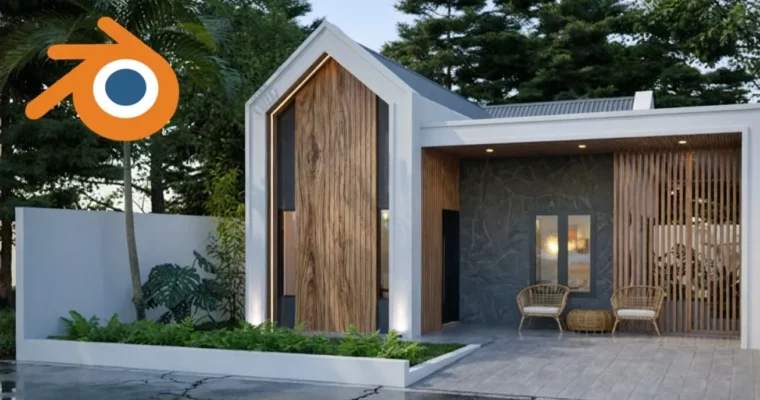
Create a Stunning House in 3D by Widhi Muttaqien, S.Kom, MMSI

Duration:5 hours
Actual Duration:5h 0m
Release date:2025, November
Publisher:Udemy
Skill level:Intermediate
Language:English
Exercise files:Yes
Software:Blender
Course URL:https://www.udemy.com/course/create-a-stunning-house-in-3d-using-blender
Ready to build amazing 3D houses without breaking the bank on software? This course dives into using Blender, a powerful and free tool, for architectural design and visualization. You’ll go from a simple sketch to a fully rendered house, learning practical techniques used by industry pros.
🎯 What you’ll learn
- Sketch and design floor plans directly within Blender.
- Model a complete house architecture with all the intricate details.
- Quickly assign UV maps and use the asset browser for materials and textures.
- Add realistic vegetation using Geo-Scatter and Botaniq add-ons.
- Work with multiple lighting scenarios and render them using Cycles.
- Pick up proven workflow tricks and tips from an experienced professional.
✅ Requirements
- Skills: Already understand the fundamentals of Blender.
- Tools: Have a standard mouse with a scroll wheel, a full-size keyboard with a Numpad.
- Hardware: A computer capable of running Blender.
📝 Description
Blender is the go-to software for many in the 3D world, and it’s surprisingly powerful for architectural design too. Instructor Widhi Muttaqien, with over two decades of experience, shares his refined workflow for tackling architectural projects using Blender. He’ll guide you through creating a complete house model, from initial floor plan sketches to detailed modeling, texturing, and final rendering. You’ll learn efficient techniques for UV mapping, material application, and even adding realistic vegetation with popular add-ons like Geo-Scatter and Botaniq. The course also covers setting up multiple lighting scenarios and camera angles for compelling visualizations.
🧑🎓 Who this course is for
- Architects and interior designers looking for a free, powerful alternative to expensive 3D software.
- Lecturers in architecture or civil engineering who need to create 3D models quickly and affordably.
- Architecture or interior design students aiming to build their 3D visualization skills using Blender.
🧑🏫 About the Author
Widhi Muttaqien, S.Kom, MMSI, is the CEO of Expose Academy and founder of several creative companies. With a background in IT and business management, he’s also an academic lecturer in computer graphics. For over 20 years, Widhi has completed hundreds of global projects in architecture, interior design, and master planning, producing vast amounts of CG imagery and animation. He transitioned to Blender years ago, recognizing its rapid development and potential to replace traditional industry software, and has since perfected his workflow for architectural visualization.
🏁 Final Result
- A portfolio-ready 3D model of a complete house, visualized with realistic materials, lighting, and surrounding environment, ready to impress clients or academic reviewers.
 Channel