Ad Clicks : Ad Views : Ad Clicks : Ad Views : Ad Clicks : Ad Views : Ad Clicks : Ad Views :
Oh Snap!

It looks like you're using an adblocker. Adblockers make us sad. We use ads to keep our content happy and free. If you like what we are doing please consider supporting us by whitelisting our website. You can report badly-behaved ads by clicking/tapping the nearby 'Advertisement' X text.

Complete Graphics Design Bootcamp Beginner to Advanced by Marcus Menti, Zechariah Tech

Complete Graphics Design Bootcamp Beginner to Advanced by Marcus Menti, Zechariah Tech

Author:Marcus Menti, Zechariah Tech

Duration:16 hours 10 minutes

Actual Duration:16h 10m

Release date:2025, May

Publisher:Udemy

Skill level:Beginner

Language:English

Exercise files:Yes

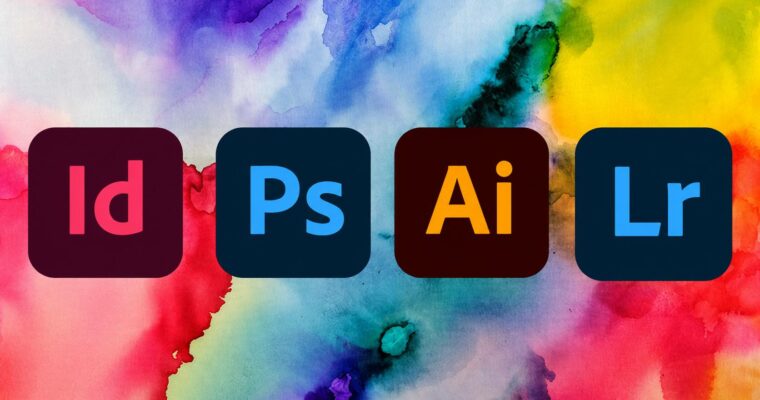
Software:Adobe Photoshop, Adobe Illustrator, Adobe InDesign, Adobe Lightroom

Course URL:https://www.udemy.com/course/complete-graphics-design-bootcamp-beginner-to-advanced/

Master the core tools and workflows of Photoshop, Illustrator, InDesign, and Lightroom in one comprehensive bootcamp.

This bootcamp is a straight shot through the four pillars of Adobe’s design suite. You’ll get hands-on with Photoshop, Illustrator, InDesign, and Lightroom, learning the essential tools and functions of each. No fluff, just the practical skills you need to start creating professional work.

🎯 What you’ll learn

  • Navigate and use all core tools and functions in Adobe Photoshop
  • Navigate and use all core tools and functions in Adobe Illustrator
  • Navigate and use all core tools and functions in Adobe InDesign
  • Navigate and use all core tools and functions in Adobe Lightroom

βœ… Requirements

  • Skills: Basic computer knowledge
  • Tools: None
  • Hardware: None

πŸ“ Description

This isn’t a theory-heavy lecture series. It’s a practical, tool-by-tool walkthrough of four industry-standard applications. You’ll start with Adobe InDesign, learning how to set up pages, work with text and images, and finish by building a real book cover. Then, you’ll move into Photoshop, where you’ll get comfortable with every tab and filter, from basic adjustments to the Raw Camera Filter.

Next up is Illustrator, where you’ll tackle vector graphics head-on. Expect to spend serious time with the Pen Tool, Curvature Tool, and Paint Brush Toolβ€”the core of any vector workflow. Finally, you’ll wrap up with Lightroom, covering the entire photo editing pipeline from importing and organizing to color grading and exporting. The teaching style is direct: each lesson focuses on a specific tool or function, so you can easily jump back to review a technique later.

πŸ§‘β€πŸŽ“ Who this course is for

  • Absolute beginners who want a structured, all-in-one introduction to graphic design software.
  • Hobbyists or self-taught designers looking to fill in the gaps in their software knowledge.

πŸ§‘β€πŸ« About the Author

Marcus Menti is a Udemy instructor with a background in teaching computer applications. He holds a Bachelor’s from Utah State University and a Master’s from Edinboro University of Pennsylvania. With six years of experience as a teacher assistant, he focuses on clear, accessible instruction for students of all levels.

Zechariah Tech is a top-rated Udemy instructor with over 650,000 students. He brings a broad perspective on skill development, covering topics from career coaching to software mastery.

🏁 Final Result

  • A solid, foundational understanding of the four major Adobe Creative Suite applications.
  • A completed book cover project in InDesign.
  • The ability to navigate and use the core tools in Photoshop, Illustrator, and Lightroom independently.
Curriculum

πŸ“‹ Course content

  1. Module 1: Adobe InDesign
    • Introduction to Adobe InDesign12:48
    • Interface and Tools7:07
    • Toolbar in Adobe InDesign Part 19:11
    • Toolbar in Adobe InDesign Part 210:23
    • Adobe InDesign Type Tool42:20
    • Long Text in InDesign22:23
    • Images in InDesign24:26
    • All About Pages in InDesign40:38
    • Start Page Number from Any Page9:43
    • Character Styles and Paragraph Styles3:55
    • Text Wrap in InDesign20:21
    • Color Theme Tool in InDesign11:51
    • Project: How to Make a Book Cover in InDesign28:13
  2. Module 2: Adobe Photoshop
    • The Interface of Adobe Photoshop20:07
    • File Tab and 5 Tools17:24
    • Edit Tab and Extra Tools17:10
    • Image Tab and Extra Usage of Tools23:00
    • Type Tab and Additional Usage of Tools13:20
    • Select & Filter Tab27:48
    • Additional Filter Tab Tools and Raw Camera Filter32:23
    • 3D & View Tab20:12
    • Plugin and Windows Tab26:24
    • Windows Tab27:56
    • Windows Tab Part 2 & Extra Tools9:29
    • Essential Keyboard Shortcut1:22
  3. Module 3: Adobe Illustrator
    • Introduction to Illustrator Interface41:44
    • Tools Interface20:18
    • Selection Tool, Direct Selection Tool & Group Selection Tool18:06
    • Magic Wand Tool and Lasso Tool17:29
    • Pen Tool47:37
    • Curvature Tool14:57
    • Type Tool29:36
    • Line Tools15:22
    • Shape Tools21:54
    • Paint Brush & Blob Paint Brush Tool49:47
  4. Module 4: Adobe Lightroom
    • About Lightroom & Its Interface19:37
    • About the Develop Module13:26
    • About Map & Book Module13:03
    • About Slideshow, Print & Web Module21:47
    • Importing Photos in Lightroom9:36
    • Usage of the Tools in Library Module9:31
    • Develop Module18:56
    • Map & Book Module16:49
    • Slideshow Module15:10
    • Print & Web Module21:35
    • How to Apply Preset and Make Preset7:08
    • How to Use Crop, Removing Spots, Red Eye Correction and Mask12:07
    • How to Color Grade with the Usage of Develop Module20:20
    • Functionality and Exporting Photo14:53
    • How to Take Help of AI for Complete Graphics Design Bootcamp Beginner to Advance0:03
Watch online or Download for Free
Complete Graphics Design Bootcamp Beginner to Advanced by Marcus Menti, Zechariah Tech
NAME
SIZEDURATION

Download all Videos (49)
561.5 MB16h 10m


Download all

Join us on
  Channel    and      Group

Leave a Comment

Your email address will not be published. Required fields are marked *