Blender to Unreal Engine 5 by 3D Tudor

Duration:21 hours
Actual Duration:20h 54m
Release date:2025, April
Publisher:Udemy
Skill level:Beginner
Language:English
Exercise files:Yes
Software:Blender, Unreal Engine 5
Course URL:https://www.udemy.com/course/blender-to-unreal-engine-5
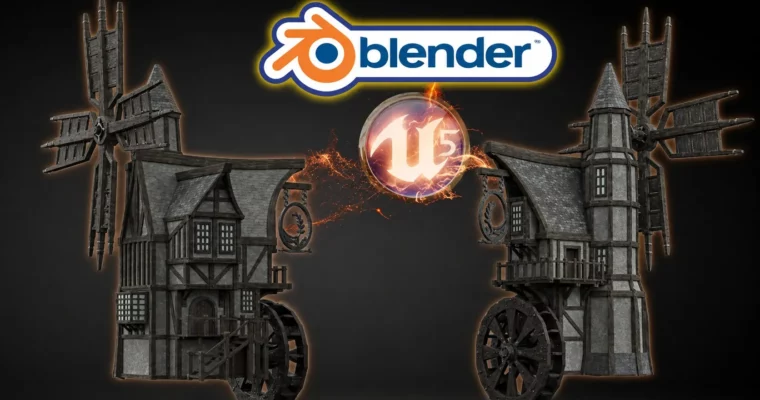
Build a complete, game-ready medieval windmill from scratch. This course walks you through the entire pipeline: modeling, texturing, rigging, animation, and finally exporting everything into Unreal Engine 5. You’ll end up with a portfolio-worthy asset that actually moves.
🎯 What you’ll learn
- Model a structurally accurate medieval windmill with a water wheel
- Rig and animate windmill arms, a water wheel, and a hanging sign
- Create and apply materials using Blender’s node system
- Import models and set up materials in Unreal Engine 5
- Use HDRI lighting and render portfolio shots in Eevee and Cycles
✅ Requirements
- Skills: Basic computer skills and a willingness to learn 3D modeling
- Tools: Blender (free), a graphic tablet is recommended but not required
- Hardware: A computer running Microsoft, Linux, or Mac OS
📝 Description
This isn’t just another modeling tutorial. It’s a full production walkthrough where you build a complex, historically-inspired medieval windmill with a working water wheel. You’ll start with a simple greybox and gradually add detail: wooden supports, realistic roof tiles, a balcony, a bay window, and even a metal sign that swings in the wind.
The course is structured like a real project. You’ll learn to think about edge flow, UV mapping, and mesh optimization as you go, not as abstract theory. Each section builds on the last, so by the time you reach the animation module, you already know the model inside out.
Animation is a big part of this. You’ll rig the windmill arms, the water wheel, and the sign, then use keyframes and weight painting to make everything move naturally. The course covers the dope sheet and the animation system, so you can export a fully functional asset to any game engine.
The Unreal Engine 5 section is practical and focused. You’ll import your animated model, set up materials using the included texture packs, and get everything running in real-time. No fluff, just the steps you need to get your asset into a game-ready state.
You also get over 100 2k and 4k texture maps, plus a course handbook to help you navigate the lessons. It’s a lot of content, but it’s all aimed at one thing: helping you finish a professional asset you can actually use.
🧑🎓 Who this course is for
- Beginner 3D modelers who want to build a complete, complex asset from start to finish
- Blender users looking to improve their workflow with professional techniques
- Mid-level artists who want to learn rigging, animation, and Unreal Engine integration
- Fans of medieval architecture who want to recreate a realistic, animated windmill
🧑🏫 About the Author
3D Tudor, founded by Neil Bettison, is a dedicated 3D education studio. Neil is a professional 3D artist and environment artist who has taught over 250,000 students worldwide. He holds a BA (Hons) in Computer Games Arts from the University for the Creative Arts.
His workflow spans Blender, Unreal Engine 5, Substance Painter, and ZBrush. He is also the co-author of a #1 Amazon Best Seller in Rendering & Ray Tracing. His teaching style is direct and practical, focusing on project-based learning that helps students build real skills and finished work.
🏁 Final Result
- A fully modeled, textured, and animated medieval windmill with a water wheel, ready for portfolio presentation or game engine integration.
- A portfolio render of the windmill on a custom base, lit with HDRI and rendered in Eevee or Cycles.
- An exported asset with working animations, ready to import into Unreal Engine 5.
 Channel