

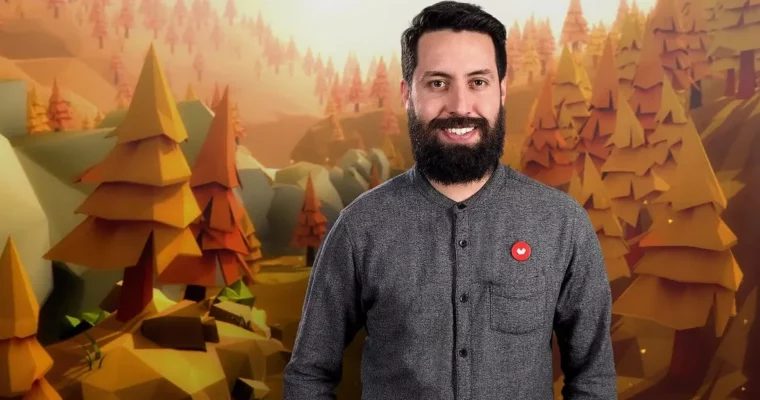
Low Poly Set Modeling for Video Games by Daniel Gutiérrez
Actual Duration:1h 48m
Release date:2019, August
Publisher:Domestika
Skill level:Beginner
Language:English
Exercise files:Yes
Software:Blender, Unity 3D
Course URL:https://www.domestika.org/en/courses/568-low-poly-set-modeling-for-video-games
Want to give your characters somewhere to actually live? This course walks you through building a complete low-poly set from zero — design, model, texture in Blender, then assemble and light it in Unity.
🎯 What you’ll learn
- What makes a good low-poly style and how to plan a set for games
- How to navigate Blender and Unity without getting lost in menus
- How to use templates and replication to model faster
- How to model stylized trees, rocks, clouds, and a windmill from basic shapes
- How to create UV maps, apply textures, and bake ambient occlusion
- How to export to Unity, assign materials, set up the camera, and add final effects
✅ Requirements
- Skills: Basic computer skills, no prior 3D experience needed. Helpful if you already took Low Poly Character Modeling for Video Games
- Tools: Blender, Unity 3D – both free to download
- Hardware: Computer capable of running Blender and Unity, 3-button mouse recommended
📝 Description
You start with the why, not just the buttons. Daniel breaks down what low-poly actually means for games — fewer polygons, readable silhouettes, smart color use. Then you get a quick tour of Blender and Unity so you know where everything lives before you build anything.
The modeling part stays practical. You sketch the idea, set up templates, then block everything out from simple geometry. Trees, clouds, rocks, a windmill — all built with the same handful of tools, shortcuts, and repeat tricks. If you hate fiddly modeling, this approach will click. It is built for speed and clean shapes, not endless sculpting.
Then comes color. You will lay out UV maps, paint textures, and use ambient occlusion to fake depth without heavy lighting. That is the little cheat that makes flat colors look rich. Finally you move to Unity: import, place assets, assign materials, tweak the camera, and add small effects to make the scene feel alive. By the end you have a real workflow you can reuse for any small game environment.
🧑🎓 Who this course is for
- Designers, artists, and programmers curious about 3D modeling for games
- Indie developers who want to build their own stylized environments
- Students who took Low Poly Character Modeling for Video Games and want to build a world for their characters
🧑🏫 About the Author
Daniel Gutiérrez is an art director and 3D modeling specialist focused on sets for independent video games. His work has shipped on Xbox, PlayStation 4, and Nintendo Switch, so he knows what actually holds up in a real production pipeline. He teaches the way he works — direct, fast, and focused on stuff you will reuse on your next project.
🏁 Final Result
- A finished low-poly 3D set — modeled and textured in Blender, composed and presented in Unity — ready to show in your portfolio or use as a game environment.
 Channel