

Ad Clicks : Ad Views : Ad Clicks : Ad Views : Ad Clicks : Ad Views : Ad Clicks : Ad Views :
Oh Snap!

It looks like you're using an adblocker. Adblockers make us sad. We use ads to keep our content happy and free. If you like what we are doing please consider supporting us by whitelisting our website. You can report badly-behaved ads by clicking/tapping the nearby 'Advertisement' X text.

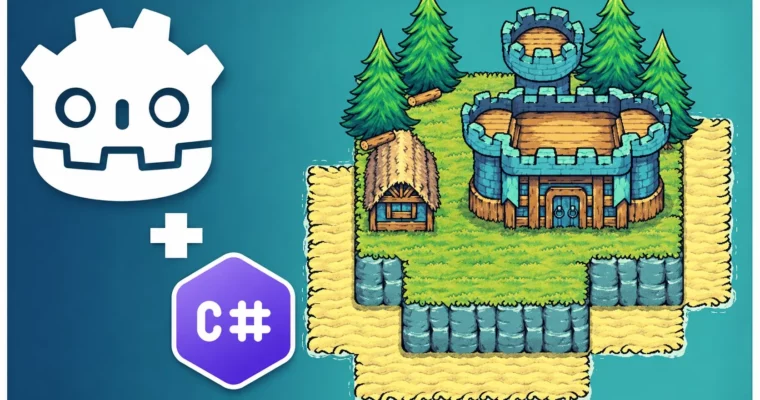
Create a Complete Grid-Based Puzzle Game in Godot 4 with C by Firebelley Games
Create a Complete Grid-Based Puzzle Game in Godot 4 with C by Firebelley Games

/

Author:Firebelley Games

Duration:24h 45m

Release date:2024, October

Publisher:Udemy

Skill level:Intermediate

Language:English

Exercise files:Yes

Software:Godot 4.3+, C#, Visual Studio Code

Course URL:https://www.udemy.com/course/create-a-complete-grid-based-puzzle-game-godot-4-c-sharp

Build and ship a full 2D grid-based puzzle game in Godot 4 using C# from empty project to export.

Build a real, playable village puzzle game in Godot 4 with C# β€” placement, resources, levels, save data, and export included.

🎯 What you’ll learn

  • Build grid-based placement, query grid state, and validate building rules
  • Use Godot fundamentals – scenes, signals, custom resources, and export variables
  • Work with Godot 4.3+ TileSet and TileMapLayer – y-sorting, animated tiles, custom data, and autotiling
  • Write practical C# in Godot – HashSets, Dictionaries, LINQ queries, and extension methods
  • Create game UI with containers, custom themes, theme variations, and nine-slice
  • Save and load progress with JSON to a custom user directory
  • Add sound effects and music, plus options and pause menus
  • Export your game for distribution

βœ… Requirements

  • Skills: Some programming experience with statically-typed languages, basic familiarity with game dev concepts
  • Tools: Godot 4.3+, Visual Studio Code with C# extension, 3-button mouse
  • Hardware: Modern PC or Mac capable of running Godot 4

πŸ“ Description

This is not a toy demo. You start empty and finish with a shipped puzzle game. Every system earns its place in the pipeline.

You will build the core loop first: place buildings on a grid, track occupied tiles, and query state to allow or block placement. We use C# HashSets and Dictionaries for that, plus LINQ to filter tiles fast. No spaghetti checks. Just clean data you can debug.

Then we get into the look of the game with the new TileMapLayer workflow. Stacked layers, y-sorting for correct draw order, animated tree and water tiles, autotiling for terrain, and custom tile data to mark buildable vs blocked. You will also handle multi-tile buildings, circular radius, and elevation rules β€” the stuff that breaks grid games if you skip it.

From there it’s all the glue that makes it feel complete. Placement ghost with valid/invalid feedback, Tweens and AnimationPlayer for pop-in and destruction, particles, camera pan and shake, custom cursor, and error messages. UI is built with containers and custom themes, so menus, level select, and resource counters actually scale.

Last stretch covers real production tasks: level definitions as custom resources, JSON save/load for completion state, NuGet packages in Godot, sound effects and music mix, options and escape menus, and export. By the end you have a repeatable process for starting and finishing small 2D games in Godot with C#.

πŸ§‘β€πŸŽ“ Who this course is for

  • Beginner game developers with programming experience who want to finish a full Godot project
  • Unity C# devs who want to transfer their skills to Godot 4
  • Intermediate programmers who want a practical guide to 2D grid systems, UI, and saving

πŸ§‘β€πŸ« About the Author

Firebelley Games builds project-based courses focused on Godot 4 and C# scripting. The teaching style is straight to the point: build systems step by step, refactor when it hurts, and fix bugs on camera. That approach gives you a solid look at real decision-making β€” from grid management to level flow to polish β€” so you can reuse the same patterns in your own games.

🏁 Final Result

  • A complete, portfolio-ready 2D grid-based puzzle game with multiple levels, village and combat buildings, animated tiles and particles, main menu / level select / options UI, JSON save system, audio, and an exported playable build.
Curriculum

πŸ“‹ Course content

  1. Module 1:  Setup and C# Basics in Godot 4
    • Introduction and Godot C# Setup13:06
    • C# and VSCode Configuration18:31
    • Godot Editor Orientation11:20
    • The First C# Script14:21
    • Instantiating New Scenes13:00
    • Introduction to Signals14:00
    • Modifying Window Settings4:42
    • Basic Grid Operations and TileMapLayer Introduction23:01
    • Using a HashSet to Mark Occupied Tiles5:24
    • Minor Code Cleanup8:21
    • Adding the Asset Pack and Tower Art12:26
    • Introduction to Autotiling20:47
    • Refactoring Code Into a GridManager22:00
    • Defining and Using TileSet Custom Data9:38
    • Adding a Base Building17:51
    • Using Autoloads and Custom Signals for Grid State Updating19:02
    • Using Grid State for More Sophisticated Building Rules18:44
    • Highlighting Expandable Building Area23:59
  2. Module 2:  Tiles, Resources and Village Buildings
    • Adding Animated Tree Tiles9:31
    • Accounting for Trees in GridManager17:31
    • Applying Y-Sorting for Proper Draw Order9:18
    • Adding Village Buildings16:03
    • Introduction to Custom Resources19:15
    • Highlighting Resource Tiles14:40
    • Tracking Collected Resource Tiles11:24
    • Introduction to Control Nodes15:45
    • Streamlining Building Placement15:48
    • Creating a Building Manager15:20
    • Creating a Building Placement Ghost17:43
    • Indicating Whether Building Ghost is Valid13:35
    • Cancelling Building Placement7:23
    • Refactoring Building Manager to Support States18:23
    • Refunding Resources and Updating Grid on Building Destruction22:20
    • Adding a Win Condition20:28
    • Transforming the Main Scene Into a Base Level Scene6:10
    • Adding Terrains to the Tileset10:46
    • Adding Water to the Tileset8:44
    • Adding Shadows to the Tileset11:33
  3. Module 3:  Levels, Camera and Multi-Tile Logic
    • Designing Your First Level11:41
    • Adding Camera Panning18:51
    • Fixing Tileset, Centering the Camera, and Adding Configurable Starting Resources5:08
    • Fixing Shadow Tiles Invalidating Buildable Tiles5:51
    • Making UI Buttons Follow Camera6:35
    • Making Buildings Occupy Multiple Tiles24:24
    • Adding Base Building Art and Preventing Deletion6:58
    • Allowing Building Deletion by Clicking Into Occupied Area8:24
    • Preventing Building Placement on Differing Elevation Layers34:17
    • Introduction to Extension Methods3:17
    • Making Building Radius Circular17:31
  4. Module 4:  UI Theming, Menus and Level Flow
    • Introduction to UI Theming14:53
    • Theme Files and Theme Variations8:13
    • Styling Building Selection UI17:01
    • Fonts and Button Styling21:13
    • Improving the Design of Building Sections12:30
    • Displaying Resource Count in Game UI14:09
    • Building a Main Menu Skeleton UI15:01
    • Building a Framework for Changing Levels10:10
    • Creating a Level Complete Screen15:57
    • Moving to the Next Level from the Level Complete Screen17:29
    • Designing More Levels30:20
    • Addressing Some Errors and Issues8:41
    • Creating a Level Select Screen12:24
    • Moving Level Definitions to Custom Resources16:13
    • Showing Levels on the Level Select Screen13:46
    • Integrating the Level Select Screen With the Main Menu8:34
    • Improving the Look of Building Placement14:11
  5. Module 5:  Animation, Particles and Goblin Camp Gameplay
    • Introduction to Animation Player10:48
    • Using Tweens to Animate Building Position24:32
    • Centering Building Placement on Mouse Position10:30
    • Animating Building Placement14:49
    • Call Building Placement Animation on Demand8:58
    • Building Destruction Animation12:58
    • Adding a Mask to Building Destruction9:28
    • Fixing Destruction-Related Bugs9:31
    • Building Placement Particles22:13
    • Building Destruction Particles14:19
    • Creating a Goblin Camp10:09
    • Making the Goblin Camp Functional13:07
    • Creating a Barracks Building7:13
    • Allowing Barracks to Be Placed in Goblin Camps14:18
    • Showing Barracks Attack Area10:26
    • Making the Barracks Destroy Goblin Camps18:21
    • Handling Goblin Camp Restoration on Barracks Destroy12:54
    • Preventing Invalid Building Destruction33:17
    • Fixing Bugs in Building Destruction10:49
    • Preventing Invalid Barracks Destruction22:03
    • Cleaning Up Code and Tile Improvements4:15
    • Adding Pagination to Level Select Screen17:45
  6. Module 6:  Saving, Audio, Polish and Export
    • Introducing Nuget Packages13:47
    • Saving and Loading Lesson Data to Disk12:55
    • Showing Saved Level Completion State4:58
    • Window Scaling Configuration6:10
    • Adding Camera Shake20:56
    • Updating Particles for Barracks9:43
    • Adding Resource Indicators28:39
    • Adding Error Messaging14:18
    • Adding a Custom Cursor3:46
    • Animating Goblin Camp Destruction11:05
    • Adding Sound Effects16:35
    • Adding Final Sound Effects and Music11:04
    • Fixing Gold Mine Indicator2:58
    • Creating an Options Menu23:37
    • Integrating the Options Menu Into the Game4:57
    • Creating an Escape Menu16:58
    • Handling the Last Level in the Level Complete Screen4:53
    • Exporting Your Game14:13
    • Congratulations, Your Game is Complete!5:44
Watch online or Download for Free
Create a Complete Grid-Based Puzzle Game in Godot 4 with C by Firebelley Games
NAME
SIZEDURATION

Download all Videos (107)
16.1 GB


Download all

Join us on
  Channel    and      Group

Leave a Comment

Your email address will not be published. Required fields are marked *