Cinematic Concept Art Mentorship by Leo Avero

Actual Duration:38h 53m
Release date:2025
Publisher:Art Train Academy
Skill level:Intermediate
Language:English
Exercise files:Yes
Software:Blender, Photoshop, Marvelous Designer, Character Creator, ZBrush, Quixel Megascans
Course URL:https://www.arttrainacademy.com/courses/cinematic-concept-art-mentorship
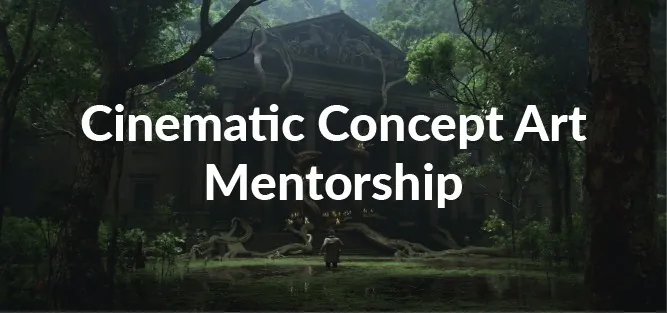
This mentorship is all about making images that feel like film stills. You will stage shots in Blender, push them with Photoshop paintover, and learn to think like a cinematographer on composition, light, and story.
🎯 What you’ll learn
- How to build a cinematic image with composition, lighting, and visual storytelling
- How to think like a cinematographer and find ‘the’ shot
- 3D workflow in Blender for concept art, from blockout to render-ready scene
- How to use Marvelous Designer, Quixel Megascans, Character Creator and ZBrush efficiently
- How to paint over 3D renders in Photoshop for a final portfolio image
- How to get the most out of assets and keep your pipeline fast and clean
✅ Requirements
- Skills: Basic understanding of art and digital painting, introductory knowledge of Blender or similar 3D software
- Tools: Blender, Photoshop, drawing tablet recommended for paintover work
- Hardware: PC capable of running Blender and 3D apps, 16GB RAM and dedicated GPU recommended
📝 Description
This isn’t a button-pushing Blender course. It’s about telling stories with single frames. Leo breaks down what actually makes an image feel cinematic – camera lenses, cinematic composition, and lighting that supports the story. Short, direct demos. Lots of paint-overs. You see how decisions get made, not just what buttons to press.
The workflow is built for production speed. You block out and stage in Blender, pull in help where it counts with Quixel Megascans, Marvelous Designer, and Character Creator, add a bit of ZBrush when you need it, then finish in Photoshop. The point is to stop fighting tools and start using assets smartly. How to kitbash without it looking kitbashed. How to keep perspective, scale, and light consistent so your paintover is fun, not fix-up work.
Classes run live on Sundays 12PM UTC+7 (Jakarta), around 4-5 hours with demos and personal feedback. Everything is recorded, so you can rewatch. Expect homework, honest notes on your images, and a push to develop your own voice. By the end you won’t just have prettier renders – you’ll know how to hunt for the shot, stage it, light it, and finish it.
🧑🎓 Who this course is for
- Concept artists and illustrators who want cinematic, film-like portfolio pieces
- Blender users with basics down who want a real production workflow for storytelling images
🧑🏫 About the Author
Leo Avero is an Art Director and Concept Artist working in entertainment, currently at One Pixel Brush. He works on professional productions by day and cuts personal short films on the side, which feeds straight into how he teaches cinematic thinking.
His thing is practical storytelling – staging, light, lens, and mood – using a fast 3D to 2D pipeline that actually holds up under deadlines. In this mentorship you get that working mindset directly, with live feedback on your own shots.
🏁 Final Result
- A set of finished cinematic keyframes staged in 3D and polished with paintover, ready to anchor your portfolio and show you can tell a story in one frame.
 Channel