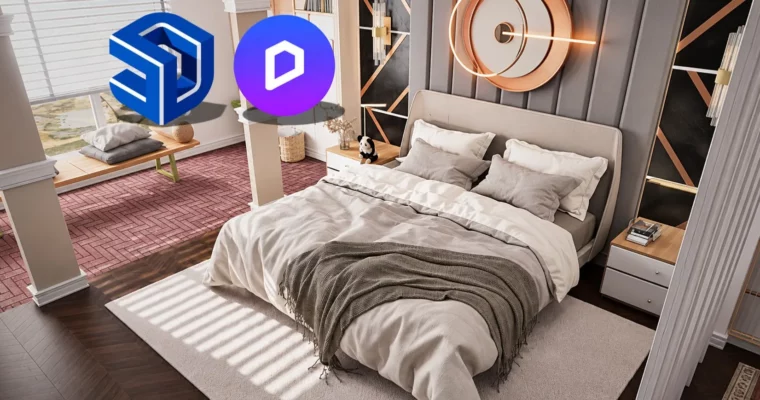
Fast and Realistic Rendering – SketchUp to D5 Render Workflow by Ufuk Sen

Duration:3.5 hours
Actual Duration:3h 19m
Release date:2025
Publisher:Udemy
Skill level:Intermediate
Language:English
Exercise files:Yes
Software:SketchUp, D5 Render, Photoshop
Course URL:https://www.udemy.com/course/fast-realistic-rendering-sketchup-to-d5-render-workflow
If you model in SketchUp but your images still look flat, this course closes that gap. You take a real bedroom project from DWG plan to finished photorealistic interior in D5 Render, with lighting, materials, and camera work that actually sells the design.
🎯 What you’ll learn
- Model a bedroom interior in SketchUp from a DWG floor plan
- Import and clean up AutoCAD DWG files for accurate 3D modeling
- Assign realistic textures and materials for interior surfaces
- Set up sun, shadows, and interior / exterior supporting lights in D5 Render
- Choose camera angles and render settings for sharp, client-ready images
- Create animation output and polish stills with Photoshop and AI enhancement
✅ Requirements
- Skills: Basic SketchUp navigation is helpful but not required, no prior rendering experience needed
- Tools: SketchUp installed, free version of D5 Render, Photoshop for final touch-ups
- Hardware: RTX-capable dedicated GPU for D5 Render, minimum 16GB RAM recommended
📝 Description
This is a straight DWG-to-image workflow, no fluff. You start with a 2D AutoCAD plan, prep it properly, and build it into a clean SketchUp model that is actually ready to render. A lot of time goes into the boring-but-important stuff: floor buildup, window logic, profiles, and small detailing that makes renders read as real.
Once the model is solid, you switch to D5 Render. You learn the interface fast, import with live-sync, then build the look step by step. That means real-time global illumination, sun + sky control, plus interior and exterior support lights to fill dark corners without blowing out the windows. You also get practical tips on quality settings, free assets, and how to swap models when the client changes their mind.
The last stretch is about delivery. You set up still cameras, dial in depth of field and effects, export high-res images, and cut a short animation intro from your outputs. Then a quick Photoshop post-production pass and AI enhancement to add punch to the final visuals. Short lessons, clear order, and you see every click on a single bedroom project.
🧑🎓 Who this course is for
- Beginners and intermediate users who want better SketchUp modeling and rendering results
- Interior designers who need realistic bedroom visualizations for clients
- Architects and students building a portfolio with high-quality interior renders
- 3D artists and freelancers who want a faster SketchUp to D5 Render process
- Anyone into 3D visualization, lighting, and interior design
🧑🏫 About the Author
Ufuk Sen works in interior visualization and 3D training with a focus on practical, project-based teaching. His background is in SketchUp modeling and fast rendering pipelines for bedrooms and residential spaces. He teaches the way he works: DWG import, solid modeling habits, then lighting and post that get you to a finished image quickly.
🏁 Final Result
- A finished photorealistic bedroom interior set — modeled in SketchUp, lit and rendered in D5 Render, with polished stills and a short animation clip ready for portfolio or client presentation.
 Channel