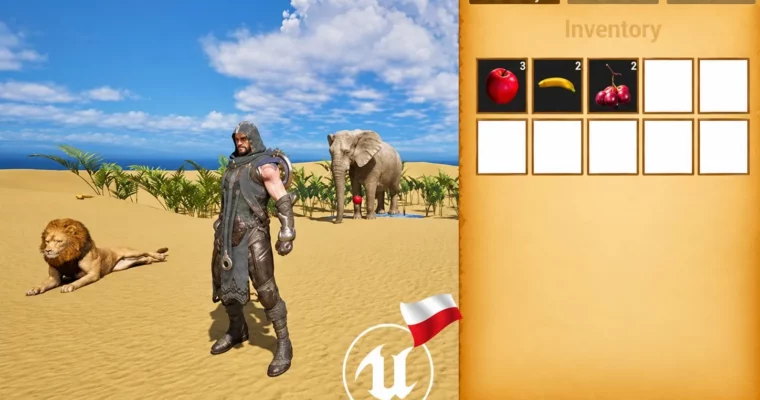
Unreal Engine 5 Blueprints- Inventory, Quests and Char Stats by Krystian Czekalski

Duration:10.5 hours on-demand video
Actual Duration:10h 34m
Release date:2024
Publisher:Udemy
Skill level:Intermediate
Language:English
Exercise files:Yes
Software:Unreal Engine 5
Course URL:https://www.udemy.com/course/unreal-engine-5-blueprints-inventory-quests-and-char-stats
If your Blueprints turn into spaghetti the moment you add an inventory or quest, this course is for you. You will build three connected systems – pickup inventory, NPC quests, and character stats – while learning how to keep data clean with structs, Data Tables, and proper class communication.
🎯 What you’ll learn
- Manage game data in Unreal Engine 5 using structs, enums, maps, and Data Tables
- Set up communication between classes with interfaces, traces, and event dispatchers
- Build a pickup-based inventory system with slots, grids, and item quantities
- Build an NPC quest system with dialogue widgets, task tracking, and progress updates
- Display character stats and XP level-ups using Game Instance
- Organize Blueprint logic so systems stay readable and reusable
✅ Requirements
- Skills: Basic understanding of Unreal Engine 5 install, editor navigation, and Blueprint basics
- Tools: Unreal Engine 5 installed, 3-button mouse
- Hardware: Computer capable of running Unreal Engine 5, dedicated GPU recommended
📝 Description
This is not a click-here, drag-there tutorial. It’s about how to think about data. You start with the boring-but-important stuff – data types, arrays, maps, enums – and then you actually use them to build stuff that works.
First up: project setup. You import a character from the marketplace, fix up the Character Blueprint, wire Enhanced Input, and block out a simple landscape level. Nothing fancy, just enough world to test interactions.
Then you build the menu. Three tabs, animated widgets, clean switching logic. You will learn how to show and hide widgets, track the active tab, and keep UI code in global functions so you don’t repeat yourself in ten places.
The fun part is interaction. You set up line trace, trace channels, and Blueprint Interfaces to detect what the player is looking at. You create a base interact class, then child classes for pickups. Add trigger-once logic, parent events, destroy-on-pickup – all the small details that make interaction feel solid.
For inventory, you go full pipeline: structs for item data, Data Tables for item definitions, slot and grid widgets for display. You handle finding items, finding empty slots, stacking quantity, and fixing the classic bugs that break inventories. By the end your player can walk up, pick stuff up, and see it show up correctly in UI.
Quests work the same way, but with NPCs. You build a quest actor + component, an NPC with dialogue widget, and buttons to accept tasks. Progress is driven by real in-game events via event dispatchers, so collecting an item or reaching the oasis updates the task list and fires quest-complete logic. You even add a second quest to prove the system is reusable.
Last, you tie it together with stats. XP lives in the Game Instance, level-up logic calculates thresholds, and a stats widget shows it in the menu. Complete a quest, get XP, level up. Simple loop, but now you know how to pass data across levels without hacks.
🧑🎓 Who this course is for
- UE5 beginners who know the basics and want to build real gameplay systems like inventory and quests
- Hobbyists and indie devs who want clean, reusable Blueprint data setups instead of messy one-off scripts
🧑🏫 About the Author
Krystian Czekalski teaches Unreal Engine 5 with a focus on practical Blueprints and game systems design. His work centers on data management, class communication, and building reusable features like inventories, quests, and UI. He explains things in a direct, build-along way – you make the system, break it, fix it, and understand why it works.
🏁 Final Result
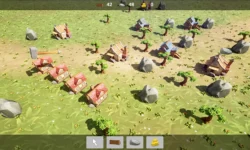
- A playable UE5 demo with explorable landscape, collectible items, tabbed animated menu, working inventory with quantities, two NPC-driven quests with tracking, and XP-based character stats saved in Game Instance
 Channel