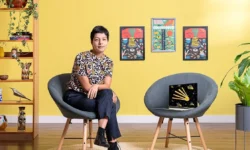
Animated Frame by Frame Illustrations by Catalina Vásquez

Actual Duration:2h 34m
Release date:2020, December
Publisher:Domestika
Skill level:Beginner
Language:English
Exercise files:Yes
Software:Adobe Photoshop, Procreate, Adobe After Effects
Course URL:https://www.domestika.org/en/courses/781-animated-frame-by-frame-illustrations
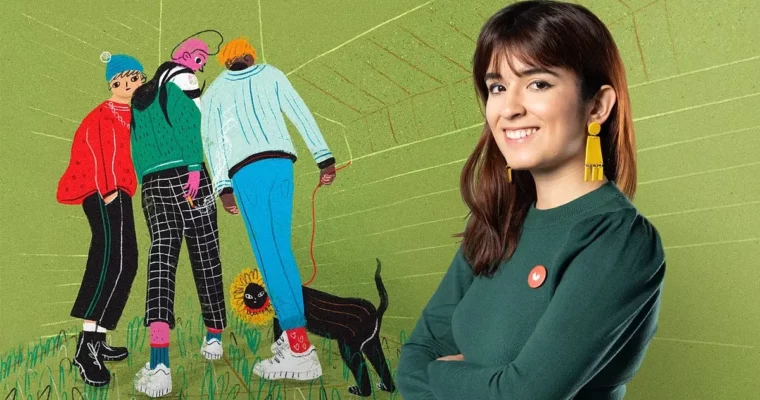
Got a sketchbook full of small everyday moments? Catalina Vásquez, aka Kathiuska, shows you how to make them move with simple frame-by-frame animation, built in Photoshop and Procreate and polished in After Effects.
🎯 What you’ll learn
- How to brainstorm ideas and build mood boards for an animated scene
- Core principles of frame-by-frame animation, fps, and loop logic
- How to plan a loop with storyboards, key poses, and backgrounds
- How to build color palettes and paint characters in Photoshop and Procreate
- How to animate on timelines and split layers for clean movement
- How to composite in After Effects with depth of field and camera moves
- How to export loops with the right codecs and formats for social media
✅ Requirements
- Skills: No prior illustration or animation needed, basic command of Adobe apps helps
- Tools: Adobe Photoshop, Adobe After Effects, Procreate with Apple Pencil on iPad
- Hardware: Computer capable of running Photoshop and After Effects, iPad optional
📝 Description
This is not theory-heavy animation school. Catalina starts with where ideas actually come from — mind maps, keywords, mood boards, and quick composition sketches. You pick one small scene from daily life and shape it into something worth looping.
Then you get the practical basics: what frames per second really means, why the illusion of movement works, and how a loop is different from a linear shot. You plan it out with a simple storyboard, lock your key moments, and decide what moves and what stays still.
From there it is all hands-on. You build a color palette, pick a brush that fits your line, and split your illustration into layers based on movement. Catalina animates the same way in both Photoshop and Procreate, so you can follow along with whatever you have. Timelines, onion skin, spacing — she shows what buttons to push and why.
The finish happens in After Effects. You import your frames, stack the scene, add a little depth of field and camera drift, and export a clean loop. No fancy rigs. Just drawings that move, ready to post.
🧑🎓 Who this course is for
- Illustrators, cartoonists, and artists who want to add movement to their work
- Anyone curious about expressive digital animation, even with zero animation background
🧑🏫 About the Author
Catalina Vásquez, better known as Kathiuska, is an animator and illustrator from Colombia focused on thoughts, personal stories, and scenes from daily life. She has worked with clients like Snapchat, Pepsi, Procter & Gamble, and Amnesty International, plus cultural work for the Medellín Museum of Modern Art. Her teaching style is direct and process-driven — lots of drawing, lots of testing, no fluff.
🏁 Final Result
- A hand-illustrated daily-life scene turned into a smooth animated loop, exported for social media, clients, or portfolio
 Channel