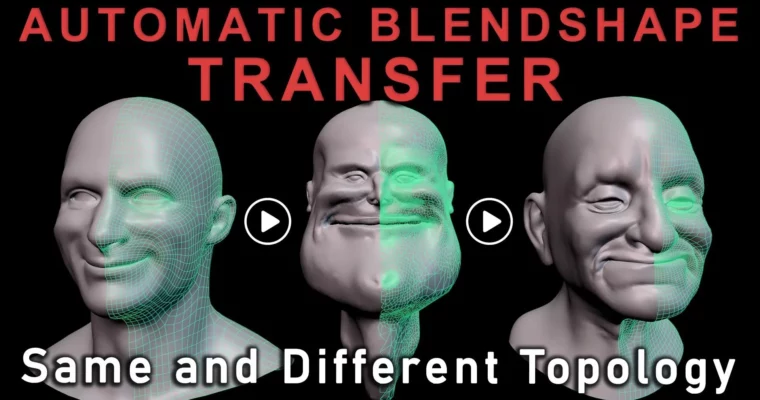
Auto Blendshape Transfer Different Topo by Noah Schnapp

Duration:2h 53m
Actual Duration:2h 52m
Release date:2022, April 25
Publisher:CGCircuit
Skill level:Advanced
Language:English
Exercise files:Yes
Software:Maya, Python, R3DS Wrap
Course URL:https://www.cgcircuit.com/products/auto-blendshape-transfer-different-topo
Stop rebuilding the same 50 faces for every new character. This course shows you how to build one solid blendshape library and move it to completely different topology — mathematically, with no sculpt fixes and no UV matching.
🎯 What you’ll learn
- Compare same-topology vs different-topology pipelines used in production
- Transfer blendshapes manually in Maya for identical meshes
- Automate same-topology transfer with a reusable Python module
- Transfer blendshapes across different topology by hand using R3DS Wrap
- Automate different-topology transfer with Python for 50 to 1000 shapes
- Merge both workflows into one smart function call for any asset
✅ Requirements
- Skills: Basic familiarity with Maya UI and blendshape concepts, basic Python reading ability
- Tools: Maya 2022 or later, code editor like VS Code, R3DS Wrap for different-topology wrapping
- Hardware: Standard workstation with 16GB+ RAM, dedicated GPU recommended for dense meshes and Wrap
📝 Description
Most studios get stuck on one topology because rebuilding faces is painful. You make five characters, each needs 50 blendshapes, and suddenly you’re sculpting 250 targets by hand. This course flips that. You sculpt once, then reuse that work everywhere.
Noah starts with the why. He breaks down how places working on MetaHuman, Ziva Face Trainer, Snappers, and PolyWink think about same vs different topology. Same topology is fast for reusing models, shaders, and skin weights, but it locks your art direction. One horn, one asymmetric jaw, and the whole system breaks. Different topology gives you freedom, but only if you have a reliable way to move shapes.
Then you get hands-on. First you do a same-topology transfer manually in Maya so you actually understand what the connections do. Then you rebuild that exact logic as a clean Python module. No copy-paste magic — you write it, run it, and see why it works.
The second half is where it pays off. You learn the different-topology method step by step: prep the source and target, wrap, project deltas, and reconnect without touching UVs or sculpt tools. It’s 100% mathematical, so skill level doesn’t matter. Once the manual version clicks, you automate it. By the end you merge both modules into a single smart call that figures out what kind of transfer you need.
If you handle characters at all, this saves real artist hours. Think 1×50 shapes built well vs 5×50 shapes built tired. Plus your library actually grows instead of resetting on every project.
🧑🎓 Who this course is for
- Facial riggers and character TDs tired of rebuilding blendshapes per character
- Pipeline TDs and tool developers who want a reusable transfer system in Maya and Python
- Freelancers and small studios who can’t pay vendors thousands for facial rig transfers
🧑🏫 About the Author
Noah Schnapp is a Rigging TD and tool developer with 15+ years across animation, episodic, film, and games. He’s worked out of Los Angeles and Vancouver, BC, focusing on workflow efficiency and pipeline development when productions get messy.
His credits include Marvel and DC work like Black Panther and Justice League, Netflix features, Super Bowl commercials, and episodics like 911, Snowpiercer, and The Orville. When he’s not in the studio, he’s 3D printing, designing, and racing drones professionally.
🏁 Final Result
- A working Python-based auto-transfer tool that handles both same and different topology in Maya with Wrap support, plus a transferred multi-character expression library you can show as a pipeline case study.
 Channel