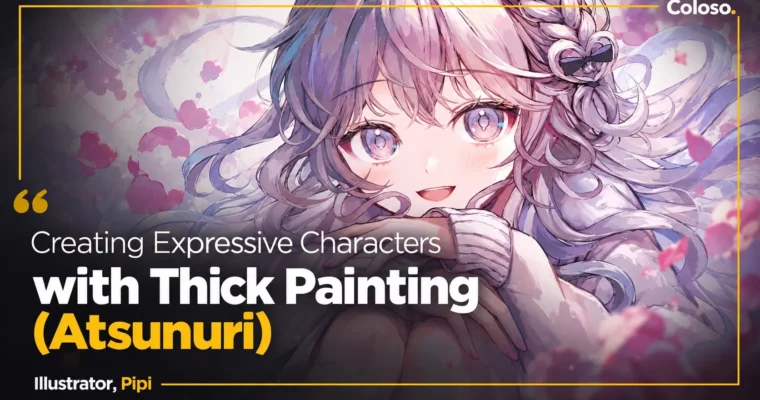
Creating Expressive Characters with Thick Painting (Atsunuri) by Pipi

Duration:7 h 42 m
Actual Duration:15h 43m
Release date:2024, May 17
Publisher:Coloso
Skill level:Intermediate
Language:English
Exercise files:Yes
Software:CLIP STUDIO PAINT EX
Course URL:https://coloso.jp/products/illustrator-pipi-jp
If your characters look okay but feel flat, this course fixes that. PiPi teaches her transparent atsunuri workflow in CLIP STUDIO PAINT — from picking facial expressions and poses to finishing one polished illustration you can print.
🎯 What you’ll learn
- Draw varied facial expressions from basic joy-anger-sorrow-pleasure to tears and subtle acting
- Choose poses, hand gestures, and hair movement to support emotion and story
- Build transparent color palettes using hue, lightness, and saturation
- Paint with visible brushstrokes without making it look messy
- Render hair with natural growth, flow, bundles, and personality
- Add dramatic shadows, highlights, and aerial / color perspective for depth
- Prepare a doujin book, goods, booth, and SNS announcements for events
✅ Requirements
- Skills: Basic drawing fundamentals, able to sketch simple faces and poses
- Tools: CLIP STUDIO PAINT EX Ver.2.0 or later, drawing tablet
- Hardware: PC or tablet capable of running CLIP STUDIO PAINT smoothly
📝 Description
PiPi paints without heavy line art, but her work still feels light and clear. That balance is the whole point here. You start with the basics — how atsunuri differs from line-based painting, what setup she uses, and how a piece moves from rough to finish. No guesswork, just a repeatable order of operations.
Then it gets into faces. You will rough out joy, anger, sorrow, pleasure, plus crying variations, and learn how to pick the right expression for the story. PiPi also breaks down character analysis, hand openness for tension, and wind-blown hair for movement. Small tweaks, big difference in acting.
Color is the second pillar. You will go over the color wheel, the three attributes of color, and how to pick combos that stay transparent instead of muddy. She shows where to leave brushstrokes for texture and where to smooth them out, how to use value contrast for weight and gravity, and how to add information with light instead of just making highlights brighter.
Hair, light, and depth each get their own block. Natural hair growth and bundles, flow matched to mood, translucent rendering by base color, plus accessories. Then geometric simplification for shadows, light-source logic, and aerial perspective with screen / multiply / linear layers in Clip Studio. Practical stuff you can reuse on any character.
Last part is rare for an art class: real doujin activity talk. How to check rights-holder guidelines for fan work, pick a printer, build binding data in Clip Studio, write an oshinagaki, manage print runs, handle mail order, and announce on SNS. It is based on PiPi’s own Comiket experience, not theory.
You get 23 lessons with lifetime access, plus the finished PSD, two custom pen codes, a book-binding PDF sample, and process videos for the full illustration and the eyes.
🧑🎓 Who this course is for
- Beginners to intermediate artists who want to try character illustration with thick painting
- Painters whose work feels stiff or monotone and want more expressive faces and color
- Fans who want to join doujin events and sell their first illustration book or goods
🧑🏫 About the Author
PiPi is a Japanese illustrator working mainly on social media, known for transparent atsunuri and highly expressive characters. Her client work spans VTuber character design, music collaboration art, smartphone game characters, and light novel covers including “Moshimoshi? Watashi Smartphone desu ga Nani ka?”.
She also painted the Project Sekai Leo/need 7th single jacket illustration. In this class she focuses on what she struggled with herself — anatomy, expression choices, and building a personal strength — and shows the daily study habits that helped her turn ideas into finished work.
🏁 Final Result
- One finished expressive character illustration, portfolio-ready and print-ready, built from rough to highlights and depth
📢 Guys, this is a Group Buy campaign, check the GBC forum thread to get access
You can find the course preview in the download section below.
 Channel