


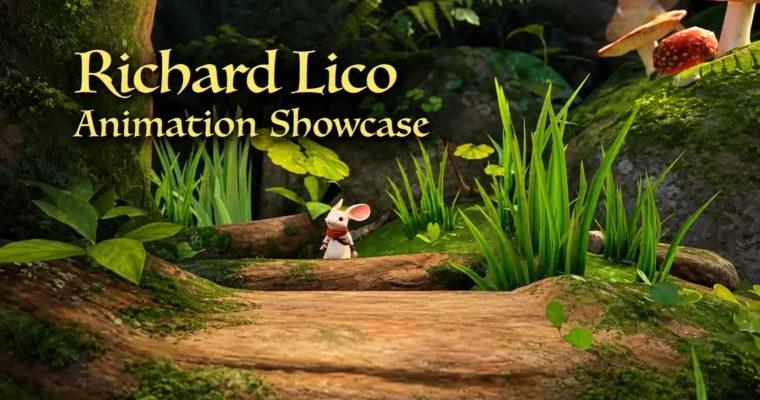
Animation and Workflow Training by Richard Lico

Duration:7.5 hours
Actual Duration:6h 55m
Release date:2020, September 2
Publisher:Animation Sherpa
Skill level:Intermediate
Language:English
Exercise files:Yes
Software:Maya
Course URL:https://href.li/?https://www.animationsherpa.com/
This isn’t another principles course. It’s a workflow fix for animators who already know how to animate but are tired of fighting rigs, messy animation curves, and endless counter-animation. You learn the space switching system Laura Lico used on real game productions to work faster and keep motion editable.
🎯 What you’ll learn
- Use space switching to move controls between coordinate spaces
- Reduce and eliminate unnecessary counter-animation
- Control rotation through visual motion paths
- Simplify animation curves for easier editing
- Create custom pivots anywhere in the scene
- Animate tails, ropes and bone chains more efficiently
- Visualize and animate with center of mass
- Generate automatic secondary motion and overlapping action
- Turn repetitive tasks into reusable scripts, buttons and hotkeys
✅ Requirements
- Skills: Animation fundamentals, 1+ year experience with a 3D animation package
- Tools: 3D animation software like Maya or Blender, basic text editor for scripts
- Hardware: PC or Mac capable of running 3D animation software, 3-button mouse
📝 Description
Look, most rigs you get in production aren’t perfect. You end up counter-animating hips, shoulders, props — just to keep things in place. This course shows a different approach. With space switching, custom pivots, and smart parenting in space, you put the control where the motion actually happens. Less fighting. Cleaner animation curves. Way fewer keys to manage.
You also get a solid breakdown of physicality. Laura walks through how to visualize center of mass and actually use it while you pose. Not theory for the sake of it. You see where weight sits, why a pose feels floaty, and how to add small anatomy and physics details that sell weight without adding hours of polish.
Then it gets fun. One whole section is about letting existing motion do the work for you. You learn to generate secondary motion and overlapping action procedurally from animation you already have. Tails, ropes, jiggles, follow-through — built as reusable behaviors instead of hand-keying everything frame by frame. Super useful for games, cinematics, and systems that need lots of variation.
And yes, there’s scripting, but it’s scripting for animators. No CS degree needed. You take boring repetitive clicks and turn them into simple tools, Python scripting snippets, custom buttons and hotkeys that work across different rigs. You also get Laura’s personal scripts with comments, so you can read them, tweak them, and steal the ideas for your own toolbox.
🧑🎓 Who this course is for
- 3D character animators with at least a year in a 3D package
- Game animators who want faster iteration and cleaner setups
- Cinematic and film animators dealing with complex rigs
- Technical-minded animators curious about automation and tools
- Animators who hate counter-animation and messy curves
- Artists who want production workflow tricks, not basic principles
🧑🏫 About the Author
Laura Lico (formerly Richard Lico) is an Annie Award and D.I.C.E. Award-nominated animator, director, and game developer with decades in games. She was an early animator on Destiny and Moss, where she helped define character movement, animation style, and interactive systems.
Her credits also include Halo: Reach, Destiny 2, and other major franchises, plus talks at GDC, SIGGRAPH, and Montreal International Game Summit. Animation Sherpa packages those production-tested methods into training focused on speed, flexibility, and real studio workflows.
🏁 Final Result
- A complete space-switching workflow you can apply to any character rig in games, film, or VFX
- A working center-of-mass visualization setup plus custom pivots and reusable motion behaviors for your demo reel breakdown
📢 Guys, this is a Group Buy campaign, check the GBC forum thread to get access
You can find the course preview in the download section below.
 Channel



No content for download is available, is that the course intent or just no uploaded.
Guys, this is a Group Buy campaign, check the GBC forum thread to get access