Ad Clicks : Ad Views : Ad Clicks : Ad Views : Ad Clicks : Ad Views : Ad Clicks : Ad Views :
Oh Snap!

It looks like you're using an adblocker. Adblockers make us sad. We use ads to keep our content happy and free. If you like what we are doing please consider supporting us by whitelisting our website. You can report badly-behaved ads by clicking/tapping the nearby 'Advertisement' X text.

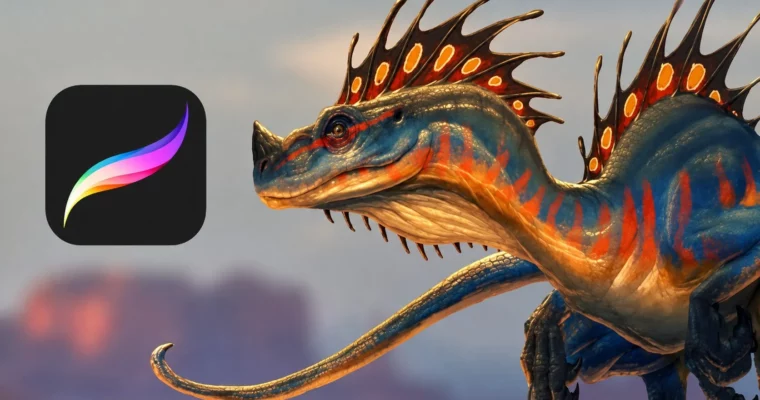
The Procreate 4.1 Super Course by Austin Batchelor

The Procreate 4.1 Super Course by Austin Batchelor

/

Author:Austin Batchelor

Duration:5 hours 56 minutes

Actual Duration:5h 52m

Release date:2019, November

Publisher:Udemy

Skill level:Beginner

Language:English

Exercise files:Yes

Software:Procreate

Course URL:https://www.udemy.com/course/the-procreate-4-super-course

Go from beginner to expert in Procreate 4.1, learning every tool and technique to create professional digital paintings on your iPad Pro.

This course is a complete walkthrough of Procreate 4.1, designed to take you from zero experience to confidently creating professional-grade digital paintings. You’ll learn every tool, menu, and gesture, then apply it all in a full painting demo.

🎯 What you’ll learn

  • Navigate the Procreate interface and manage your artwork gallery.
  • Master the brush system, including creating custom brushes.
  • Use layers, blend modes, and masks for complex compositions.
  • Apply color theory with palettes and the color picker.
  • Execute a complete digital painting from sketch to final render.

✅ Requirements

  • Hardware: iPad Pro (any generation), Apple Pencil

📝 Description

This isn’t just a list of features. It’s a structured, step-by-step guide that treats Procreate like a serious creative tool. You’ll start by getting comfortable with the interface and gallery, then move into the core systems: brushes, layers, and color. The course doesn’t just tell you what a button does; it shows you how to use it in a real workflow.

The real payoff is the final section. Austin walks you through his entire process for creating a fully rendered digital painting. You’ll see how he uses blend modes for lighting, layer masks for non-destructive edits, and the liquify tool for final polish. It’s a practical, no-fluff look at how a professional concept artist works in Procreate.

The course is built for complete beginners, but even intermediate users will pick up new tricks, especially around custom brushes and advanced gesture controls. You get lifetime access, so you can work through the 76 lectures at your own pace.

🧑‍🎓 Who this course is for

  • Anyone who wants to learn Procreate 4.1 from the ground up.
  • Artists looking to create professional digital paintings on the iPad Pro.

🧑‍🏫 About the Author

Austin Batchelor is a working professional concept artist and freelance illustrator in the game industry. He has worked in-house at an animation studio and now creates art from home. With over 290,000 students and a 4.5 instructor rating, he focuses on clear, practical instruction and is known for being responsive to student questions.

🏁 Final Result

  • A complete, fully rendered digital painting created from scratch in Procreate.
  • A deep, practical understanding of every major tool and feature in Procreate 4.1.
Curriculum

📋 Course content

  1. Module 1:  Getting Started
    • Welcome1:28
    • How to use the Q and A3:02
    • Tools required2:51
    • How to stay motivated2:55
    • What is Procreate?1:45
  2. Module 2:  Interface and Gallery
    • User interface2:58
    • Creating a new canvas3:03
    • Importing files and photos1:50
    • Organizing artwork2:08
    • Gallery stacks2:30
    • Sharing artwork4:03
    • Sharing assignment0:46
  3. Module 3:  Gestures and General Use
    • General use4:04
    • Layer gestures4:29
  4. Module 4:  Brushes, Smudge, and Erase
    • The Procreate brush system4:49
    • Advanced brush settings21:19
    • Making custom brushes6:27
    • Smudging colors3:15
    • The erase tool4:15
  5. Module 5:  Quickline and Color
    • Make a perfect line4:24
    • Quickline preferences2:05
    • Colors interface2:29
    • The color disc3:22
    • Classic color picker1:55
    • Color values4:00
    • Saving colors2:28
    • Palette library3:12
    • Fill with color1:56
  6. Module 6:  Layers and Adjustments
    • Building up layered artwork6:44
    • Extra layer options5:36
    • Blend modes and layer opacity15:39
    • Layer masks2:17
    • Applying an effect4:15
    • Image adjustments10:27
  7. Module 7:  Selections and Manipulation
    • Making a basic selection2:26
    • Advanced selections4:12
    • Automatic selections2:51
    • Basic manipulation2:42
    • Advanced manipulation1:54
  8. Module 8:  Guides and Actions
    • Perspective guide basics3:00
    • Perspective assisted drawing3:01
    • Inserting files3:37
    • Canvas actions2:24
    • Sharing artwork2:37
    • Time-lapse replay5:47
    • Live broadcast1:51
  9. Module 9:  Preferences and Settings
    • Preferences3:20
    • Connecting styluses2:02
    • Edit pressure curve3:20
    • Advanced gesture controls2:23
    • Quick menu2:43
    • Application settings3:16
    • Finding help2:44
  10. Module 10:  Full Painting Demo – Roughs
    • Rough drawing12:59
    • Final drawing11:39
  11. Module 11:  Full Painting Demo – Colors
    • Flat colors38:34
  12. Module 12:  Full Painting Demo – Lighting
    • Rough shadows6:42
    • Rough lights10:05
    • Deep shadows3:29
    • Bright lights14:08
    • Ambient occlusion3:41
    • Reflected light7:09
    • Highlights3:42
  13. Module 13:  Full Painting Demo – Final Details
    • Foreground4:37
    • Cleaning up the line work4:34
    • Background2:35
    • Overlays4:20
    • Adjustments3:50
  14. Module 14:  Advanced Tools
    • Liquify tool3:52
    • Warp tool2:03
    • Drawing guides3:48
    • Gesture controls1:40
    • Selection tool1:41
  15. Module 15:  Portfolio and Wrap-Up
    • Building a portfolio4:56
    • Stay motivated0:58
    • Farewell0:38
Watch online or Download for Free
The Procreate 4.1 Super Course by Austin Batchelor
NAME
SIZEDURATION
1. Welcome
2.9 MB1m
56. Flat colors
113.7 MB38m

Download all Videos (76)
563.7 MB5h 52m

Project Files (Assets, Resources)
114.6 KB

Download all

Join us on
  Channel    and      Group

Leave a Comment

Your email address will not be published. Required fields are marked *