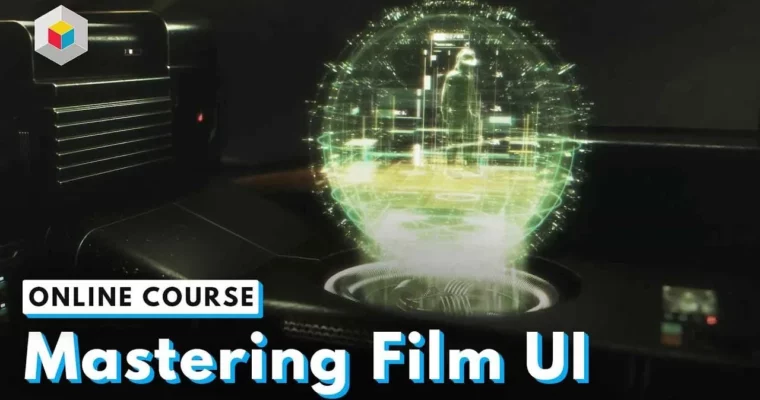
Mastering Film UI by Kris Brady

Duration:7 hours 54 minutes
Actual Duration:7h 54m
Release date:2024, June 22
Publisher:Learn Squared
Skill level:Intermediate
Language:English
Exercise files:Yes
Software:Adobe Illustrator, After Effects
Course URL:https://www.learnsquared.com/courses/mastering-film-ui
Design and animate film-ready UI that actually looks like it belongs in a movie. Kris Brady, a veteran with 20 years in Hollywood, walks you through his entire pipeline—from rough sketches to final compositing. This isn’t just about making things look cool; it’s about building interfaces that serve a story and survive the scrutiny of a high-budget production.
🎯 What you’ll learn
- Design primary and secondary UI elements for film.
- Animate complex interfaces in After Effects.
- Use live-action plates to ground your designs in a real scene.
- Build a professional UI design workflow from sketch to final render.
✅ Requirements
- Skills: Basic understanding of design principles and familiarity with Adobe Illustrator and After Effects.
- Tools: Adobe Illustrator, After Effects
- Hardware: A computer capable of running Adobe Creative Suite.
📝 Description
This course cuts the fluff. Kris Brady doesn’t just show you how to make a glowing button; he shows you how to build a design system that works within the constraints of a live-action shot. You’ll start by analyzing film plates and understanding how UI interacts with camera movement, lighting, and depth of field.
The real meat is in the animation pipeline. Kris breaks down how to take static Illustrator files and breathe life into them in After Effects, using techniques that keep your UI readable and punchy without being distracting. You’ll learn to handle secondary screens, data readouts, and transitions that feel natural to the film’s world. By the end, you’ll have a fully animated UI sequence composited over a real plate, ready for your reel.
🧑🎓 Who this course is for
- Motion designers looking to break into film and TV work.
- UI designers who want to move from app design to cinematic interfaces.
- Intermediate artists who know the tools but want a professional production workflow.
🧑🏫 About the Author
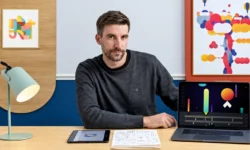
Kris Brady is a veteran UI designer with over 20 years of experience in Hollywood films and AAA games. He has worked on numerous high-profile projects, bringing a level of polish and storytelling to his interfaces that is rare in the industry. His approach combines technical precision with a deep understanding of narrative, making him the perfect guide for this subject.
🏁 Final Result
- A fully designed and animated film UI sequence composited over a provided live-action plate.
- A portfolio-ready piece demonstrating a professional UI design and animation pipeline.
 Channel