Creating Game Environments For Mobile & VR by FastTrack Tutorials

Duration:10 hours
Actual Duration:9h 49m
Release date:2024, April
Publisher:Udemy
Skill level:Intermediate
Language:English
Exercise files:Yes
Software:Blender, Substance 3D Designer, Substance 3D Painter, Unreal Engine 4, ZBrush
Course URL:https://www.udemy.com/course/creating-game-environments-for-mobile-vr
This course is a straight shot into the practical side of game environment art. You’ll learn how to build optimized, good-looking environments that actually run well on mobile and VR hardware. No fluff, just a professional pipeline from blockout to final polish.
🎯 What you’ll learn
- Create optimized models and textures specifically for VR and mobile platforms.
- Set up and light optimized environments in Unreal Engine 4.
- Use both Substance Designer and Substance Painter for efficient texture creation.
- Apply basic sculpting techniques in ZBrush for high-poly details.
✅ Requirements
- Skills: Basic understanding of Blender, Substance Painter, and Unreal Engine.
- Tools: 3-button mouse, drawing tablet (recommended for ZBrush).
- Hardware: Minimum 16GB RAM, dedicated GPU.
📝 Description
This isn’t a “make a pretty picture” course. It’s about building environments that ship. The entire focus is on optimization for mobile and VR, which means you’ll learn the hard constraints and how to work within them creatively.
You’ll start by doing a blockout directly in Unreal Engine 4 to nail down your composition and scale. From there, it’s into the asset pipeline: creating high and low poly models, baking, and texturing. A big chunk of the course is dedicated to trim sheet workflows—a pro technique for getting massive texture mileage out of a single sheet. You’ll then take those sheets back into Unreal to decorate and light your scene. The final sections cover background creation and the general polish pass that brings everything together.
The instructor, Nico Cluckers, walks you through every step in real-time. No timelapses, just over 10 hours of direct instruction. The techniques are universal, so even if you prefer a different modeling package, the core principles of modularity, optimization, and efficient texturing will stick.
🧑🎓 Who this course is for
- Beginner to intermediate 3D artists who want to specialize in game environments.
- Artists looking to transition from desktop/console game art to the stricter performance budgets of mobile and VR.
🧑🏫 About the Author
FastTrack Tutorials is a company specializing in 3D art education and an outsource studio for high-quality environments and assets. The course is taught by Nico Cluckers, an experienced 3D generalist who previously worked as a Modeling Supervisor on mobile and VR titles like Buck and Hubris. He currently works as a lecturer and freelancer, bringing real production experience to the training.
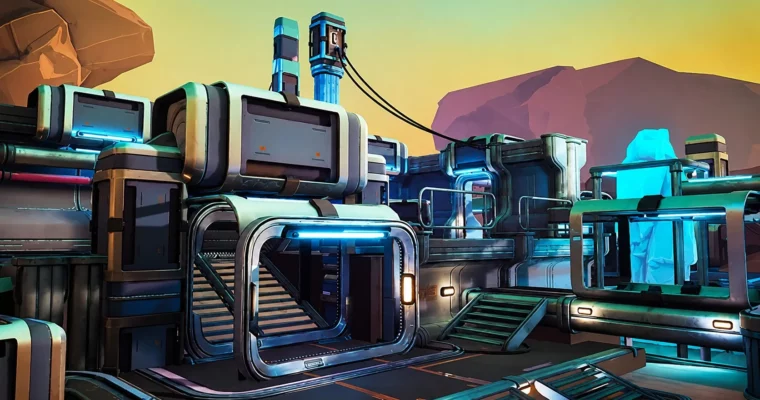
🏁 Final Result
- A fully realized, optimized game environment scene ready for mobile or VR deployment.
- A portfolio piece demonstrating a professional pipeline from blockout to final polish.
 Channel