Ad Clicks : Ad Views : Ad Clicks : Ad Views : Ad Clicks : Ad Views : Ad Clicks : Ad Views :
Oh Snap!

It looks like you're using an adblocker. Adblockers make us sad. We use ads to keep our content happy and free. If you like what we are doing please consider supporting us by whitelisting our website. You can report badly-behaved ads by clicking/tapping the nearby 'Advertisement' X text.

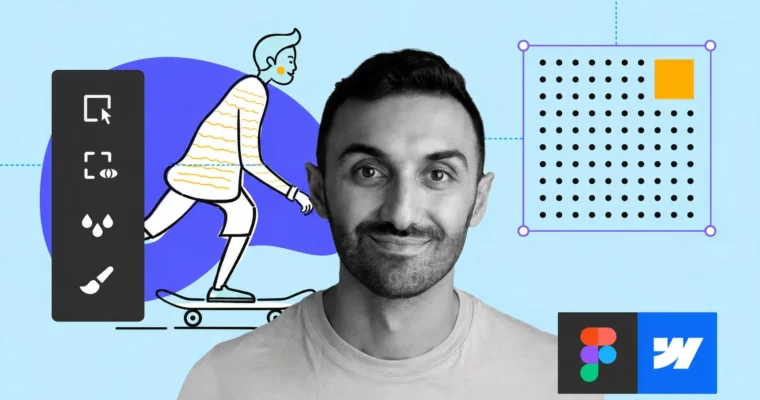
Complete Web Design – from Figma to Webflow to Freelancing by Vako Shvili

Complete Web Design – from Figma to Webflow to Freelancing by Vako Shvili

/

Author:Vako Shvili

Duration:22.5 hours

Release date:2026, May 8

Publisher:Udemy

Skill level:Beginner

Language:English

Exercise files:Yes

Software:Figma, Webflow

Course URL:https://www.udemy.com/course/freelance-web-design-from-design-to-development-to-making-money

Learn to design websites with Figma, build them with Webflow, and launch a freelance career—all in one practical course.

This course is a straight shot from zero to a paying freelance web design career. You’ll learn to design with Figma, build with Webflow, and then actually land clients. No fluff, just a practical pipeline that works.

🎯 What you’ll learn

  • Design principles like layout, typography, and visual hierarchy.
  • How to design professional websites using Figma.
  • How to build those designs into live sites with Webflow.
  • Freelancing strategies to find clients and set your rates.

✅ Requirements

  • Skills: No prior design or coding experience needed.
  • Tools: A computer with internet access. Free accounts for Figma and Webflow.
  • Hardware: Standard modern computer capable of running a web browser.

📝 Description

This isn’t a theory-heavy course. It’s a practical, step-by-step guide that takes you from a complete beginner to a working freelance web designer. You’ll start by learning the core principles of good design—things like visual hierarchy, typography, and color theory—using Figma, the industry-standard interface design tool.

Then, you’ll move into development. You’ll take those Figma designs and build them into real, responsive websites using Webflow. No coding required. You’ll learn the Webflow interface, the box model, flexbox, and how to handle responsive design for different devices. You’ll even build a full client project from scratch, including a CMS-powered blog.

The final part of the course is where it gets real. You’ll learn how to find clients, set your rates, write proposals, and handle contracts. The instructor, Vako, shares his own freelancing strategies, including how to use platforms like Upwork and how to sell your services directly to businesses. By the end, you’ll have a portfolio piece and a clear roadmap to start earning.

🧑‍🎓 Who this course is for

  • Anyone who wants to start a career in web design.
  • People looking to switch careers to a more flexible, in-demand profession.
  • Freelancers who want to add web design to their service offerings.

🧑‍🏫 About the Author

Vako Shvili is a self-taught web designer who left a corporate 9-to-9 job to build a freelance career. He’s an outsider who hacked his way into the industry, and now he helps thousands of students do the same. With over 115,000 students and a 4.7 instructor rating, Vako focuses on practical, no-nonsense teaching that gets results.

🏁 Final Result

  • A fully designed and developed portfolio website.
  • A complete client project (a team app website) built from scratch.
  • A clear freelancing plan with a portfolio, pricing strategy, and client outreach methods.
Curriculum

📋 Course content

  1. Module 1: Design Foundations
    • What is Webflow?14:00
    • Sign up with Webflow0:05
    • Webflow Teaser15:27
    • Intro to Good Design2:28
    • Getting started with Figma10:31
    • It All Starts With Alignment & Grid6:49
    • Practice: Alignment & Grid10:26
    • Assignment Feedback1:44
    • Importance of Visual Hierarchy7:20
    • Practice: Visual Hierarchy9:20
    • Beware of Optical Illusions3:51
    • Proximity1:42
    • Section Notes0:01
    • Intro to Typography1:37
    • Typeface Comes With a Personality1:51
    • Typeface Categories6:15
    • Practice: Typeface Personality6:55
    • Setting type8:30
    • Practice: Setting type7:27
    • Two fonts only2:47
    • Where to Find Fonts3:57
    • Practice: Typeface Pairing7:07
    • Section Notes0:01
    • Intro to Colors1:08
    • Sampling Colors1:56
    • Practice: Sampling Colors18:42
    • Fine-tuning Colors3:58
    • Practice: Fine-tuning Colors2:56
    • Color Hunting2:45
    • Brand Colors2:20
    • Section Notes0:01
    • Intro to Photos0:23
    • Image Overlays1:57
    • Practice: Image Overlays5:18
    • Photo Cropping Techniques – Extreme Crop4:28
    • Photo Cropping Techniques – Soft Crop4:43
    • Practice: Photo Cropping9:09
    • Rule of Thirds4:38
    • Unbox it!4:10
    • Figma AI: Image Edit Features17:12
    • Pick Photos Like a Pro6:12
    • Where to Find Photos3:27
    • Practice: Finding Photos4:16
    • Section Notes0:01
    • Intro to Design Tricks0:24
    • Contrast3:52
    • White Space5:06
    • Repetition3:56
    • Consistency7:55
    • Overlapping3:43
    • Practice: Overlapping1:00
    • Tension2:32
    • Practice: Tension5:18
    • Section Notes0:01
    • Intro to Design Practice0:18
    • Mimic Method4:57
    • The Biggest SECRET of Great Designers: Inspiration5:52
    • Practice: Mood Board7:12
    • Practice: Apple Product Page Design12:38
    • Section Notes0:01
    • Chat App homepage design: Part 19:13
    • Chat App homepage design: Part 218:05
    • Chat App homepage design: Part 315:40
    • Chat App homepage design: Part 421:33
    • Section Notes0:01
  2. Module 2: Webflow Development
    • Intro to Webflow Development0:24
    • Webflow Designer Intro2:38
    • HTML & CSS3:21
    • The Box Model2:15
    • Element Hierarchy4:30
    • Section Notes0:01
    • Section, Container, Div Block3:53
    • Size Settings11:56
    • Padding & Margins12:57
    • Section Notes0:04
    • Web Typography8:15
    • Buttons and Links5:37
    • CSS Classes5:58
    • Images6:46
    • Display Property5:31
    • Flexbox12:39
    • Webflow vs Figma Sizes9:34
    • Navbar (Chat App)10:15
    • Webflow Debugging Checklist14:50
    • Hover State8:13
    • Middle Section (Chat App)4:25
    • HTML Tags11:01
    • Combo Classes8:41
    • CTA Section (Chat App)13:36
    • Footer (Chat App)12:46
    • Intro to Responsive Web Design6:29
    • Responsive: Hero Section – Tablet3:46
    • Responsive: Hero Section – Mobile 14:58
    • Responsive: Hero Section – Mobile 22:43
    • Responsive: Nav Menu (Chat App)9:32
    • Responsive: Overflow7:13
    • Responsive: CTA Section (Chat App)8:56
    • Responsive: Footer (Chat App)6:01
    • Going Live: SEO (Chat App)6:56
    • Going Live: Publishing (Chat App)7:08
    • Webflow Editor3:18
    • Intro to Client Project1:32
    • Good Design Process8:03
    • Project Brief5:12
    • Mood Board4:44
    • Why Wireframing?7:35
    • Figma Styles3:05
    • Figma Components7:40
    • Wireframe Kit5:07
    • Wireframes – Homepage Part 113:18
    • Wireframes – Homepage Part 217:23
    • Wireframes – Post Page9:48
    • Wireframes – Blog8:55
    • Team App Homepage Design: Part 113:53
    • Team App Homepage Design: Part 223:43
    • Team App Homepage Design: Part 315:18
    • Team App Blog Post Design7:59
    • Team App Blog Grid Design16:29
    • Intro1:02
    • Background Styles8:10
    • Navbar (Team App)9:42
    • Hero Content (Team App)11:14
    • Forms12:00
    • Mockup Section – Part 1 (Team App)10:45
    • Mockup Section – Part 2 (Team App)4:15
    • Photo Sections (Team App)4:09
    • Slider Component4:39
    • Testimonial Slider (Team App)12:27
    • Positioning8:38
    • Slider Arrows5:47
    • Footer (Team App)6:46
    • Footer Form (Team App)9:20
    • Interactions Intro1:54
    • Card Interaction: Part 17:25
    • Card Interaction: Part 217:51
    • Arrow Interaction12:34
    • Responsive: Navbar (Team App)5:43
    • Responsive: Hero (Team App)4:57
    • Responsive: Mockup Section (Team App)5:02
    • Responsive: Body (Team App)5:23
    • Responsive: Testimonials & Footer (Team App)6:24
    • CMS & Dynamic Content1:33
    • Webflow CMS5:36
    • CMS Items3:46
    • Collection Page4:04
    • Blog: Navbar & Headline5:13
    • Blog: Author & Date Block4:04
    • Reference Field6:03
    • Object Fit2:07
    • Blog: Main Image2:47
    • Rich Text12:38
    • Blog: Author Block Bottom3:14
    • Webflow Components10:04
    • Blog: Responsive Post Page5:18
    • Blog: Homepage13:02
    • Collection List9:55
    • Pagination6:47
    • Blog: Responsive Homepage4:55
    • SEO & Publish (Team App)9:06
    • Form Submissions1:48
    • Intro to Advanced1:33
    • Webflow: Custom Modal (Pop-Up)23:43
    • Build With Claude AI in Webflow (Part 1)12:18
    • Build With Claude AI in Webflow (Part 2)19:31
    • Google Analytics6:40
    • Cookie Consent Installation21:51
    • Code Embed + AI19:14
    • CodePen + AI23:31
    • Webflow Plans, Accounts and How to Handover the Website to the Client0:09
  3. Module 3: Freelancing
    • Intro to Freelancing1:22
    • Portfolio Website4:35
    • Portfolio Website Tour5:44
    • Installing Portfolio Website12:24
    • Finding work – Online10:12
    • Finding work – Studios6:35
    • Finding work – Networking3:12
    • Freelancing Tips From a Successful Student2:11
    • Upwork Overview5:05
    • Tips 1-3: Getting your profile approved4:13
    • Tips 4-9: Create a profile that attracts clients6:46
    • Tips 10-12: Get the “best match” badge3:29
    • Tips 13-14: Propose the right price4:09
    • Tips 15-16: Be the freelancer they can’t resist6:03
    • Tips 17-22: Write damn good cover letters6:58
    • Tips 23-25: Don’t get yourself suspended5:25
    • Tips 26-28: Don’t get scammed1:42
    • Pricing: How much do you charge?11:25
    • Pricing: Hourly vs Fixed Rate4:14
    • Proposal Template: Fixed Rate8:42
    • Proposal Template: Hourly Rate2:24
    • Freelance Contract5:51
    • Selling Webflow to Clients10:43
    • Your Next Steps After the Course2:53
Watch online or Download for Free
Complete Web Design – from Figma to Webflow to Freelancing by Vako Shvili
NAME
SIZEDURATION
1. Getting Started
177.1 MB
2. PART 1 SECRETS OF GOOD DESIGN
107.7 MB
7. 6 Design Tricks Every Designer Should Know
242.2 MB
8. PART 2 PRACTICE DESIGN LIKE AN ARTIST
6.9 MB
11. PART 3 WEB DEVELOPMENT (WEBFLOW)
8.9 MB
12. How Web Pages Work
72.7 MB
15. Going Live Launching Your First Web Page
117.9 MB
16. PART 4 CLIENT PROJECT FROM START TO FINISH
34.5 MB
19. Interactions Breathing Life Into Your Website
223.9 MB
22. Going Live Your Fully Functional Dynamic Website
145.3 MB
23. PART 5 SECRETS OF MAKING MONEY FREELANCING
30.8 MB
24. Stunning Portfolio Website Made for You
205 MB


Join us on
  Channel    and      Group

Leave a Comment

Your email address will not be published. Required fields are marked *