UE5 Animation Interior & Furniture Build Rooms Step by Step by Farrukh Gulamzhanov

Duration:5 hours on-demand video
Actual Duration:4h 58m
Release date:2025, October
Publisher:Udemy
Skill level:Intermediate
Language:English
Exercise files:Yes
Software:Unreal Engine 5, 3ds Max
Course URL:https://www.udemy.com/course/room_anim
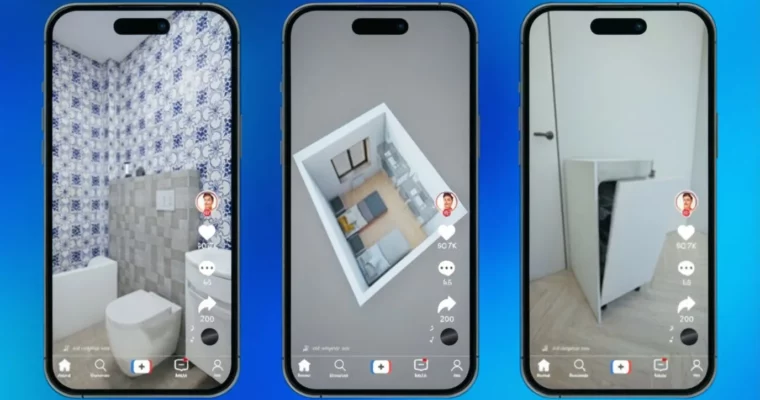
This course is your ticket to creating eye-catching interior animations from scratch. You’ll take an empty room and transform it into a fully furnished, stylish space, all within Unreal Engine 5 and 3ds Max. It’s perfect for anyone looking to add some serious wow-factor to their portfolio or create engaging content for social media.
🎯 What you’ll learn
- Create spectacular interior animations from an empty room to a complete furnishing with furniture and decor.
- Master Unreal Engine 5 and 3ds Max for scene assembly and step-by-step object animation.
- Gain in-demand skills for design studios, 3D Visualizers, and brand marketing.
- Learn to create trending animations for TikTok, YouTube, presentations, and portfolios that grab attention.
- Master the Home Designer style to create videos where interiors assemble piece by piece.
✅ Requirements
- Skills: Experience working in 3ds Max (with Corona/Vray), ideally with interiors. Understanding of lighting, camera angles, and artistic composition is beneficial.
- Hardware: Nvidia graphics card supporting RTX and CUDA technologies with at least 6 GB of video memory.
- Hardware: Minimum 32 GB RAM.
- Hardware: A capable processor (Intel or AMD) to complement the graphics card.
📝 Description
Ever seen an interior magically assemble itself before your eyes? Empty room, then walls, furniture, light, textiles, and details just appear, culminating in a stylish space like those seen in top Home Designer videos? This course teaches you exactly how to create those kinds of animations from scratch.
This is for anyone wanting to make spectacular interior animations for portfolios, advertising, YouTube, and TikTok. You’ll learn a professional workflow, even if you’ve never animated before. We’ll cover building scenes correctly in 3ds Max and Unreal Engine, animating objects and cameras step-by-step, creating dynamic camera angles and lighting, and structuring your animation for maximum impact. These skills are highly sought after by studios, designers, visualizers, and marketers, as these types of videos drive sales, gain views, and build customer trust. Don’t worry if you’re not an animation expert; everything is explained simply and step-by-step. You’ll learn to take any scene and turn it into a dynamic video, animating interiors of any complexity, working with cameras, transitions, and set design to create professional content that truly impresses. Join us and start transforming empty spaces into exciting interior stories today!
🧑🎓 Who this course is for
- 3D Visualizers looking to elevate their project presentations with spectacular interior animation.
- Interior and graphic designers needing to create compelling presentations, portfolios, and social media videos.
- Freelancers and design studio employees tasked with creating engaging promotional videos without prior animation expertise.
- Architects and architecture students wanting to learn how to assemble dynamic scenes with furniture and decor.
- Content creators and bloggers aiming to produce visually powerful content using Unreal Engine.
- Anyone interested in creating stylish, catchy videos in the Home Designer vein, where the interior comes alive before the viewer’s eyes.
🧑🏫 About the Author
Farrukh Gulamzhanov is an architect-designer with extensive experience in 3D visualization of interiors and exteriors. He’s proficient in a range of software including Unreal Engine, 3Ds Max (Vray/Corona), SketchUp, and Blender. Farrukh works with international clients, creating impressive visualizations for diverse projects. He holds numerous certificates validating his 3D visualization skills and is committed to continuous learning and development in his field. He prides himself on being a responsible and reliable professional.
🏁 Final Result
By the end of this course, you’ll be able to animate interiors of any complexity, skillfully work with cameras, transitions, and set design, and create professional content that captivates and inspires.
 Channel