


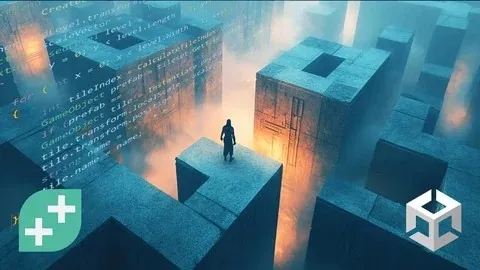
Unity Procedural Generation Build Infinite Game Levels by GameDev.tv Team, Barbara Reichart

Duration:11 hours on-demand video
Actual Duration:10h 23m
Release date:2026, May 2
Publisher:Udemy
Skill level:Intermediate
Language:English
Exercise files:Yes
Software:Unity, C#
Course URL:https://www.udemy.com/course/unity-procedural-generation
Want to make game levels using procedural generation? It’s one of the most powerful ways to create infinite, dynamic game worlds without designing every single detail by hand. Learn how to code your own algorithms and build replayable levels that feel fresh every time! No more designing every corner—let the code do the heavy lifting!
🎯 What you’ll learn
- Create infinite game levels that feel fresh every playthrough.
- Generate procedural dungeon layouts with rooms and hallways.
- Turn 2D layouts into dynamic 3D levels with Marching Squares.
- Implement a runtime NavMesh so players and NPCs can navigate.
- Use Scriptable Objects to customise layouts without extra code.
- Populate dungeons with treasure, enemies, and decorations.
- Apply rule-based systems to avoid repetitive level design.
- Master advanced C# techniques to optimise procedural systems.
✅ Requirements
- Skills: You’ll need to know your way round Unitys’ user interface, GameObjects and Prefabs. You’ll need understand basic C# programming skill like classes, for loops and variables.
- Tools: Unity
- Hardware: [INFERRED] A computer capable of running Unity.
📝 Description
Want to make game levels using procedural generation? It’s one of the most powerful ways to create infinite, dynamic game worlds without designing every single detail by hand. Learn how to code your own algorithms and build replayable levels that feel fresh every time! No more designing every corner—let the code do the heavy lifting!
You’ll start by generating a dungeon layout with rooms and hallways. Using Scriptable Objects, you’ll customise layouts effortlessly, making sure no two levels feel the same. Say goodbye to repetitive level design—your game world will evolve with every play-through.
Next, you’ll turn your 2D layouts into a fully realised 3D game level. We’ll harness the power of the Marching Squares algorithm to create detailed levels with only 16 tiles. If you’re a solo dev or working with a small team, this trick will save you heaps of time and effort.
Navigation is key, so we’ll dynamically generate a NavMesh at runtime. This means your player can seamlessly explore every new dungeon layout without breaking immersion. Whether you’re building an RPG or a roguelike, this skill will come in handy!
But what’s a dungeon without loot and baddies? Using a rule-based system, you’ll populate your levels with treasure, enemies, and decorations. You’ll also learn techniques to prevent everything from looking too repetitive—because variety keeps players engaged.
Along the way, we’ll level up your C# skills with advanced concepts like lambda expressions, expression-bodied members, and System.Linq. If you’ve got the basics of C# down and want to push your coding skills further, you’re in for a treat.
This course is perfect for anyone who knows their way around Unity’s UI, GameObjects, and Prefabs. If you can handle loops, classes, and variables in C#, you’re ready to level up your skills with procedural generation.
By the end of this course, you’ll have a robust system for procedural level design, plus a sharper understanding of advanced C# concepts. Ready to apply these techniques to your own projects and build infinite game worlds? Let’s dive in and start coding!
🧑🎓 Who this course is for:
- Know the basics of C# and Unity and want to learn advanced C# concepts to level up your coding skills? This is the course for you.
- It’s also perfect for you if you want to learn about procedural generation approaches.
🧑🏫 About the Author
The GameDev.tv Team is a group of passionate game developers and instructors dedicated to creating high-quality, accessible game development courses. Barbara Reichart is a key instructor known for her expertise in game design and programming, bringing practical industry experience to their curriculum. Together, they aim to empower aspiring game developers with the skills needed to bring their game ideas to life.
🏁 Final Result
- A robust system for procedural level design in Unity, capable of generating infinite, unique game levels.
- A portfolio-ready project demonstrating advanced C# programming and game development techniques.
 Channel






Yo
Do you have the new vandruff perspective course ?
Whyyy
The last 3 episodes for the Decorate Room section are missing. Can you add them? Thank you