It looks like you're using an adblocker.
Adblockers make us sad. We use ads to keep our content happy and free. If you like what we are doing please consider supporting us by whitelisting our website. You can report badly-behaved ads by clicking/tapping the nearby 'Advertisement' X text.
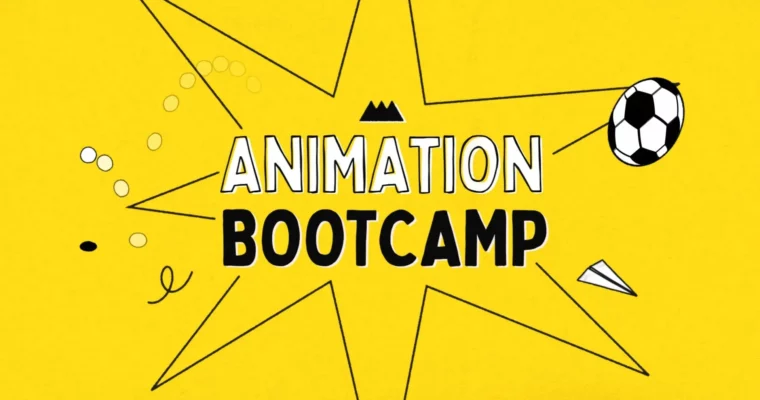
Master the twelve principles of animation and bring your motion design skills to the next level in After Effects.
Ready to make your animations pop? This course dives deep into the principles of animation and shows you exactly how to apply them using After Effects. You’ll go from understanding the basics of movement to creating polished, portfolio-ready animations with expert guidance.
🎯 What you’ll learn
The twelve fundamental principles of animation
Applying animation principles within After Effects
Creating realistic bounces, impacts, and follow-through
Using easing and the Speed Graph for smooth motion
Controlling viewer’s eye with eye trace techniques
Experimenting with non-traditional animation styles
✅ Requirements
Skills: A few years of motion design or animation experience.
Tools:After Effects
Hardware: A computer capable of running After Effects smoothly.
📝 Description
This isn’t just another animation tutorial; it’s a deep dive into the art of movement. You’ll learn the foundational principles of animation that have been used for decades to create captivating visuals, and then translate those principles directly into After Effects. The course emphasizes hands-on learning with 13 real-world projects, ensuring you build practical skills. You’ll receive unlimited personalized feedback on your work, helping you refine your technique and build a strong portfolio. Plus, you get access to supplemental materials like podcasts and PDF guides, and a vibrant online community for support.
🧑🎓 Who this course is for
Motion designers looking to elevate their animation skills.
Animators who want to master the core principles of movement.
Anyone seeking to create more believable and engaging animations in After Effects.
Professionals aiming to add polished, portfolio-ready animation work to their reel.
🧑🏫 About the Author
Joey Korenman, the CEO and Founder of School of Motion, brings nearly 20 years of After Effects expertise to this course. Before founding School of Motion, he was the Creative Director and Lead Animator at Toil, where he spearheaded projects for major brands like Subway and McDonald’s. He’s also a seasoned freelancer, contributing to network rebrands for channels such as Speed, Discovery, HBO, and SyFy. Joey is passionate about demystifying complex animation concepts and making them accessible to a wider audience.
🏁 Final Result
A portfolio-ready collection of 13 diverse animations showcasing mastery of the principles of animation applied in After Effects.
A verified credential upon successful completion of all coursework.
Curriculum
📋 Course content
Orientation Week:Course introduction and skill evaluation.
Getting oriented with the course structure
Initial skill assessment
Steepness equals Speed:Understanding keyframes and easing.
Working with keyframes
Mastering the Speed Graph
Creating animation that “feels right”
Arcs and Oscillations:Speed, value graphs, anticipation, and overshoot.
Working with curved motion
Applying Anticipation
Implementing Overshoot
Bounces & Impacts:Realistic ball bounces.
Animating a rubber ball bounce
Simulating a golf ball bounce
Creating a bowling ball impact
Follow-Through:Overlapping and secondary animation.
Principles of Follow-Through
Implementing Overlapping Animation
Adding realistic trailing elements
Squashes, Stretches, Smears:Reinforcing weight and volume.




 Channel





Hi nice work,
Are the AE exercise files and assets included within the course?
Hi are the AfterEffects exercise files included within the course?
just scroll to the bottom of the download links section. there’s a 1gb archive down there. i think it’s got everything you need inside