


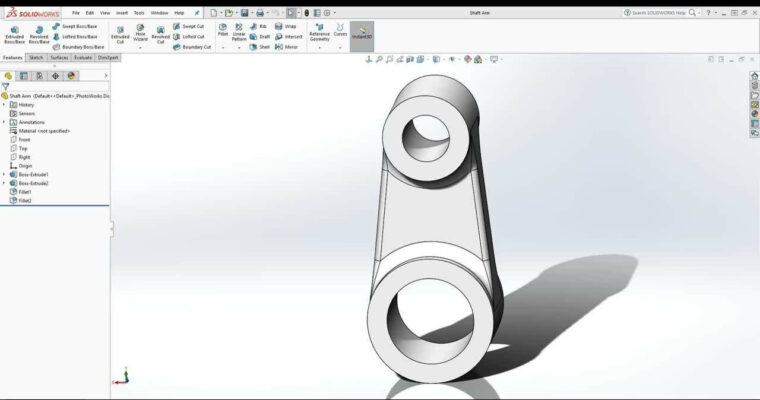
SolidWorks Complete Training Learn 3D Modeling

Duration:05:48:00
Actual Duration:5h 48m
Release date:2018
Skill level:Beginner
Language:English
Exercise files:Yes
Course URL:https://www.skillshare.com/classes/SolidWorks-Complete-Training-Learn-3D-Modeling/1682753277?via=browse-recently-added-animation-layout-grid-preview
Solidworks is one of the most widely used and powerful 3D CAD software in the world. Millions of users are using it to design everything from printing 3D models all the way up to completely functional mechanical vehicles.
In this class, i’m going to teach you how to create your own 3D models completely from scratch! We will cover every aspect of the program and by the end of the class you will go from not knowing anything about Solidworks to being able to model anything you can think of.
00-Introduction
01-What is SolidWorks
02-File Formats in SolidWorks
03-Design Intent
04-Opening SolidWorks For the First Time
05-Starting a New Part
06-Opening and Closing Files
07-Part Manipulation
08-Changing Units
09-Saving Files
10-Menu Bar Pull Downs
11-Command Manager Tabs
12-Feature Manager Design Trees
13-Heads Up View Toolbars
14-Tips and How to Search For Help
15-Defining Sketch Planes
16-How to Make an Axis
17-How to Draw a Line
18-How to Draw a Rectangle
19-How to Draw a Circle
20-How to Draw a Slot
21-How to Draw a Arc
22-How to Draw a Polygon
23-How to Draw a Spline
24-How to Draw an Ellipse
25-Under Defined Sketch
26-Fully Defined Sketch
27-How to Add and Delete Sketch Constraints Relations
28-How to Add Dimensions to a Sketch
29-How to Add Sketch Fillet and Chamfer
30-How to Trim and Extend a Sketch
31-Offset Entities
32-Mirror Entities
33-Linear and Circular Sketch Pattern
34-Move Copy Rotate Scale and Stretch Entities
35-Revolved BossBase
36-Extruded BossBase
37-Convert Entities and Share Sketch
38-Mirror Features
39-Fillet and Chamfer
40-Extruded Cut
41-Revolved Cut
42-Circular Pattern
43-Linear Pattern
44-Sweep BossBase
45-Swept Cut
46-Download the Resources in This Lecture
47-Lofted BossBase
48-Shell
49-Finish Nail Polish Body
50-Lofted Cut
51-Hole Wizard
52-Draft
53-Warp
54-How to Edit a Sketch
55-How to Hide and Show Sketch
56-How to Edit Features
57-How to Suppress and Unsuppress Feature
58-Rollback Feature
59-Reorder Features
60-Measure Tool
61-Mass Properties Tool
62-How to Create New Assembly
63-How to Insert Component in Assembly
64-How to Add Mates
65-Component Pattern
66-How to Edit Component
67-How to Add AppearanceMaterial
68-How to Change Scene
69-Assembly Level Features
70-How to Create Exploded View
71-How to Create Drawing File
72-View Layout Standard 3 Views and Model View
73-Projected View
74-Auxiliary View
75-Section View
76-Detail View
77-Brokenout Section
78-Break
79-Crop View
80-Annotation Changing Drawing Scale
81-How to Add Centerline and Center Mark
82-Edit Sheet Format
83-Adding Notes and Adding Annotation
84-Adding Dimensions
85-Bill of Material
86-Drawing Tips Break and Reassignment Drawing Alignment
87-Show and Hide Drawing
88-Show Hide Drawing Line
89-ZoomPanRotate
90-Rotate Model
91-Revolve Animation Using Camera and Path
92-Exploded View Animation
93-Collapse View Animation
94-Bolt Animation
95-Check Valve Render Workflow
 Channel



Lesson 6 mentions a file that you open. There are no files but videos here. Need the files to use this. Then you’re golden.