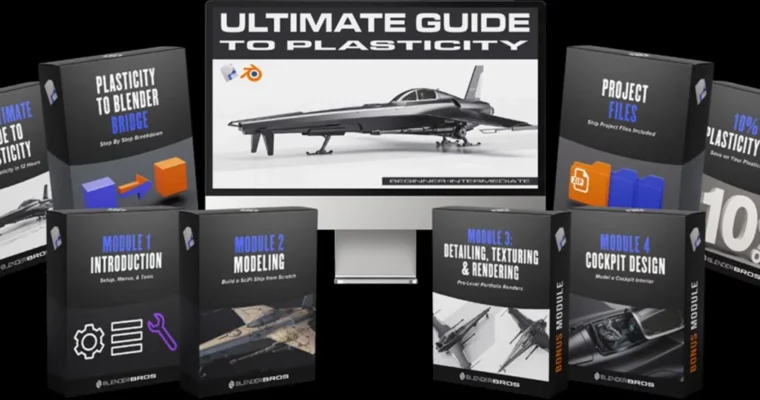
The Ultimate Guide to Plasticity – Master Plasticity in 12 Hours by Ryuurui Ponte & Josh Gambrell

Duration:12 hours
Actual Duration:11h 48m
Release date:2024, September
Publisher:Blender Bros
Skill level:Beginner
Language:English
Exercise files:Yes
Software:Plasticity, Blender, Photoshop
Course URL:https://www.blenderbros.com/plasticity
This course is your fast track to mastering Plasticity, the new NURBS-based modeling software. In 12 hours, you’ll go from zero to building a complete SciFi ship, learning the entire workflow from setup to a pro-level portfolio render. No prior experience with Plasticity is needed.
🎯 What you’ll learn
- Complete Plasticity modeling workflow from A to Z
- NURBS-based modeling techniques without worrying about topology
- How to create a detailed SciFi ship from scratch
- Pro-level rendering in Blender, including texturing, lighting, and post-processing
- How to think like a concept artist for hard surface design
✅ Requirements
- Skills: Basic understanding of 3D space
- Tools: 3-button mouse, drawing tablet recommended
- Hardware: Minimum 16GB RAM, dedicated GPU
📝 Description
This isn’t just a button-by-button tutorial. It’s a full production pipeline designed to get you comfortable with Plasticity fast. The core idea is that NURBS modeling removes the headache of topology, letting you focus on form and design. You’ll start by setting up your own custom workspace, then jump straight into building a SciFi ship.
The modeling section is where you’ll really get your hands dirty. You’ll learn how to use the tools practically, creating complex surfaces without worrying about geometry overlaps or modifier stacks. The bonus section pushes you further, teaching you to think like a concept artist while detailing the ship and modeling a fully functional cockpit interior.
The rendering stage is a masterclass in itself. You’ll learn how to prep your mesh for Blender, texture it using the MaterialWorks plugin, and then frame, light, and render your model for a high-end portfolio piece. The final post-processing in Photoshop ensures your renders look polished and professional. This course is built for results, not just theory.
🧑🎓 Who this course is for
- 3D artists wanting to learn a new, topology-free modeling workflow
- Blender users looking to expand their toolset with NURBS modeling
- Hard surface modelers and concept artists seeking faster iteration
- Beginners with no Plasticity experience who want a structured, project-based course
🧑🏫 About the Author
Ryuurui Ponte is a Tokyo-based multi-genre artist and educator, currently focused on 3D hard surface concept art. He is also a professional portrait photographer and a certified Master of Japanese Calligraphy. Josh Gambrell is a 3D hard surface artist and educator with nearly a decade of Blender experience. He runs a popular YouTube channel helping over 240,000 artists master their craft. Together, they bring a wealth of practical knowledge and teaching experience to this course.
🏁 Final Result
- A fully modeled and detailed SciFi ship with a functional cockpit interior
- A high-end, portfolio-ready render of the ship, textured and lit professionally
- A solid understanding of the entire Plasticity workflow, from setup to final output
 Channel