The Blender Bros Design Course

Actual Duration:9h 0m
Release date:2022
Publisher:Gumroad
Skill level:Beginner
Language:English
Exercise files:Yes
Software:Blender
Course URL:https://theblenderbros.gumroad.com/p/the-blender-bros-design-course-how-to-effectively-market-your-skills
You can model all day, but if the render doesn’t sell, it doesn’t pay. This course shows you how to take basic forms and present them like products people want to buy.
🎯 What you’ll learn
- Build appealing designs from simple base forms
- Use lighting and composition to sell your renders
- Balance detail so your work looks clean, not noisy
- Present and market your 3D artwork for clients and stores
- Avoid common mistakes that make good models look cheap
✅ Requirements
- Skills: Basic familiarity with Blender interface and modeling basics
- Tools: Blender installed, 3-button mouse recommended
- Hardware: Computer capable of running Blender, dedicated GPU recommended
📝 Description
Here’s the truth most tutorials skip: clients don’t buy polycounts. They buy a good-looking image. You can have average modeling skills and still sell a ton if your presentation, lighting, and composition are on point. Flip that around, and even great models will sit unsold if they are lit badly and framed worse.
In this course the Blender Bros break it down in a super practical way. No theory fluff. You’ll see how to start from simple forms and push them with smart choices – silhouette, proportions, color, light setup. You’ll learn when to add detail and when to leave it alone. That balance of detail is what separates clean portfolio work from cluttered renders.
It’s short, direct, and built for working artists. If you want to sell models, get freelance gigs, or just have your ArtStation actually get clicks, this is the missing piece between knowing Blender and getting paid with Blender.
🧑🎓 Who this course is for
- Blender beginners who can model a bit but their renders still look flat
- Freelancers and asset sellers who want more clicks, clients, and sales
🧑🏫 About the Author
Blender Bros are Blender educators known for no-nonsense, practical tutorials focused on real results. They work with hard-surface modeling and product-style presentation, helping thousands of artists bridge the gap between making models and selling them.
🏁 Final Result
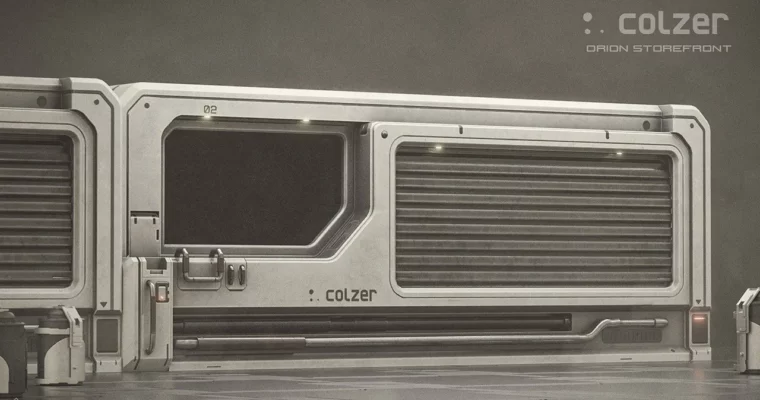
- A portfolio-ready, marketable 3D artwork built from simple forms with pro lighting and composition, ready to list or show to clients.
 Channel