Ad Clicks : Ad Views : Ad Clicks : Ad Views : Ad Clicks : Ad Views : Ad Clicks : Ad Views :
Oh Snap!

It looks like you're using an adblocker. Adblockers make us sad. We use ads to keep our content happy and free. If you like what we are doing please consider supporting us by whitelisting our website. You can report badly-behaved ads by clicking/tapping the nearby 'Advertisement' X text.

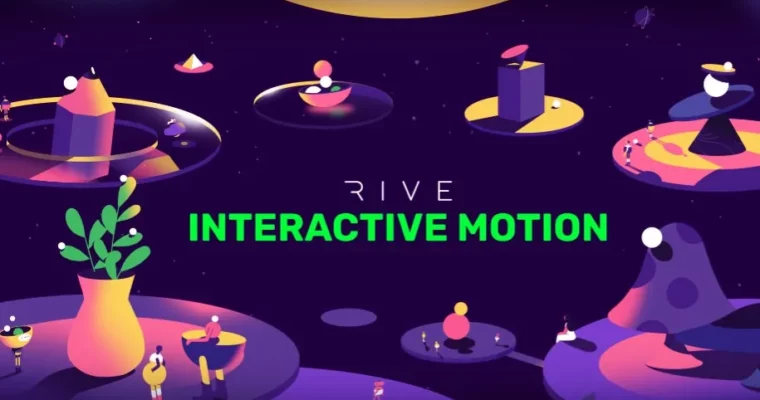
Rive – Interactive Motion by Maksym Marakhovskyi

Rive – Interactive Motion by Maksym Marakhovskyi

/

Author:Maksym Marakhovskyi

Duration:25h+

Release date:2024, February

Publisher:Motion Design School

Skill level:Beginner

Language:English

Exercise files:Yes

Software:Rive

Course URL:https://motiondesign.school/courses/rive-interactive-motion/

Master Rive to create dynamic, interactive motion for web, apps, and games.

Ready to make your designs move and react? This course dives into Rive, the awesome web-based tool that’s changing the game for interactive experiences. You’ll learn to build everything from slick UI buttons and icons to engaging game menus, and then easily drop them into websites, apps, or even game engines like Unity. Plus, you can share your creations with the huge Rive community.

🎯 What you’ll learn

  • Explore Rive’s interface, tools, and workflow.
  • Master shape rigging techniques and interactive setups.
  • Create dynamic UI buttons, icons, text, HUDs, and game menus.
  • Utilize bones, constraints, and joysticks for character control.
  • Mix and blend animations for fluid movements.
  • Set up parallax rigs and nested artboards.
  • Leverage events for interactive storytelling.
  • Assemble characters and orchestrate interactions.

βœ… Requirements

  • Skills: Basic understanding of 2D animation principles.
  • Tools: Access to a web browser.
  • Hardware: A computer capable of running a modern web browser.

πŸ“ Description

This course is all about getting hands-on with Rive, a powerful web-based tool for creating interactive motion graphics. You’ll go beyond simple animations and learn to build dynamic elements that respond to user input. We’ll cover everything from fundamental rigging techniques using bones and constraints to advanced setups like parallax rigs and character interactions. The curriculum is packed with practical projects, like animating characters, creating fluid water effects, and building interactive scenes. You’ll learn how to mix animations, use joysticks for control, and even animate text and 3D-like objects. The goal is to equip you with the skills to create engaging, responsive animations that can be seamlessly integrated into various digital platforms.

πŸ§‘β€πŸŽ“ Who this course is for

  • Motion designers looking to expand into interactive animation.
  • UI/UX designers wanting to add dynamic elements to their interfaces.
  • Game developers seeking to create interactive 2D assets.
  • Anyone interested in learning cutting-edge animation tools for the web and apps.

πŸ§‘β€πŸ« About the Author

Maksym Marakhovskyi is a Motion Designer with a deep passion for visual storytelling and animation. He started his career as an After Effects animator but evolved with the industry, mastering Rive interactive motion. This transition allowed him to explore new frontiers in dynamic and interactive design, making him an expert in creating engaging digital experiences.

🏁 Final Result

  • A portfolio of interactive Rive animations, including dynamic UI elements, responsive characters, and engaging scenes, ready for web, app, or game integration.
Curriculum

πŸ“‹ Course content

  1. SVG ImageJump Ball
    • Part 1: Rive Introduction
    • Part 2: Face Turn Setup
    • Part 3: Ladder Animation
    • Part 4: Character Skin
    • Part 5: Ground Skin
    • Part 6: Trail Animation
  2. SVG ImageWater Bubble
    • Part 1: Wave Rig
    • Part 2: Bubble Rig
    • Part 3: Pop Animation
    • Part 4: Joysticks Setup
  3. SVG ImageBelly Mixing
    • Part 1: Rigging 1
    • Part 2: Rigging 2
    • Part 3: Animation 1
    • Part 4: Animation 2
  4. SVG ImageSunny Rock
    • Part 1: Rigging Setup: Body&Head
    • Part 2: Rigging Setup: Heads&Legs
    • Part 3: Additive Blending
    • Part 4: Blend 1D Setup
    • Part 5: Final Animations&Controls
  5. SVG ImageArtist Parallax
    • Part 1: 3D Parallax
    • Part 2: Head Rigging
    • Part 3: Legs Setup
    • Part 4: Hands Setup
    • Part 5: Balls Animation
    • Part 6: Pop the Head Animation
  6. SVG ImageLazer Boy
    • Part 1: Parallax Rig: Body & Head
    • Part 2: Perspective Rig: Hands
    • Part 3: Perspective Rig: Legs 1
    • Part 4: Perspective Rig: Legs 2
    • Part 5: Character animation
  7. SVG ImageFire 360
    • Part 1: Boot 3D Rotation
    • Part 2: Character 3D Rotation
    • Part 3: Animation & Interaction Setup
  8. SVG ImageOctopus Echo
    • Part 1. Semi-sphere basic rig
    • Part 2. Semi-spheres full setup & animation
    • Part 3. Eye setup
    • Part 4. Tentackles
    • Part 5. Inner cascade effect
    • Part 6. Activation mode rig
  9. SVG ImageInner space
    • Part 1. Parallax room setup
    • Part 2. Hover mode setups
    • Part 3. Focus mode setup
  10. SVG ImagePluto Routine
  11. SVG ImageSpace Duo
  12. SVG ImageFlying Pencil
    • Part 1: Spin animation
    • Part 2: Speed up the setup
    • Part 3: Particle animation
    • Part 4: Face & Hands
  13. SVG ImageWavy Plant
    • Part 1. Rigging and animation of the plant
    • Part 2. Setup interactivity
    • Part 3. Morphing vase
  14. SVG ImageDouble Balance
    • Part 1: Rigging system
    • Part 2: Animation setup
  15. SVG ImageFollow Bat
  16. SVG ImageInteractive Text
    • Part 1. Text Modifiers Rig
    • Part 2. More Features
  17. SVG ImageWalk Control
    • Part 1: Walk cycle animation
    • Part 2: Interactivity setup
  18. SVG ImageOutline Morphings
    • Part 1. Rigging
    • Part 2. Animation
  19. SVG ImageMushroom Control
    • Part 1. Rigging and Timelines
    • Part 2. Stylization
Watch online or Download for Free
Rive – Interactive Motion by Maksym Marakhovskyi
NAME
SIZEDURATION
02. Water Bubble
353.4 MB
03. Belly Mixing
405 MB
05. Artists Parallax
626.1 MB
06. Lazer Boy
538.5 MB
08.1 Bonus – Old Fashioned Inner Space
723 MB
09. Inner space
944.6 MB


Join us on
  Channel    and      Group

Leave a Comment

Your email address will not be published. Required fields are marked *