Plasticity 3D iPhone Product Design Course by Nikita Kapustin

Duration:3+ hours
Actual Duration:3h 0m
Release date:2023, April
Publisher:Gumroad
Skill level:Beginner
Language:English
Exercise files:Yes
Software:Plasticity 3D
Course URL:https://nikitakapustin1.gumroad.com/l/plasticity-course
This course is a straight shot from opening Plasticity for the first time to having a finished, production-ready iPhone 14 Pro Max model. No fluff, just a clear path through the entire workflow.
🎯 What you’ll learn
- Navigate the Plasticity 3D interface and core tools.
- Set up and align reference images for accurate modeling.
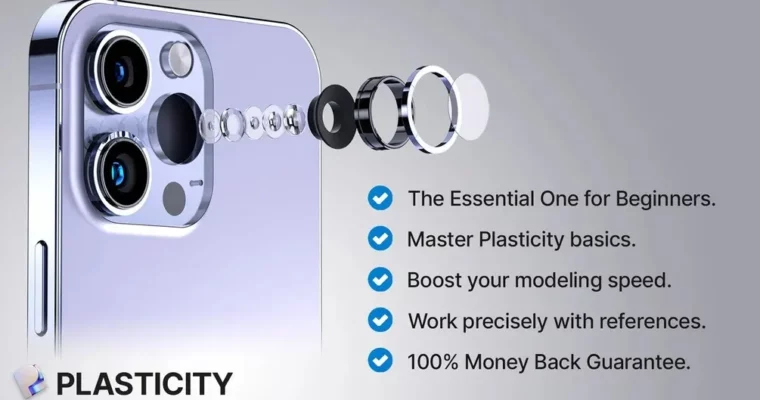
- Model complex product geometry like screens, frames, and camera housings.
- Create clean, export-ready meshes for use in other 3D software.
✅ Requirements
- Skills: No prior experience with Plasticity is needed.
- Tools: A 3-button mouse with a scroll wheel.
- Hardware: A computer capable of running Plasticity 3D (Indie or Studio license, version 1.2 or higher).
📝 Description
This isn’t a theory-heavy lecture. It’s a hands-on, step-by-step build. You’ll start by setting up your reference images and then move directly into modeling the iPhone 14 Pro Max piece by piece. The instructor, Nikita Kapustin, focuses on practical efficiency hacks and workflows that speed up your modeling without sacrificing precision.
The course covers everything from the main screen and frame to the intricate details of the camera lenses and the Apple logo. A key part of the process is learning how to export your model with a clean mesh, making it ready for rendering or further work in software like Blender or Cinema 4D. You get the full project file, a finished .obj model, and reference images to work with.
🧑🎓 Who this course is for
- Complete beginners who want to learn Plasticity 3D by building a real project.
- Designers and artists looking to add hard-surface modeling to their skillset.
- Anyone who prefers a direct, no-nonsense tutorial over a lengthy theoretical course.
🧑🏫 About the Author
Nikita Kapustin is a product designer and 3D artist recognized by the design community for his clear, structured teaching style. He focuses on making complex modeling techniques accessible to beginners, providing direct support and a money-back guarantee for his courses.
🏁 Final Result
- A fully detailed, 1:1 scale 3D model of the iPhone 14 Pro Max, ready for portfolio presentation or further rendering.
 Channel