


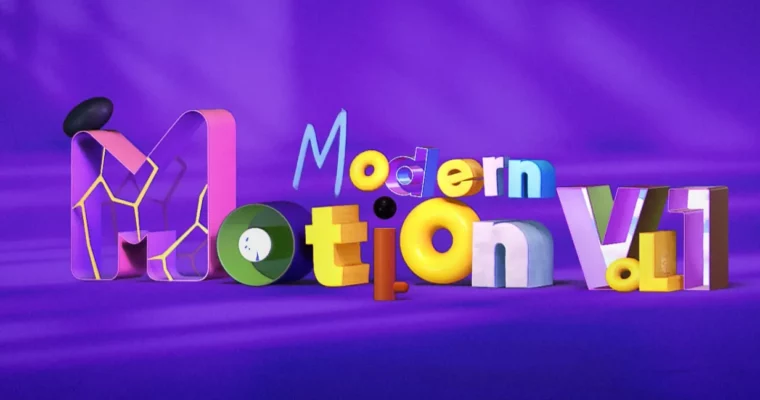
Modern Motion Vol. 1 by Denys Bondartsov

Duration:14h+
Actual Duration:13h 27m
Release date:2026, April 24
Publisher:Motion Design School
Skill level:Intermediate
Language:English
Exercise files:Yes
Software:After Effects, Blender
Course URL:https://motiondesign.school/courses/modern-motion-vol-1/
Ready to seriously level up your motion graphics game? This course is all about bringing the power of Blender into your After Effects workflow. You’ll learn to create killer promo videos by modeling and texturing in Blender, then bringing those assets into After Effects for animation and final polish. Forget jumping between a million apps; we’re focusing on making native 3D in AE sing, with a little help from our free 3D friend.
🎯 What you’ll learn
- Model and texture 3D assets in Blender.
- Utilize After Effects’ native 3D features like Image-Based Lighting and 3D model import.
- Create smooth, professional 2D and 3D animations and transitions.
- Master compositing techniques for seamless integration of 3D elements.
- Develop a full production pipeline for creating promo videos.
✅ Requirements
- Skills: Basic understanding of 3D space and motion graphics principles.
- Tools: After Effects, Blender.
- Hardware: A computer capable of running After Effects and Blender smoothly.
📝 Description
This course dives deep into making After Effects‘ native 3D capabilities shine, enhanced by the free and powerful Blender. You’ll go from understanding basic 3D concepts to creating complex, professional-grade promotional videos. We’ll cover everything from modeling and texturing in Blender to advanced animation, lighting, and compositing within After Effects. Expect to learn practical techniques, clever workarounds for software limitations, and the core principles of motion design that make your work look polished and impactful. The focus is on building a complete production pipeline, ensuring you can take a project from concept to final render.
🧑🎓 Who this course is for
- Motion designers looking to expand their 3D skills within After Effects.
- Beginners interested in learning a practical workflow for creating 3D motion graphics.
- Intermediate users wanting to integrate Blender into their After Effects projects.
- Anyone aiming to produce professional promo videos with a strong 3D component.
🧑🏫 About the Author
Denys Bondartsov is a seasoned Motion Design Generalist and Developer with extensive experience across Cinema 4D, Blender, and Houdini, though his passion lies in After Effects and application development. He’s the creative force behind popular courses like Motion Pro, Expressions Trip, and UI Animation Essentials. Denys is dedicated to automating workflows and pushing the boundaries of what’s possible in motion design, evident in his developed tools like Crazy Shapes and Super3D.
🏁 Final Result
- A portfolio-ready, professional-grade promotional video showcasing your ability to integrate Blender and After Effects for advanced 3D motion graphics.
 Channel



can you please upload ‘Design & Illustration star’ course by motion design school? Thank you for providing other courses!