Learn Unreal Engine Animation workflow by Phillip Berg

Duration:1.5 hours
Actual Duration:1h 16m
Release date:2025, February
Publisher:Udemy
Skill level:Intermediate
Language:English
Exercise files:Yes
Software:Unreal Engine
Course URL:https://www.udemy.com/course/learn-unreal-engine-animation-from-zero-to-cinematic
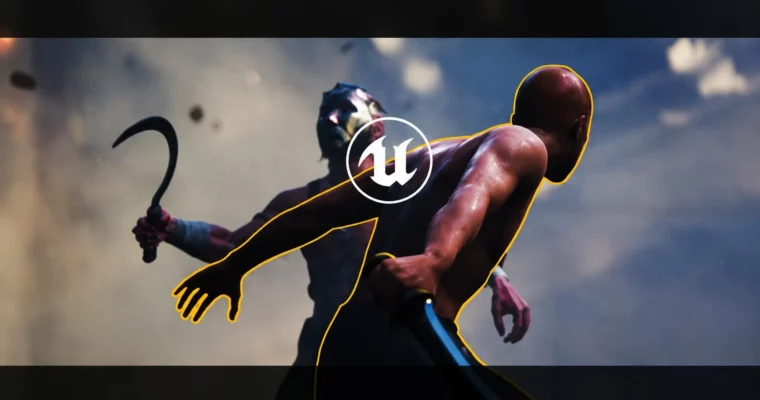
This course cuts the fluff and gets straight to the point: how to animate a full cinematic in Unreal Engine using the Sequencer. In just over an hour, you’ll go from setting up your timeline to delivering a polished Gladiator fight scene. It’s a practical, no-nonsense workflow for anyone who already knows how to import assets and wants to focus purely on animation.
🎯 What you’ll learn
- Set up and navigate the Sequencer for animation projects.
- Block out action scenes to establish timing and composition.
- Implement previs animation techniques to visualize scenes before detailed work.
- Retarget animations from one character to another efficiently.
- Add facial expressions and body language to bring characters to life.
- Polish animation curves for a smooth, professional finish.
✅ Requirements
- Skills: Basic understanding of Unreal Engine. You must know how to import Metahumans and assets from the Marketplace.
- Tools: A 3-button mouse with a scroll wheel is recommended for navigating the viewport.
- Hardware: A computer capable of running Unreal Engine smoothly (dedicated GPU with at least 8GB VRAM recommended).
📝 Description
This isn’t a “learn everything about Unreal” course. It’s a targeted, hands-on guide for one specific thing: animation. Phillip Berg, a director with 25 years of experience, walks you through his exact pipeline for creating a cinematic fight sequence.
You’ll start by setting up the Sequencer – the core tool for all cinematic work in Unreal. From there, it’s straight into blocking out the action. No theory, just practical steps to get your characters moving. The course then moves into previs animation, where you’ll rough out the scene’s timing and camera angles before diving into the details.
A key section covers retargeting, showing you how to take animation data from one skeleton and apply it to another – a massive time-saver. You’ll then layer in facial expressions and body language to give the gladiator real personality. The final, longest lecture is dedicated to animation polish, where you’ll refine curves, fix foot sliding, and add those subtle movements that separate amateur work from professional results.
The whole thing is built around a single, focused project: a Gladiator cinematic. By the end, you’ll have a complete, portfolio-ready animation and a repeatable workflow you can apply to any future project.
🧑🎓 Who this course is for
- Aspiring animators who want a clear, fast path to creating cinematics in Unreal Engine.
- Unreal Engine enthusiasts who already know the basics of importing assets but want to learn a professional animation pipeline.
- Filmmakers and content creators looking to add high-quality 3D animation to their toolkit.
🧑🏫 About the Author
Phillip Berg is a Director and Unreal Engine filmmaker with over 25 years of experience in live action, animation, and VFX. He specializes in creating unique visual universes and has worked with major clients including LEGO, NASCAR, Warner Music, Malibu, Coldplay, and Coca-Cola. His practical, industry-tested approach focuses on delivering results without unnecessary complexity.
🏁 Final Result
- A fully animated Gladiator cinematic sequence, complete with blocked action, retargeted animations, facial expressions, and polished movement.
 Channel