Introduction to Maya 2026 Volume 3 by Eric Keller

Duration:4h 44m
Actual Duration:4h 43m
Release date:2026, March
Publisher:Gnomon
Skill level:Intermediate
Language:English
Exercise files:Yes
Software:Maya, Arnold, Substance 3D
Course URL:https://www.thegnomonworkshop.com/workshops/introduction-to-maya-2026-volume-3
This is the final piece of Eric Keller’s Maya 2026 series, and it’s all about bringing your 3D creations to life. We’re diving headfirst into texturing, shading, animation, lighting, and rendering. If you’re looking to get your models looking sharp and moving smoothly, this is where you’ll learn how.
🎯 What you’ll learn
- Master the UV Toolkit for efficient UV mapping.
- Build realistic materials using Arnold and Substance 3D within Maya.
- Implement advanced lighting techniques, including IES lights and atmospheric fog.
- Create and refine animation using Maya’s various editors like the Dope Sheet and Graph Editor.
- Utilize MASH for procedural animation and explore Paint Effects.
- Set up camera animations, post-process effects, and batch renders for final output.
✅ Requirements
- Skills: Familiarity with 3D modeling concepts and basic Maya navigation. Experience with Volume 1 and 2 is recommended.
- Tools: Autodesk Maya, Arnold Renderer, Substance 3D Plugin for Maya.
- Hardware: A computer capable of running Maya and Arnold smoothly.
📝 Description
This is the final volume in Eric Keller’s comprehensive Maya 2026 introduction, focusing on the crucial steps that turn a model into a finished piece. You’ll get hands-on with Maya’s UV Toolkit, learning how to properly unwrap your models for texturing. We’ll explore the Hypershade editor and dive into building PBR materials using Arnold and the Substance 3D plugin, making your surfaces look realistic.
The course then moves into lighting, covering everything from basic setups to advanced IES lighting and atmospheric fog effects to set the mood. For animation, you’ll learn keyframing and how to polish your motion using the Dope Sheet, Graph Editor, and Time Editor. We’ll also touch on procedural animation with MASH and the versatile Paint Effects. Finally, you’ll learn how to animate cameras, add post-process effects, and set up batch renders for your final scene using Arnold. Project files are included to follow along.
🧑🎓 Who this course is for
- Artists who have completed Volumes 1 and 2 and want to finish their 3D asset pipeline.
- Beginners looking to understand the full workflow from modeling to final render in Maya.
- Anyone wanting to learn professional texturing, shading, animation, and rendering techniques in Maya.
🧑🏫 About the Author
Eric Keller is a seasoned CG artist with over 25 years in the industry, working on everything from feature films like John Wick: Chapter 4 and Aquaman to scientific visualizations. He’s not just a practitioner; Eric has also shared his extensive knowledge as an instructor at Gnomon School and through highly-rated books and tutorials. His experience spans Maya and ZBrush, making him a trusted source for learning 3D workflows.
🏁 Final Result
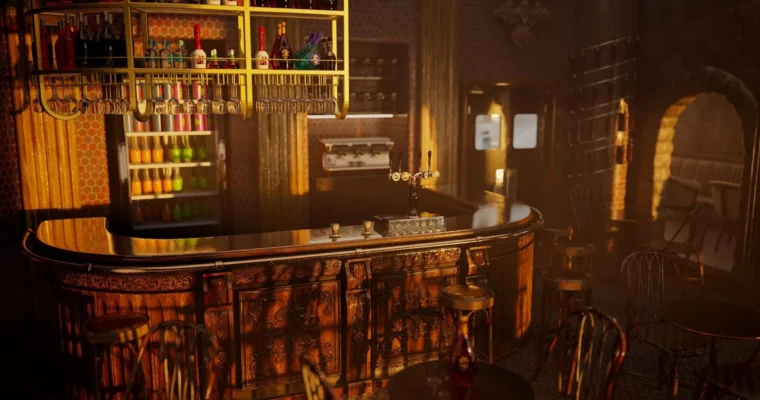
- A portfolio-ready 3D scene demonstrating proficiency in texturing, shading, animation, lighting, and rendering using Maya 2026 and Arnold.
 Channel