It looks like you're using an adblocker.
Adblockers make us sad. We use ads to keep our content happy and free. If you like what we are doing please consider supporting us by whitelisting our website. You can report badly-behaved ads by clicking/tapping the nearby 'Advertisement' X text.
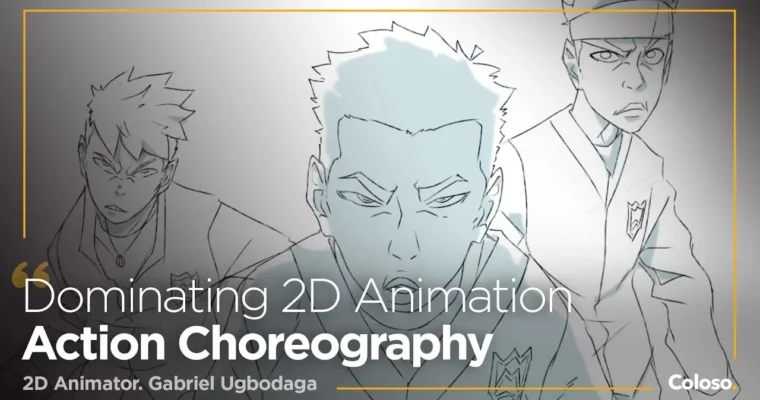
Expressive Action – Dominating 2D Animation Choreography by Gabriel Ugbodaga
Learn to design, stage, and animate hard-hitting martial arts fight scenes frame by frame with Gabriel Ugbodaga.
Want your fight scenes to actually hit? This class walks you through the full run – from goofy thumbnails to clean, punchy frame-by-frame action with real weight, using Toon Boom Harmony, smart camera movements, and compositing that makes it pop.
🎯 What you’ll learn
Design memorable, animation-friendly characters with clear silhouettes and turnarounds
Draw dynamic anatomy, gesture, and action poses that sell power and speed
Stage and storyboard martial arts choreography with cinematography basics
Plan combat flow with reference, animatics, and color scripts
Block rough keys, breakdowns, timing, and inbetweens for fight action
Overlap hair, clothes, and animate debris and dust effects
Tie down acting, volume, and effects for consistent performance
Clean up lines, ink, and color with proper brushes and swatches
Set up final camera, parallax, and light compositing in After Effects
✅ Requirements
Skills: Basic drawing skills and familiarity with 2D animation fundamentals
Tools: Toon Boom Harmony, Photoshop or Procreate for design, After Effects for compositing
Hardware: Drawing tablet and a computer capable of running animation software
📝 Description
This is not a theory-only class. Gabriel builds a full martial arts sequence in front of you, start to finish. You start with character – how musculature actually works, how to simplify designs so they still move well, and how to push poses without breaking model. Then you get into the fun part: staging, shot choice, and storyboarding that reads clearly even at high speed.
The middle chunk is all about roughs. Pose-to-pose vs straight ahead, anticipation and follow-through, timing and spacing for impacts, overlapping cloth and hair, plus dust and debris that sell weight. Gabriel keeps keys loose but solid, so you fix flow early in the animatic instead of crying during cleanup.
Then you lock it down. Tie-downs for acting and volume, cleanup with the right brushes in Toon Boom Harmony, color swatches, shadow and highlight indication, and finally a light but effective pass in After Effects – exports, parallax camera, color grading, SFX. You also get all his Photoshop / Procreate character files, Toon Boom files, and the After Effects project to pick apart.
🧑🎓 Who this course is for
Beginner to intermediate 2D animators who want to animate believable fight choreography
Character designers and illustrators who want their poses and expressions to move better on screen
Anime and action fans who want a practical frame-by-frame workflow from keys to final composite
🧑🏫 About the Author
Gabriel Ugbodaga is a freelance 2D animator from Nigeria known for snappy, expressive fight work. He has contributed to productions including Naruto, Bleach, Frieren, and Castlevania, plus Fate, Takt Op. Destiny, and Boruto: Naruto Next Generations.
His thing is character-driven action – anatomy, muscle movement, facial acting, and camera that follows the hit. With a big following online, he breaks down a process that looks intimidating into repeatable steps you can actually practice.
🏁 Final Result
A complete portfolio-ready 2D martial arts fight sequence with original characters, staged cameras, cleaned lines, color, effects, and final composite with sound.
Curriculum
📋 Course content
Module 1:Orientation
Introducing your instructor
What you will learn
Helpful websites and software programs
Module 2:Crafting Your Characters
Understanding Human Anatomy – Studying musculature
Understanding Human Anatomy – Figure drawing
Understanding Human Anatomy – Understanding gesture
Constructing Your Characters – Designing memorable characters
Constructing Your Characters – Character turnarounds
Building Personalities – Giving your characters life
Building Personalities – Individual traits and defining characteristics
Pushing Character Limits – Stretching your characters out like jello
Pushing Character Limits – Pushing their physics and breaking character sheets
Pushing Character Limits – Action poses
Module 3:Boarding Your Scene
Cinematography and Staging – Crafting eye-catching scenes
Cinematography and Staging – Delving into the rule of thirds
Cinematography and Staging – Types of shots
Understanding Camera Movements – Exploring exciting and creative camera maneuvers
Storyboarding and Color Script – Storyboard your scene
Storyboarding and Color Script – Planning out combat
Storyboarding and Color Script – Telling a story through action
Storyboarding and Color Script – Charting out your color story
Module 4:Assembling Reference and Assets
Gathering and Researching Reference – Exploring inspiration in live action and animation
Gathering and Researching Reference – Researching fighting styles and appropriate references
Gathering and Researching Reference – Inspiration board
Pre-planning Props and Assets – Designing weapons and interactable props
Assembling the Final Animatic – Rough timing storyboards into animatic
Assembling the Final Animatic – Getting the flow of your scene early
Designing All Backgrounds – Drawing and designing necessary backgrounds
Module 5:Rough Animation and Planned Camera
Rough Keys – Setting up strong but rough keys and breakdowns
Rough Keys – Learning anticipation and follow through
Rough Timing and Inbetweens – Timing out arcs and drawing rough inbetweens
Rough Overlapping – Overlapping clothes and hair
Initial Camera Work – First initial camera work
Initial Camera Work – Tracking the motion of characters
Initial Camera Work – Following the storyboard and animatic
Rough Effects – Animating debris and dust effects
Rough Effects – Physics of debris
Module 6:Tying Down Your Animation
Tying Down Characters Part 1 – Tying down extra details into character
Tying Down Characters Part 1 – Solidifying acting choices
Tying Down Characters Part 2 – Tying down other character and fixing wonky timing
Tying Down Characters Part 2 – Maintaining volume
Tying Down Effects – Tying down effects and cleaning if necessary
Highlight and Shadow Indications – Initial shading and highlighting indication
Module 7:Cleaning up Shop
Cleaning up Characters Part 1 – Final line on characters
Cleaning up Characters Part 1 – Using appropriate brushes
Cleaning up Characters Part 2 – Cleaning up all final details
Cleaning up Effects – Finalizing effects line work
Module 8:Inking and Coloring
Coloring Characters Part 1 – Preparing color swatches based on character sheet
Coloring Characters Part 1 – Preparing color layer on Toon Boom
Coloring Characters Part 2 – Finishing all inking and closing gaps
Coloring Characters Part 2 – Coloring effects, shadow and highlight base colors
Module 9:Quick Compositing and Final Camera
Clean Exports for After Effects – Organizing files for exporting from Toon Boom
Clean Exports for After Effects – Exporting files
Assembling Finished Assets – Setting up After Effects file and composition
Assembling Finished Assets – Importing final line, color and shadow layers




 Channel