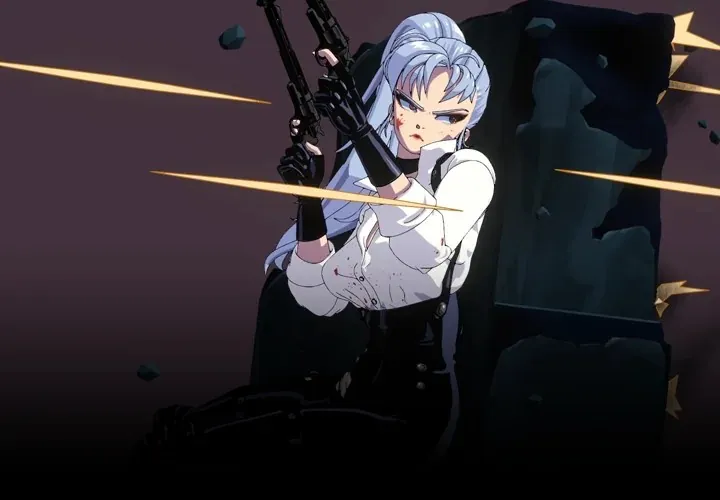
Character Illustration to 3D in Blender – A Step-by-Step Guide by Raul Trevino

Duration:40Hours 57Minutes
Actual Duration:40h 56m
Release date:2024, June
Publisher:Coloso
Skill level:Beginner
Language:English
Exercise files:Yes
Software:Blender 3.6+, Clip Studio Paint
Course URL:https://coloso.global/en/products/2d3dartist-raultrevino-us
This course is a straight shot from 2D concept to 3D character. Forget the endless tutorials on retopology and complex node setups. Raul Trevino, a veteran character artist, focuses on the practical pipeline: modeling, texturing, and posing your character in Blender so it looks like it jumped straight out of an anime. It’s built for artists who want results, not a new career in technical art.
🎯 What you’ll learn
- Model a complete anime-style female character from a 2D model sheet.
- Apply cel-shaded textures to achieve a 2D look without complex shaders.
- Rig your model with a simple skeleton and create a library of expressive poses.
- Use Blender’s Eevee renderer for fast, high-quality previews and final renders.
✅ Requirements
- Skills: Basic familiarity with Blender’s interface is helpful but not required.
- Tools: A copy of Blender 3.6+ and an image editing program like Clip Studio Paint or Photoshop.
- Hardware: A computer capable of running Blender 3.6+.
📝 Description
This isn’t a course about becoming a technical director. It’s about becoming a better character artist. Raul Trevino strips away the intimidating parts of 3D—like complex retopology and node-based shading—and focuses on the core workflow that gets your character on screen.
You’ll start by modeling a hand, then build up the entire body, head, and hair using anime proportions. The real magic happens in the texture painting section, where you’ll learn to paint cel-shaded shadows directly onto the model, giving it that unmistakable 2D look without touching a single shader node. The course also covers a straightforward rigging process to pose your character and create a library of expressions using shape keys. By the end, you’ll have a complete, portfolio-ready character file and the confidence to tackle your own designs.
🧑🎓 Who this course is for
- 2D artists and illustrators who want to bring their characters into 3D.
- Hobbyists and beginners who find standard 3D courses too technical or slow.
- Anyone looking for a practical, project-based approach to character modeling in Blender.
🧑🏫 About the Author
Raul Trevino is a 2D & 3D character designer and comic author based in Japan with over 15 years of industry experience. He has worked on major projects for Ubisoft, including serving as Lead Character Artist on Project Kyzen, and has contributed character designs for DC Comics. His original comic, Live Forever, was picked up by Webtoon Originals. Raul’s unique strength is bridging the gap between 2D illustration and 3D modeling, a skill he developed to enhance his own comic and character work.
🏁 Final Result
- A fully modeled, textured, and rigged 3D anime-style character ready for posing and rendering.
- A reusable pose library and facial expression set for your character.
- A final turntable animation and rendered stills to showcase your work.
📢 Guys, this is a Group Buy campaign, check the GBC forum thread to get access
You can find the course preview in the download section below.
 Channel