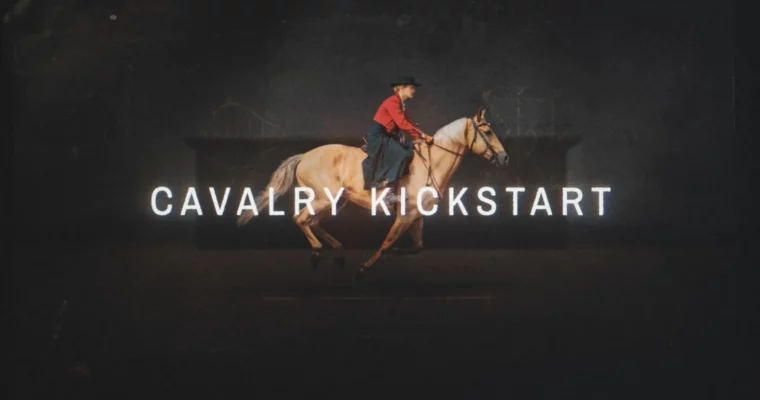
Cavalry Kickstart by Greg Stewart

Duration:13 hours
Actual Duration:12h 21m
Release date:2026, April
Publisher:School of Motion
Skill level:Intermediate
Language:English
Exercise files:Yes
Software:Cavalry, After Effects, Illustrator, Figma
Course URL:https://www.schoolofmotion.com/courses/cavalry-kickstart
This course teaches you to think procedurally and build animation systems in Cavalry that would take hours to set up in After Effects. You’ll learn to create mograph-style effects with duplicators and behaviors, design dynamic text animations, and build responsive templates that update in real time.
🎯 What you’ll learn
- Build flexible, procedural animation systems using Cavalry’s node-based workflow
- Create mograph-style effects with duplicators, index context, and behaviors
- Animate text at the line, word, and letter level for kinetic typography
- Use falloffs and distribution controls to add depth and stagger timing
- Build data-driven templates that update dynamically for quick revisions
✅ Requirements
- Skills: At least 2 years of motion design experience; familiarity with After Effects is helpful
- Tools: A 3-button mouse is recommended
- Hardware: A computer capable of running Cavalry (Windows or macOS)
📝 Description
This isn’t a “click-this-button” tutorial. Greg Stewart walks you through the logic behind procedural animation, showing you why Cavalry works the way it does. You’ll start by getting oriented in the interface—how familiar concepts from After Effects translate, and where they differ. From there, you’ll build a solid foundation with shape tools, layers, and keyframing before unlocking Cavalry’s real power: duplicators and index context.
The course focuses on practical, real-world workflows. You’ll learn to use behaviors like noise and oscillators to create organic motion that would require complex expressions in AE. You’ll also dive into sub mesh deformers, which let you take dense artwork from Illustrator or Figma and instantly bring every element to life without tedious layer management. By the end, you’ll be building automated, data-driven templates that update in real time—perfect for lower thirds, chapter menus, and any asset that needs quick revisions.
🧑🎓 Who this course is for
- Motion designers who want to add procedural 2D animation to their toolkit
- After Effects users looking for a faster, more flexible way to create mograph-style effects
- Animators ready to move beyond manual keyframing and build responsive animation systems
🧑🏫 About the Author
Greg Stewart is a motion designer and educator who specializes in procedural animation workflows. He has worked with major studios and brands, and brings a practical, no-nonsense approach to teaching. His focus is on helping artists understand the underlying logic of tools like Cavalry so they can work faster and more creatively.
🏁 Final Result
- A portfolio-ready project demonstrating your ability to build a responsive, data-driven animation system in Cavalry
- Practical experience creating mograph-style effects, kinetic typography, and automated templates
 Channel