After Effects – Creating a MOGRT (Motion Graphics Template) by Eran Stern

Duration:1h 3m
Actual Duration:1h 3m
Release date:2024, October
Publisher:Linkedin
Skill level:Intermediate
Language:English
Exercise files:Yes
Software:After Effects, Premiere Pro
Course URL:https://www.linkedin.com/learning/after-effects-creating-a-mogrt-motion-graphics-template
Create once, use forever. That’s the promise of Motion Graphics Templates (MOGRTs) in Adobe After Effects. This course, led by veteran motion designer Eran Stern, shows you exactly how to build them. You’ll move from the basics of the Essential Graphics Panel to linking colors, setting up responsive time design, and finally exporting your template for use in Premiere Pro. No fluff, just a practical pipeline for reusable assets.
🎯 What you’ll learn
- Create and link custom controls in the Essential Graphics Panel
- Set up responsive design for different video durations
- Export a MOGRT file and test it in Premiere Pro
- Manage and organize your MOGRT files efficiently
✅ Requirements
- Skills: Intermediate knowledge of After Effects
- Tools: After Effects, Premiere Pro (for testing)
- Hardware: Standard workstation for After Effects
📝 Description
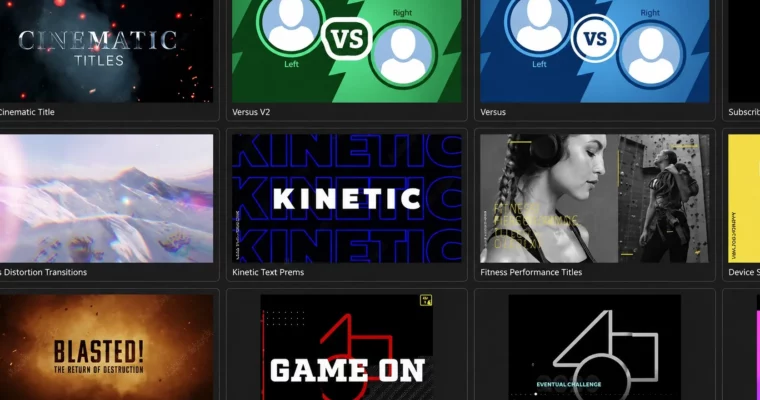
This isn’t a theory-heavy lecture. Eran Stern walks you through a real-world workflow, starting with a simple graphic and turning it into a fully functional MOGRT. You’ll learn how to expose the right parameters—like color, text, and position—so editors in Premiere Pro can tweak them without touching the original comp.
The course focuses on the Essential Graphics Panel, the core tool for building templates. You’ll see how to link properties, create dropdown menus for style presets, and use responsive time design to make your graphics adapt to different clip lengths automatically. By the end, you’ll know how to export a clean, organized MOGRT file that works seamlessly in a professional editing pipeline.
🧑🎓 Who this course is for
- Motion designers who want to create reusable assets for their team or clients
- After Effects users looking to streamline their workflow with templates
- Editors who want to understand how MOGRTs work from the creator’s side
🧑🏫 About the Author
Eran Stern is a creative technologist, motion designer, and educator with decades of experience. He’s a LinkedIn Learning instructor known for his clear, practical teaching style. Eran has worked on projects for major brands and is a regular speaker at industry events, bringing a deep understanding of both the creative and technical sides of motion graphics.
🏁 Final Result
- A fully functional MOGRT file ready for use in Premiere Pro
- A reusable template with customizable controls for color, text, and timing
 Channel