

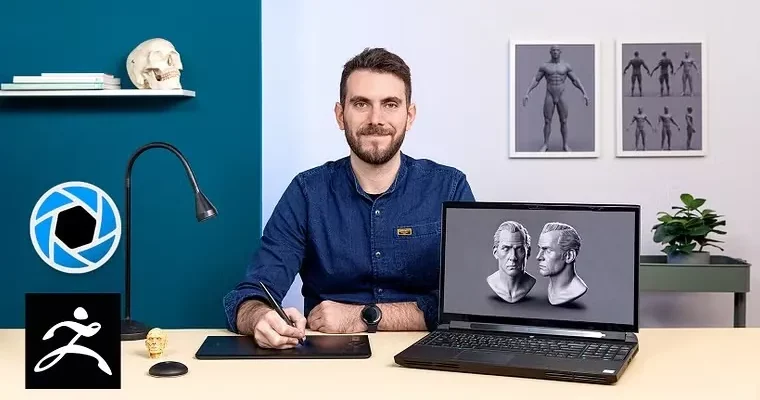
Realistic 3D Portraits with ZBrush and KeyShot by Davide Sasselli

Duration:5h 25m
Actual Duration:5h 25m
Release date:2022, April
Publisher:Domestika
Skill level:Intermediate
Language:English
Exercise files:Yes
Software:ZBrush, KeyShot, Photoshop
Course URL:https://www.domestika.org/en/courses/3625-realistic-3d-portraits-with-zbrush-and-keyshot
Learn to sculpt a believable human face in 3D without getting lost in endless brushes and sliders. You will take a simple base head all the way to a rendered portrait with character, expression, and skin that actually looks like skin.
🎯 What you’ll learn
- Sculpt a human face from a base model using blocking and refinement passes
- Work with facial proportions, anatomy landmarks, and expression
- Break symmetry and add skin imperfections for believable realism
- Sculpt and detail eyes, nose, mouth, hair, eyebrows, and eyelashes
- Set up materials and lighting for a portrait render in KeyShot
- Do final polish and color correction in Photoshop
✅ Requirements
- Skills: Basic familiarity with ZBrush UI and 3D navigation, understanding of facial proportions helps
- Tools: ZBrush, KeyShot, Photoshop, 3-button mouse and drawing tablet strongly recommended
- Hardware: Minimum 16GB RAM, 64-bit CPU, dedicated GPU for smooth sculpting and rendering
📝 Description
This is not a button-tour. Davide jumps straight into how he thinks about a face before he sculpts it. You start with references and a mood board, lock the identity of your character, then move into ZBrush with a clear plan for blocking.
The sculpting part is very hands-on. You work from a base head, block big forms first, then push eyes, nose, and mouth into place. Davide shows how to check facial anatomy from different angles so the head reads well in 3D, not just from the front camera. Then you refine expression and personality – small tweaks to eyelids, mouth corners, and jaw that change the whole story.
Where this course really pays off is the realism pass. Perfect symmetry kills a portrait, so you learn to break it on purpose. You add pores, wrinkles, moles, and uneven skin using alphas and hand sculpting. Hair, brows, and lashes get treated as shape design, not just fiber scatter. It is the stuff that makes a render stop looking CG.
To finish, you export out of ZBrush, set up a simple but effective KeyShot scene with skin materials and lighting, and do cleanup in Photoshop. No 20-light setup. Just what you need to present the sculpt like a portfolio piece.
🧑🎓 Who this course is for
- Intermediate ZBrush users who can navigate the software but struggle to get faces to look real
- Character artists, illustrators, and 3D generalists who want a solid portrait piece for their portfolio
🧑🏫 About the Author
Davide Sasselli is a 3D character modeler focused on realistic digital portraits. He works primarily in ZBrush and pulls inspiration from films, video games, and other sculptors. His thing is identity – building faces that feel like specific people with history, not generic mannequins.
🏁 Final Result
- A realistic 3D human face sculpted, detailed, and rendered – presented as a finished portrait ready for your portfolio.
 Channel