Photoshop Masterclass for Architects by Sajjad Montazeri

Duration:5h 58m
Release date:2025
Publisher:Udemy
Skill level:Beginner
Language:English
Exercise files:Yes
Software:Adobe Photoshop
Course URL:https://www.udemy.com/course/photoshop-for-architects-graphic-design-and-presentation
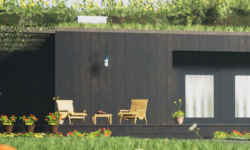
If your renders look flat straight out of 3D, this course fixes that. You will take raw shots and finish them in Photoshop with better light, color, scale figures, and atmosphere to make clean architectural renders ready for clients and portfolios. It is all project-based post-production, no theory fluff.
🎯 What you’ll learn
- Edit and enhance renders with lighting, color, contrast, and sharpness
- Build realistic materials and textures for close-up detail
- Add trees, sky, people, cars, and street elements for depth
- Set up believable lighting and shadows in post
- Work non-destructively with layers, masks, smart objects, and filters
- Fix perspective and camera angles for presentations
- Place human figures with correct scale, color, and shadows
- Convert day renders to night with glows and street reflections
- Create rain, snow, fog, and dust for cinematic mood
- Simulate glass and water reflections for pools and lakes
- Use LUTs and adjustment layers for clean color correction
- Create sketch, watercolor, and collage-style presentations
- Remove unwanted objects and retouch compositions
- Export high-resolution files for print, portfolio, and client decks
✅ Requirements
- Skills: No prior Photoshop experience required, basic computer skills are enough
- Tools: Adobe Photoshop 2024 or newer
- Hardware: Laptop or PC capable of running Photoshop smoothly
📝 Description
This is hands-on, not button-tour training. Each project starts from a plain render and you finish it step by step, so you learn the exact clicks for real architectural visualization work.
You start with the basics that actually matter: workspace, layers, masks, smart objects, and filters. Then you move fast into the stuff that sells images – cutting in people and trees with correct scale, matching light direction and shadow softness, fixing perspective, and cleaning up the shot.
The middle part is where it gets fun. You will build day-to-night conversions with window glows and street reflections, add rain, snow, and fog without killing detail, and fake believable water and glass. You also get the stylized side: sketch, watercolor, infinite-style, and collage presentations for early concepts and portfolios.
For color, you will use adjustment layers and LUTs to get consistent, print-ready looks and push resolution without mushy details. By the end you can take any render, retouch it, stage it with lifestyle elements, and export it sharp for print, screen, or portfolio.
🧑🎓 Who this course is for
- Architects and architecture / design students
- Interior designers and engineers
- 3D artists, renderers, and CG artists
- Graphic designers and digital illustrators
- Content creators and filmmakers working with archviz
- Anyone who wants practical Photoshop for presentations
🧑🏫 About the Author
Sajjad Montazeri is an architectural visualization instructor focused on Photoshop post-production for architects and designers. He teaches a practical, project-based workflow covering renders, lighting, collage, and presentation graphics. His courses are built for students and working professionals who need faster, cleaner outputs for clients and portfolios.
🏁 Final Result
- A set of finished portfolio-ready architectural presentations, including photoreal day and night renders, weather atmosphere shots, and stylized sketch / collage boards, all edited and exported in high resolution.
 Channel