3Ds MAX & Phoenix FD Fire & Smoke VFX Simulation Masterclass by Syed Muneeb Mohsin

Duration:4h 19m
Release date:2026
Publisher:Udemy
Skill level:Intermediate
Language:English
Exercise files:Yes
Software:3ds Max, Phoenix FD, tyFlow, After Effects
Course URL:https://www.udemy.com/course/pheonix-fd-fire-and-smoke-vfx-simulation-masterclass
If you want to stop guessing settings and start getting usable fire and smoke on demand, this is the shortcut. You build 20+ small, portfolio-ready shots in 3ds Max and Phoenix FD — from kettle steam to full nuke explosions — and you finally understand what every slider actually does.
🎯 What you’ll learn
- Set up Phoenix FD from scratch in 3ds Max – containers, units, and workspace
- Create all kinds of fire and smoke simulations with temperature and density control
- Work with smoke buoyancy, dissipation, cooling, and time scale
- Use solid and non-solid emitters, steps per frame, and motion velocity
- Add forces – Plain Force, Body Force, Path Follow, and turbulence
- Work with RGB smoke, vorticity, fluidity, noise, and adaptive grid
- Use masks, discharge modifiers, presets, and emission modes
- Combine tyFlow with Phoenix FD for dust, destruction, and shockwaves
- Render, optimize, and composite fire and smoke with After Effects
✅ Requirements
- Skills: Basic understanding of 3D space and 3ds Max navigation
- Tools: 3ds Max with Phoenix FD plugin installed, After Effects for compositing
- Hardware: Multi-core CPU, minimum 16GB RAM, dedicated GPU for simulation and rendering
📝 Description
This is not theory-first. You open 3ds Max, you build a container, you hit simulate. The course starts with the boring-but-important stuff — install, grid, units — then moves straight to fire. You learn how temperature, cooling, and buoyancy shape the look, and why your smoke looks wrong when dissipation is off.
From there it gets practical. You play with smoke solvers, RGB smoke for colorful ink-style looks, vorticity and wavelet turbulence for that sharp detail, and forces to actually art-direct the motion. Plain Force, Body Force, Path Follow — you see what each one does to a plume instead of just reading tooltips. Time remapping, masking, and discharge tricks are covered too, so you can control where emission happens and how it evolves.
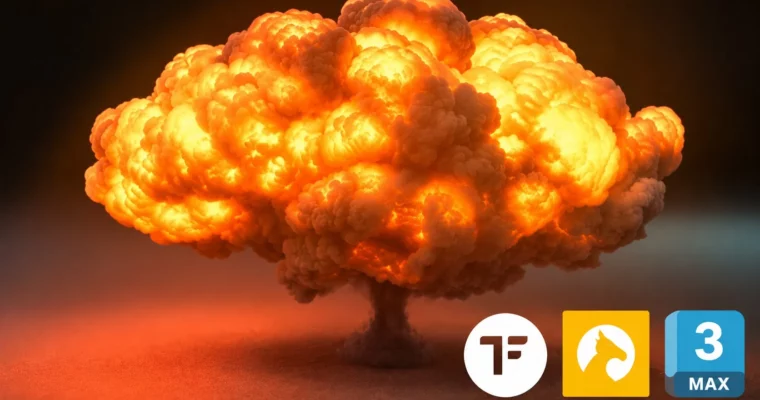
The bulk of the course is 20+ builds. Product shots with smoke swirls, car drift dust, fuel fire, windmill fire, meteor crash, smoke man, eyes on fire. You also get the big ones clients pay for: fuel explosions, temperature blasts, and nuke clouds. Plus a full section on combining tyFlow with Phoenix for destruction-plus-dust shots.
At the end you clean it all up. Rendering optimization so sims don’t take forever, vertex paint and textures for custom emission, and compositing in After Effects. Short lessons, no fluff. You finish with shots you can actually put in a reel for ads, film, or games.
🧑🎓 Who this course is for
- 3D artists and animators who want to add fire and smoke to their reel
- Filmmakers and product animators who need punchy VFX for ads
- 3D designers and game developers curious about dynamic simulations
- Anyone into VFX who wants a practical Phoenix FD workflow from zero
🧑🏫 About the Author
Syed Muneeb Mohsin is a 3D artist focused on simulation work and commercial-style VFX. He runs sims daily in Phoenix FD and 3ds Max, from slow-motion liquid and fire for product ads to large-scale explosions. In this course he shares the exact setups, presets, and troubleshooting tips he uses to get client-ready results without wasting sim time.
🏁 Final Result
- 20+ finished fire, smoke, dust, and explosion shots rendered in 3ds Max with Phoenix FD, including fuel fire, nuke explosion, car drift dust, and colorful smoke merges — ready for portfolio and showreel, plus a personal challenge shot and AI slow-motion version.
 Channel