Blender Zero-Base Dynamic Poster Course by Shenyecg

Actual Duration:14h 40m
Release date:2024
Publisher:Shenyecg
Skill level:Beginner
Language:Chinese
Exercise files:Yes
Software:Blender
Course URL:https://www.rednote.com/user/profile/5c1f8e5d000000000603d4bb
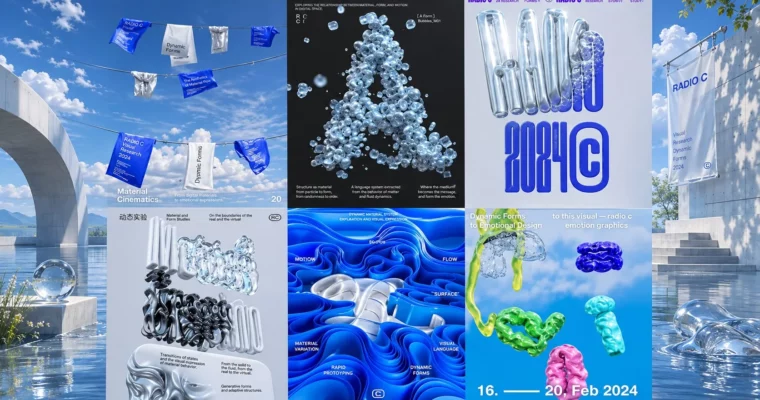
Want posters that don’t look flat? This zero-base course shows you how to build modern dynamic posters directly in Blender, from blank scene to finished poster design with depth, light, and type that actually holds attention.
🎯 What you’ll learn
- Navigate Blender’s interface for 2D/3D poster workflows
- Build dynamic poster compositions from scratch
- Work with lighting, shadows and materials for depth
- Use color and typography for strong visual hierarchy
- Export posters for digital use and print
✅ Requirements
- Skills: No prior Blender experience needed, basic computer skills are enough
- Tools: Blender (free), 3-button mouse recommended
- Hardware: Laptop or PC capable of running Blender, 8GB+ RAM recommended
📝 Description
This isn’t theory-heavy 3D. It’s straight to work. You open Blender, set up a poster-sized scene, and start placing type, shapes, and lights. The focus is on what looks good on a poster, not every button in the software.
You’ll get a solid feel for how lighting and shadows sell depth, how to pick color palettes that don’t clash, and how to place typography so it reads well in 3D. Short steps, clear results, lots of visual examples. Chinese audio with English subtitles, so it’s easy to follow along by watching.
By the end you’ll know a repeatable setup for rendering clean, sharp posters and getting them out for Instagram, portfolio sites, or print preparation. Same workflow, just different export settings. Handy if you want to reuse it for client work or personal projects.
🧑🎓 Who this course is for
- Complete beginners who want to start with Blender through posters
- Graphic designers who want to add 3D flair to their work
- Anyone building a portfolio with bold social / print visuals
🧑🏫 About the Author
Shenyecg shares practical, beginner-friendly Blender tutorials focused on real design output. The teaching style is zero-base and step-by-step, built around small poster projects and clear 3D workflow habits you can reuse right away.
🏁 Final Result
- A portfolio-ready dynamic poster rendered in Blender, prepared in both digital and print versions
 Channel