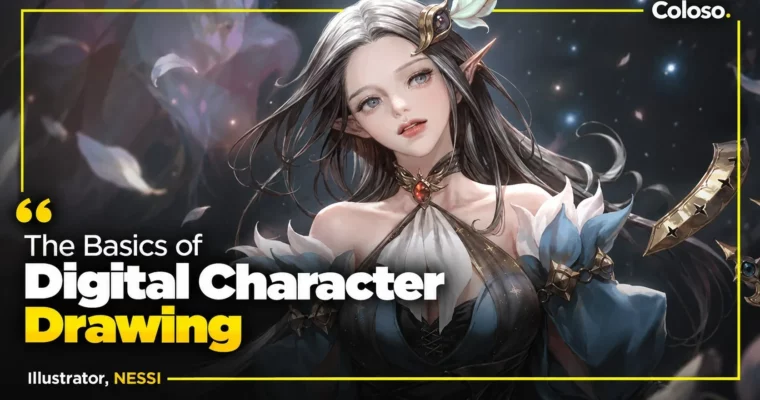
The Basics of Digital Character Drawing by NESSI (FREE)

Actual Duration:52h 49m
Release date:2021, December
Publisher:Coloso
Skill level:Beginner
Language:English
Exercise files:Yes
Software:Photoshop, Procreate
Course URL:https://coloso.global/en/products/illustrator_nessi_us
✅Free for all OCC and GBC users
If you have never opened Photoshop but want to draw characters for games, this is your starting point. NESSI breaks down line control, perspective, value, and color into simple, repeatable steps, then shows you how to use them on real character work.
🎯 What you’ll learn
- Navigate Photoshop with layers, masks, brushes, and shortcuts for illustration
- Control line quality and build 3D form with pen pressure
- Simplify objects and figures into basic shapes for accurate observation
- Apply one, two, and three-point perspective to props and characters
- Light figures correctly using value, light and shadow structure
- Construct faces, hair, hands, and full bodies from any angle
- Draw natural poses with rhythm lines and perspective boxes
- Design clothing, folds, and silhouettes over a constructed body
- Build palettes with color boxes and paint under different lighting
- Render fabric, leather, silk, vinyl, and metal convincingly
✅ Requirements
- Skills: No prior Photoshop or drawing experience needed, basic computer skills are enough
- Tools: Photoshop, Procreate optional for iPad users, drawing tablet recommended
- Hardware: Computer capable of running Photoshop, pen tablet or display tablet like Cintiq, Intuos, MobileStudio Pro, or iPad
📝 Description
Most beginners jump straight to rendering and get stuck. NESSI flips that. You start with how Photoshop actually works for illustrators – layers, selections, brushes, masks, transform, Liquify – so the software stops getting in your way. Short, practical demos get you comfortable fast, even if this is your first time opening the program.
From there you build the stuff that makes characters look solid. You will practice line confidence, breaking complex objects into simple forms, and drawing them in perspective without guessing. Then you add value and shadow to turn flat shapes into 3D volumes. Every exercise uses everyday objects and props first, so you learn to see structure before you tackle a full character.
Then it gets character-specific. You will construct heads from different viewpoints, connect hair to skull volume, simplify human anatomy into usable proportions, and use perspective boxes and rhythm lines to pose bodies from high and low angles. Clothing is taught the same way – build it over the body, get the silhouette right, then add folds and light.
Color is kept just as practical. You will work with the color wheel, organize palettes with a color box, test how light changes base and accent colors, and try two real workflows: shadows after local color vs. shadows first. You also break down fabric, leather, silk, vinyl, and metal rendering with brushes and layer effects. It ends with a full upper-body original portrait where you lock direction, expression, props, palette, and final polish together.
🧑🎓 Who this course is for
- Complete beginners who have never used Photoshop and want to draw digitally
- Hobby artists who can copy but struggle with structure, perspective, and anatomy
- Aspiring game and anime illustrators who want a clear, step-by-step foundation
🧑🏫 About the Author
Hello, I am illustrator NESSI. After more than ten years in game character illustration and international projects, I learned that strong results always come back to strong basics. I teach both as a working illustrator and instructor, focusing on the parts beginners usually find confusing.
My work centers on commercial-style character design, stylized anatomy, and clean, readable rendering for games. In this class I share the exact study methods, color box system, and construction approach I use to keep improving in a balanced way and turn theory into usable skills.
🏁 Final Result
- A finished original upper-body character portrait with planned expression, pose, props, lighting, and materials – ready to use as a portfolio piece and foundation for future illustrations.
📢 Guys, this is a Group Buy campaign, check the GBC forum thread to get access
You can find the course preview in the download section below.
 Channel