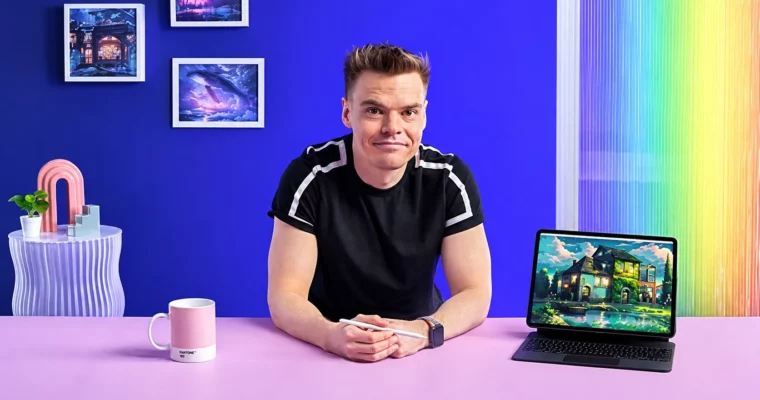
Painting in Procreate – Reimagine Your Surroundings by Mikko Eerola

Actual Duration:5h 14m
Release date:2024, March
Publisher:Domestika
Skill level:Beginner
Language:English
Exercise files:Yes
Software:Procreate
Course URL:https://www.domestika.org/en/courses/5137-painting-in-procreate-reimagine-your-surroundings
Got an iPad and you keep walking past cool buildings? This course shows you how to turn them into finished illustrations in Procreate, using simple ideas from traditional painting like brushwork, light and shadow, and limited palettes.
🎯 What you’ll learn
- Set up a canvas in Procreate and get comfortable with the interface
- Use brush strokes as a tool for composition, not just rendering
- Build palettes and paint convincing light and shadow
- Turn photos and surroundings into ideas for illustrations
- Paint a building with depth using alpha locks and clipping masks
- Edit colors and present your final artwork with your own style
✅ Requirements
- Skills: No prior experience needed, just basic iPad use and curiosity about drawing
- Tools: iPad with Procreate installed, Apple Pencil or compatible stylus
- Hardware: iPad compatible with latest Procreate version
📝 Description
This is not a button-tour. Mikko gets you painting fast. You start with canvas setup in Procreate, then you get straight into what actually matters: how a brush stroke can lead the eye, block in big shapes, and keep your composition readable.
Then you get into the meat of it — light and shadow. You will work through palette creation in three steps, so you stop guessing colors. Mikko shows how to pick a limited set of colors, push contrast, and keep things harmonious. Short demos, clear examples, lots of painting.
The second half is all about working from real life. You pick a building you like, gather references, and sketch out ideas. Then you paint it, using practical digital tricks like alpha locks and clipping masks to add texture and depth without wrecking your base. At the end you tweak colors, clean up the presentation, and talk about style — how to keep it yours instead of copying someone else.
🧑🎓 Who this course is for
- Beginners and hobbyists who want to use Procreate to draw their surroundings
- Illustrators and concept art hopefuls who want a solid, painterly workflow on iPad
🧑🏫 About the Author
Mikko Eerola is a concept artist, illustrator, and art teacher who loves making painting feel doable. He works digitally but thinks like a traditional painter, and he is known for breaking down light, color, and composition into plain steps. He teaches to get people actually finishing work, not just watching tutorials.
🏁 Final Result
- A finished digital illustration of a building of your choice, painted in Procreate with strong composition, color, and light — ready for your portfolio or socials.
 Channel