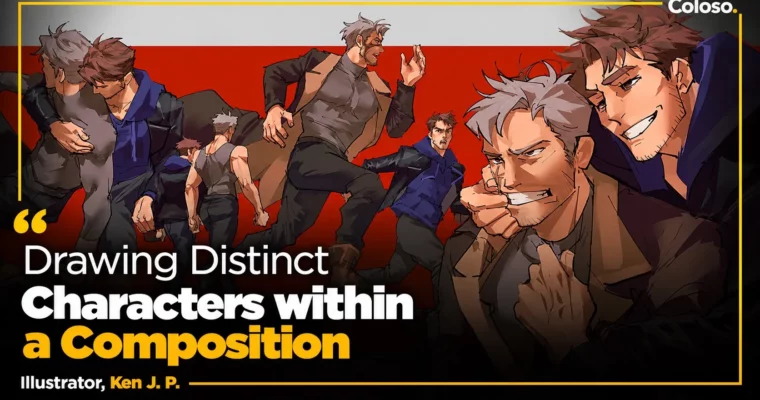
Drawing Distinct Characters within a Composition by Ken J. P.

Actual Duration:8h 58m
Release date:2025
Publisher:Coloso
Skill level:Intermediate
Language:English
Exercise files:Yes
Software:Photoshop, Blender
Course URL:https://coloso.global/en/products/illustrator-kenjp-us
Drawing one good-looking character is one thing. Drawing two, three, or four in the same frame — with real chemistry, clear spacing, and no stiff posing — is where most artists get stuck. In this class, Ken J. P. aka Rev breaks down how to give each character their own personality while making the whole composition read as one story.
🎯 What you’ll learn
- How to space and position multiple characters for natural interaction
- How to use perspective to show relationships and depth between figures
- How to draw believable clothing folds when bodies overlap and move
- How to control line weight to clean up and focus your illustration
- How to use 3D blocking to pose figures without stiffness
- How to build mood with thumbnails, lighting, and color framing
✅ Requirements
- Skills: Basic drawing fundamentals, familiarity with digital illustration workflow
- Tools: Drawing tablet, digital art software like Photoshop or Clip Studio Paint, any 3D software for posing reference
- Hardware: PC or laptop capable of running 2D + lightweight 3D software, 8GB RAM minimum
📝 Description
Here’s the problem nobody talks about: you can draw great solo characters all day, but the second you add a second one, everything falls apart. Poses look stiff, spacing feels weird, and the story disappears. Ken starts there — why multi-character illustration is hard, how to get out of your comfort zone, and how to actually look at your own old work to spot what is missing.
Then it gets practical. You’ll work through perspective and spacing, clothing folds that show push, pull, and contact between bodies, and line weight control to clean up messy sketches. It’s not theory for the sake of theory. It’s how to make it clear who is leaning in, who is pulling away, and where the eye should go first.
The fun part is his workflow with 3D software. If you’ve never touched 3D, don’t worry — he walks through setup to final pose step by step. You use a simple 3D base to test angles and get natural movement, then draw over it so it still looks like your art. From there he covers thumbnails, lighting setups, and color choices to lock in emotion without over-rendering everything.
🧑🎓 Who this course is for
- Illustrators who can draw single characters but struggle when putting 2+ characters together
- Anime / stylized artists who want stronger storytelling, posing, and composition in their work
- Beginners to 3D who want a simple, practical way to use it as a drawing aid
🧑🏫 About the Author
Hi, I’m Ken, aka Rev — a freelance illustrator obsessed with characters and how they relate to each other. I went to art school because I couldn’t shake drawing, and I’ve stuck with it ever since, focusing on personality, posture, and small interactions that tell a bigger story.
My work centers on expressive character relationships rather than just pretty pin-ups. In this class I share the exact process I use to space figures, fix stiff poses with 3D, and finish with lighting and color that support the mood.
🏁 Final Result
- A finished multi-character illustration with distinct personalities, natural poses built with 3D reference, and cinematic lighting and color — plus 6 practice exercises covering space, gesture, folds, line weight, and composition.
📢 Guys, this is a Group Buy campaign, check the GBC forum thread to get access
You can find the course preview in the download section below.
 Channel