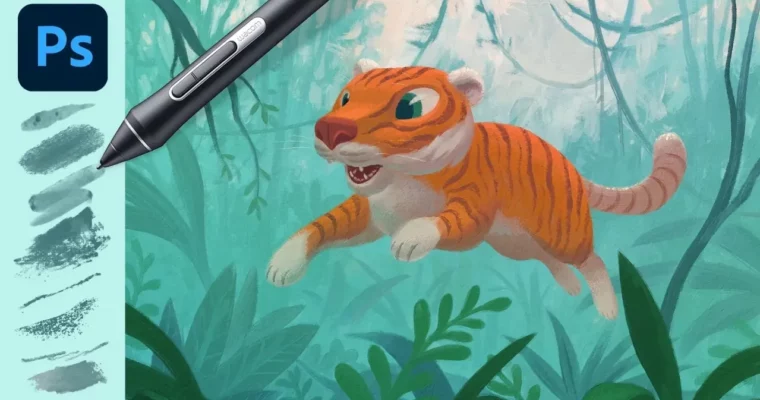
Photoshop Brushes – Hidden Super-powers by Kyle Webster

Release date:2024, April
Publisher:IAMAG
Skill level:Intermediate
Language:English
Exercise files:Yes
Software:Photoshop
Course URL:https://x.com/iamagco/status/1780612375223144506
This isn’t another brush pack walkthrough. Kyle T. Webster opens up the Photoshop brush engine and shows what those sliders actually do for real painting. You’ll get believable watercolors, dry pastels, and loose inks, plus a few time-savers that make the whole process faster.
🎯 What you’ll learn
- Emulate watercolors, pastels, and inks with Photoshop brushes
- Control texture, opacity, and flow for natural media looks
- Use special effects brushes for splatter, grain, and dry edges
- Speed up work with timesaving brush features and presets
- Apply Kyle Webster’s favorite brush sets in practical work
✅ Requirements
- Skills: Basic familiarity with Photoshop interface and layers
- Tools: Adobe Photoshop, drawing tablet recommended
- Hardware: Computer capable of running Photoshop smoothly
📝 Description
Most people only touch opacity and size and call it done. Kyle shows you the rest. You’ll look at brush engine controls like Shape Dynamics, Scattering, and Transfer, and see how they change a stroke from flat digital to rough and traditional. It’s hands-on: he paints, tweaks, and explains why it works.
Then it gets practical. You’ll learn how watercolors bleed and pool, how pastels break up on texture, and how inks stay loose without looking muddy. On top of that, there are small workflow moves — mixing, blending, quick preset swaps — that save you a ton of clicks when you’re on a deadline.
And yeah, he pulls out his own go-to sets. Not to sell you anything, just to show what he reaches for and why. If you paint in Photoshop every day, this will clean up a lot of bad habits fast.
🧑🎓 Who this course is for
- Illustrators and concept artists who paint in Photoshop and want better traditional looks
- Digital painters tired of flat brushes who want more texture and control
🧑🏫 About the Author
Kyle Webster is an illustrator and designer best known as the creator of KyleBrush — the massive brush library now bundled into Adobe Photoshop. His tools are used daily by illustrators, concept artists, and comic pros around the world.
Beyond brushes, he’s worked in illustration for editorial, books, and advertising, and teaches drawing and design. He knows both sides: how to make the tool, and how to actually paint with it under pressure.
🏁 Final Result
- A set of natural media studies in watercolor, pastel, and ink styles painted in Photoshop using customized brush settings
 Channel