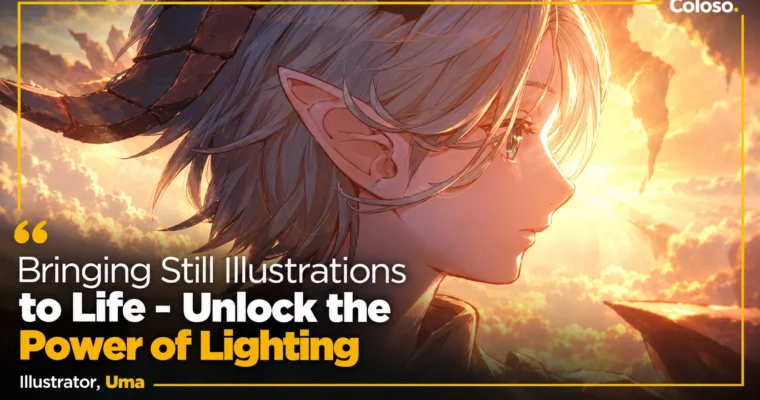
Bringing Still Illustrations to Life – Unlock the Power of Lighting by Yuuma (Uma)

Duration:18 hours 5 minutes
Actual Duration:36h 9m
Release date:2022
Publisher:Coloso
Skill level:Intermediate
Language:Japanese
Exercise files:Yes
Software:CLIP STUDIO PAINT
Course URL:https://coloso.jp/products/illustrator_uma_jp
Yuuma paints mood with light, not just color. In this 26-lesson course you follow his full workflow in CLIP STUDIO PAINT to take one concept art piece from rough idea to polished still — with lighting design and color theory doing the heavy lifting for story and depth.
🎯 What you’ll learn
- How to plan light source, time of day, and color palette at the rough stage
- How to paint shadows that make light pop and guide the viewer’s eye
- How to blend character and background with unified lighting and atmosphere
- How to paint skin, clothes, eyes, hair, and props with clean layer separation
- How to render metal, rock, water, and lens flare with believable texture
- How to finish with contrast control, depth of field, chromatic aberration, and retouch
✅ Requirements
- Skills: Basic drawing fundamentals, familiarity with CLIP STUDIO PAINT interface
- Tools: CLIP STUDIO PAINT PRO 1.11.4 or higher, drawing tablet
- Hardware: PC or tablet capable of running CLIP STUDIO PAINT smoothly
📝 Description
This is not a “paint pretty pictures” class. It’s a full walkthrough of how Yuuma thinks when he builds a still. You start with what to draw, theme, situation, time of day, and character design, then push three different roughs from the same brief. That early step locks your composition and light direction before you waste hours on rendering.
From there it gets practical. Yuuma shows his layer structure for skin, clothes, face, props, and background, how he picks base and shadow colors, and how he keeps edges and silhouettes readable. He even paints the “cheap-looking” lighting on purpose, so you can see exactly what breaks the illusion — wrong shadow placement, flat contrast, light that doesn’t match the background.
The second half is where it clicks. You’ll work on rim light, bounce light, eye guidance, and overall contrast to seat the character inside the scene instead of floating on top of it. Then final retouch: paint-over, blur, filters, depth of field, and color temperature tweaks for sunset vs. dawn vs. night mood. You also get bonus anatomy fixes for eyes, hands, torso, and legs, plus six project files including roughs and finished illustrations.
🧑🎓 Who this course is for
- Intermediate illustrators who can draw characters and backgrounds but can’t make them sit together
- CLIP STUDIO PAINT users who want a repeatable lighting workflow for stills, character art, and portfolio pieces
🧑🏫 About the Author
Yuuma is a freelance illustrator known for story-driven still illustrations and character design built around atmospheric lighting. His client work includes VTuber character design, the Seven & i personification project for Iwatt, SCARZ EU character design for XENON, visuals for pastel sawa, and illustration for Sakura Chill Beats by Sony Music. He also teaches as a part-time instructor at Kyoto University of the Arts and as a correction instructor for sessa and Palmy. His teaching is direct: what worked, what looked cheap, and how last-minute lighting and retouch can save time and lift quality.
🏁 Final Result
- One finished cinematic still illustration painted from rough to final lighting, plus lighting studies for shading basics, metal, rock, water, and lens flare — ready to use as a portfolio centerpiece.
📢 Guys, this is a Group Buy campaign, check the GBC forum thread to get access
You can find the course preview in the download section below.
 Channel