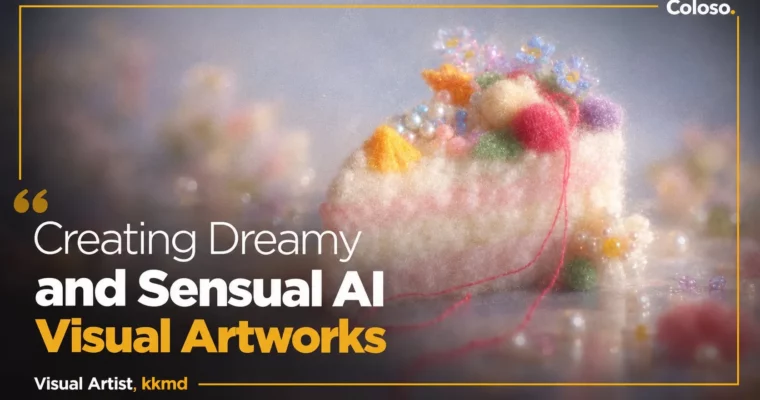
Creating Dreamy and Sensual AI Visual Artworks by kkmd

Duration:25 lessons 5h 27min
Actual Duration:10h 52m
Release date:2026, June
Publisher:Coloso
Skill level:Beginner
Language:English
Exercise files:Yes
Software:ChatGPT, Midjourney, Adobe Photoshop
Course URL:https://coloso.co.kr/products/ai-kkmd
Tired of random AI results that never match the mood in your head? This class shows how visual artist kkmd plans, directs, and finishes Midjourney images with ChatGPT for concepting and Photoshop for final polish, all in that soft, dreamy, Pinterest-style vibe.
🎯 What you’ll learn
- Structure prompts that actually communicate mood, color, and texture
- Build moodboards and define your own visual style with ChatGPT
- Control Midjourney with parameters, sref codes, and style consistency
- Use photo / camera language to direct composition, lens, and light
- Create chrome, glossy, embroidery, and balloon typography graphics
- Generate products and virtual personas from references
- Build Y2K object artworks with Tamagotchi, phones, cameras, and headsets
- Retouch and vary artworks with Midjourney Edit and Photoshop Generative Fill
- Check copyright and portrait rights for safe commercial use
✅ Requirements
- Skills: Basic computer literacy, no prior AI experience needed
- Tools: ChatGPT account (free or paid), Midjourney Standard Plan subscription, Adobe Photoshop for final retouch
- Hardware: Computer with stable internet connection for web-based AI tools
📝 Description
This is not a button-pushing tutorial. kkmd treats AI like a shoot: you plan the concept, you direct the camera, you art-direct the result. You start by sorting out your own taste with ChatGPT — colors you like, objects you collect, vibes you keep saving — then turn that into keywords and scene descriptions AI can actually read.
From there you get hands-on with Midjourney. How to order a prompt, which words control color and texture, how to keep the same mood across different cuts. You will play with parameters, style references, and sref/p codes to hold consistency, plus real shooting terms for light, lens, and framing so your images stop looking flat and random.
Then it gets fun. You run through 45 practical examples: cup, flower, and animal objects, dreamcore vs hard flash vs soft film looks, chrome typography, glossy and balloon graphics, product sketches turned into 3D, virtual personas, and full Y2K series with keyrings, phones, cameras, and headsets. You also learn the cleanup pass with Generative Fill in Photoshop and Midjourney Edit for that last 10% of quality.
Short version: if your Midjourney feed feels messy and off-brief, this gives you a repeatable flow — plan in words, generate with control, finish with intent — so you can use the outputs for portfolios, SNS, detail pages, and goods IP.
🧑🎓 Who this course is for
- Designers who want trendier textures and usable AI references for real work
- Solo founders who want on-brand images without a big shoot budget
- Hobby creators who want to turn personal taste into a dreamy visual series
🧑🏫 About the Author
kkmd, aka kkangdol, is a Seoul-based visual artist working at the intersection of AI and handcraft. She previously worked as a visual director at Amorepacific, digital content PD at CJ ENM, and music video art director, so she knows how to ship commercial visuals, not just pretty tests.
She was selected for the OpenAI Creative Lab Korea and won the iF Design Award in communication, and now lectures on AI and art direction at universities, Notefolio, Wanted Lab, and design festivals. Her thing? Slightly loose, human-feeling images with room to breathe — and she teaches you how to keep that hand-made touch while using AI.
🏁 Final Result
- A cohesive dreamcore artwork series (objects, spaces, products, and personas) plus Y2K-themed key visuals, finished with retouching and ready for portfolio, SNS, or shop detail pages.
📢 Guys, this is a Group Buy campaign, check the GBC forum thread to get access
You can find the course preview in the download section below.
 Channel