NUK249 – The Nuke Unfiltered Series by Warren Eagles

Actual Duration:5h 39m
Release date:2024, October
Publisher:FXPHD
Skill level:Intermediate
Language:English
Exercise files:Yes
Software:Nuke, ChatGPT, ComfyUI
Course URL:https://www.fxphd.com/fxblog/new-course-the-nuke-unfiltered-series/
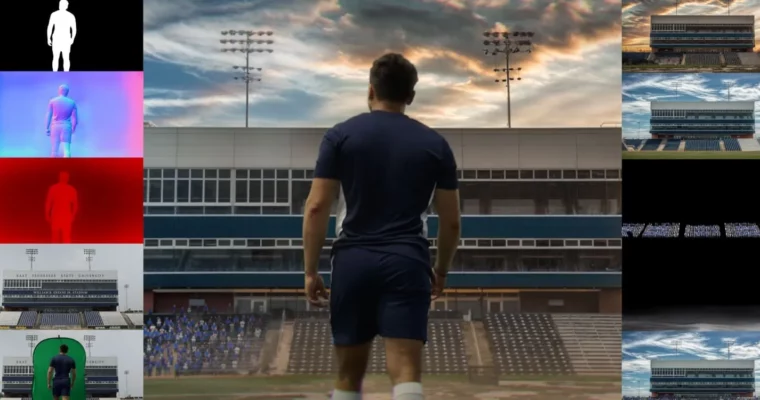
This is not a clean button-click tutorial. You get a real stadium plate with real problems and fix it like you would on a job – assess, key, clean edges, add crowd, relight, and deliver. You will use classic Nuke tools side-by-side with Cattery ML tools, ChatGPT for Python, and a touch of ComfyUI.
🎯 What you’ll learn
- Assess difficult plates and build a practical keying plan
- Build garbage mattes with manual roto and Cattery ML tools
- Combine Primatte, Keylight, and IBK for hair and motion blur
- Clean edges, match grain, and prep synthetic normals and depth passes
- Place crowd cards on 3D geometry and bed them into the plate
- Design a matte painting transition with fractals, roto, and ramps
- Relight live-action plates and match color and light
- Reuse keying setups across camera angles and QA a final comp
✅ Requirements
- Skills: Some experience with Nuke, or solid background in Photoshop / After Effects and basic keying concepts
- Tools: Nuke with Cattery tools installed, access to ChatGPT, ComfyUI for AI assists
- Hardware: Workstation with dedicated GPU and minimum 16GB RAM for heavy plates and ML tools
📝 Description
Forget perfect footage. Here you start with a tricky stadium plate and work it like a real shot. You look at light shifts, blur, and edge chatter, then decide what to roto, what to key, and what to let the ML tools handle. That decision-making is the whole point.
You will get hands-on with the big three – Primatte, Keylight, and IBK. No single keyer solves hair, transparency, and uneven green in one go. Doug shows when to stack them, how to pull separate core and edge keys, and how to kill spill without turning skin to plastic. Then you prep the comp for what comes next with grain, edge work, and utility passes.
The fun part is making the shot feel alive. You will scatter crowd cards on simple 3D, bed them into the plate, and break up repetition. Then you build a transition between matte paintings using fractals, ramps, and animated roto. It is pure movie trickery, and it teaches timing as much as nodes.
Finally, you relight. Using custom gizmos and synthetic normals, you push light around the plate to match a new environment and tie everything together with color. Add in ChatGPT Python helpers via Nuke Navigator to speed up boring setup work, plus ActionVFX practice footage to follow along, and you have a workflow you can reuse on client work tomorrow.
🧑🎓 Who this course is for
- Nuke artists with basics down who want real project reps in keying and finishing
- Photoshop or After Effects users moving to Nuke who learn best by watching an unfiltered studio workflow
🧑🏫 About the Author
Doug Hogan is a Creative Technologist at Cheil/Samsung and a Nuke compositor with 15+ years in film, feature animation, and theme parks. He runs VFXTalk, a working community where artists trade setups and solve shots together. He teaches the way people talk on the floor – direct, practical, no fluff.
🏁 Final Result
- Finished stadium composite built from ActionVFX practice plates – keyed foreground, integrated crowd cards, custom transition, relight and color match, delivered with studio-style QA
 Channel