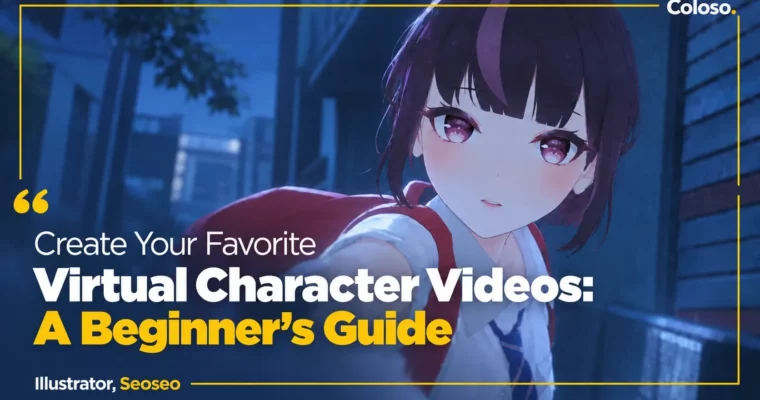
Create Your Favorite Virtual Character Videos – A Beginner’s Guide by Seoseo

Duration:11 Hours 28 Minutes
Actual Duration:22h 55m
Release date:2024
Publisher:Coloso
Skill level:Beginner
Language:English
Exercise files:Yes
Software:Unreal Engine, Blender, Adobe Premiere Pro, Adobe Photoshop
Course URL:https://coloso.global/en/products/3danimation-seoseo-us
Want to make a music video for your favorite VTuber but have no idea where to start? This class walks you through the whole thing with Unreal Engine, from first idea and storyboard to cameras, lights, and final edit — taught by the guy behind Isegye Idol hits with 10M+ views.
🎯 What you’ll learn
- Plan a virtual music video story that actually holds attention start to finish
- Build pre-production boards: references, storyboards, color scripts, and direction boards
- Prep avatars in Blender and bring animations into Unreal Engine with IK retargeting
- Set up MooaToon shader, assets, and scenes for virtual video shoots
- Direct cameras with Unreal Engine Sequencer — static shots, dynamic moves, and 3-split framing
- Light toon characters for mood and story, then render multipass with Cryptomatte for post
✅ Requirements
- Skills: Basic computer skills and interest in VTuber / otaku culture, no prior directing or CG experience needed
- Tools: Unreal Engine 5.3, Blender 4.2.1, Adobe Premiere Pro 21, Adobe Photoshop 2021, drawing tablet (can be substituted with mouse)
- Hardware: Dedicated GPU for Unreal Engine work, 16GB RAM or more recommended
📝 Description
This isn’t theory about filmmaking. It’s a working process for virtual idol videos built around Unreal Engine. Seoseo shows how he plans, shoots, and finishes music videos for Isegye Idol members like Jururu and Gosegu, and breaks down what worked, what flopped, and why.
You start with pre-production, because that’s where most beginner projects fall apart. You’ll collect references that actually communicate to a team, draw a real storyboard cut by cut, and lock angle, motion, expression, and timing before you touch 3D. He even shares his own storyboards and direction boards from From Me To You and Ah Puh so you can see how a plan turns into a final cut.
Then you get hands-on in the engine. You’ll split and prep an avatar in Blender, set up MooaToon for that clean anime look, pull in free FBX animations, and retarget them with IK Rig. From there it’s all about assets from Fab, scene setup, and getting your shoot ready without getting lost in game-dev features you don’t need for video.
The core of the class is camera and light. You’ll learn shot sizes, lens choices, ISO and shutter in the Camera Sequencer, how to use a simple 3-split grid to keep framing solid, and how to move from locked-off static shots to dynamic moves with graphs and actor scripts. For lighting, you’ll work through color scripts, toon shader tweaks, and practical Unreal lights to push mood and keep focus on the character.
You finish like a small studio would: multipass rendering with Cryptomatte, edit and review, and ordering color grading so the final look matches what you planned on paper. 14 hands-on exercises plus a final short music video scene mean you don’t just watch — you ship something.
🧑🎓 Who this course is for
- VTuber fans and aspiring MV directors who want to make a video for their oshi
- Beginners to 3D who want to use Unreal Engine for concerts and music videos, not games
- New VTubers and virtual creators who want a fast, practical entry into the virtual market
🧑🏫 About the Author
Seoseo is a freelance virtual music video director and 3D generalist known for his work with Korea’s top virtual girl group, Isegye Idol. His credits include directing Jururu’s From Me To You, Ah Puh, and Bam Yang Gang, plus photography directing for Gosegu and Jingburger concerts and intros/outros.
Beyond idols, he produces commercials and indie films, including 3D work for Genesis G90 and executive producing the Asics Unlimited 3D cinematic. He teaches from real shoots — including mistakes — with a focus on planning, team communication, and camera work that serves the character’s personality and the fans.
🏁 Final Result
- A directed short music video scene starring a 3D virtual avatar — planned with storyboard and color script, shot and lit in Unreal Engine, and finished with multipass render and color grading for your portfolio
📢 Guys, this is a Group Buy campaign, check the GBC forum thread to get access
You can find the course preview in the download section below.
 Channel