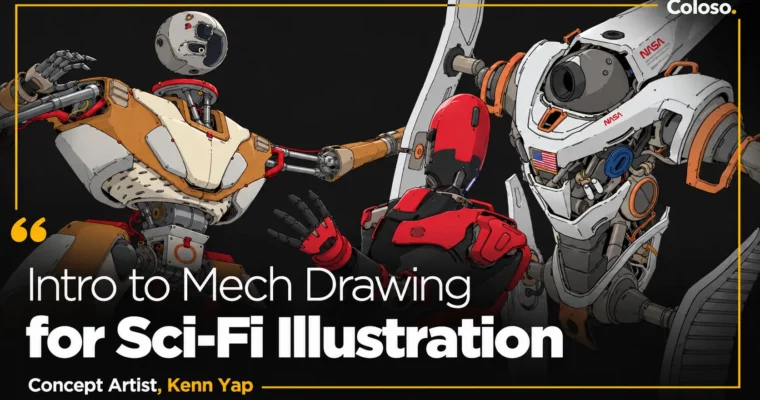
Intro to Mech Drawing for Sci-Fi Illustration by Kenn Yap

Duration:11Hours 42Minutes
Actual Duration:11h 41m
Release date:2024
Publisher:Coloso
Skill level:Beginner
Language:English
Exercise files:Yes
Software:Photoshop
Course URL:https://coloso.global/en/products/conceptartist-kennyap-us
If you love robots but your designs still look stiff or fake, this class fixes that. Kenn Yap walks you through how to think like a mech designer, not just draw cool shapes, so your humanoids actually feel like they could move and function.
🎯 What you’ll learn
- Generate mech ideas fast with mind mapping, briefs, and reference gathering
- Use human proportion and skeletal structure as a base for mech frameworks
- Convert organic anatomy into believable mechanical equivalents
- Plan for clearance and collision so joints look functional
- Build designs with thumbnailing and primary to tertiary form
- Create dynamic silhouettes and a reusable visual library of parts
- Add storytelling details that sell scale and history
- Refine line art with line weight, density, and rhythm
- Apply color theory, lighting, and texture with wear and tear
✅ Requirements
- Skills: Basic drawing skills, familiarity with human anatomy fundamentals and Photoshop UI
- Tools: Photoshop, drawing tablet
📝 Description
This isn’t a “watch me draw a robot” class. Kenn starts with how pros actually get ideas — mind mapping, writing your own brief, pulling references — then turns that into thumbnails you can iterate on fast. Good for anyone who stares at a blank canvas too long.
Then he gets into the nuts and bolts. You learn real human proportion and joint rotation first, then swap muscles for pistons, cables, and armor. He spends a lot of time on stuff most tutorials skip: clearance and collision, how parts would actually move without clipping. That’s what makes a design feel plausible to viewers and art directors.
From there it’s all about building form in layers. Big primary forms for silhouette, secondary forms to break it up, tertiary forms for the small greebles. You’ll practice turning simple shapes into mech parts, controlling line weight to show heaviness and light, and placing detail where it counts instead of noodling everywhere.
Last stretch is color. You’ll use the golden ratio for color distribution, shift hues to fake complexity, nail material indication, and add flat shadows plus wear and tear. Same workflow also works for non-humanoids, which he covers at the end so you’re not stuck only drawing bipeds.
🧑🎓 Who this course is for
- Beginners in concept art who love sci-fi and want a clear system for drawing mechs
- Illustrators and anime fans who can draw characters but struggle with mechanical parts and believable structure
🧑🏫 About the Author
Hi, I’m Kenn Yap — also known as Chroma Moma on YouTube. I’m a Concept Artist and Art Director based in Malaysia, currently working as a Mechanical and Environment Designer at Sun Creature Studio.
I started in 2015 on a live-action film, then bounced through e-sports as an art director and even interior design for hotels. That weird mix taught me to think about holistic design, not just rendering. I grew up on Akira, Ghost in the Shell, and Gundam, and I’ve spent years obsessing over robots so you don’t have to figure it all out alone.
🏁 Final Result
- A finished cyberpunk mech humanoid illustration with clean line art, functional-looking joints, thoughtful color and lighting, and storytelling wear — ready to drop straight into your concept art portfolio.
📢 Guys, this is a Group Buy campaign, check the GBC forum thread to get access
You can find the course preview in the download section below.
 Channel