Ad Clicks : Ad Views : Ad Clicks : Ad Views : Ad Clicks : Ad Views : Ad Clicks : Ad Views :
Oh Snap!

It looks like you're using an adblocker. Adblockers make us sad. We use ads to keep our content happy and free. If you like what we are doing please consider supporting us by whitelisting our website. You can report badly-behaved ads by clicking/tapping the nearby 'Advertisement' X text.

Complete Beginner’s Guide to Digital Art by Rich Graysonn

Complete Beginner’s Guide to Digital Art by Rich Graysonn

/

Author:Rich Graysonn

Duration:24h 48m

Actual Duration:24h 37m

Release date:2024, September

Publisher:Udemy

Skill level:Beginner

Language:English

Exercise files:Yes

Software:Any 2D digital art software, Any 3D digital art software

Course URL:https://www.udemy.com/course/digital-art-101-from-beginner-to-pro/

Start from zero and build real drawing skills for digital art, no prior experience needed.

This course is a no-fluff, ground-up guide to making digital art. You don’t need to know how to draw a single line. Rich Graysonn walks you through the absolute basics—holding a stylus, making shapes, and understanding your software—so you can build real, practical skills without the overwhelm.

🎯 What you’ll learn

  • Draw confident lines, curves, and shapes
  • Understand the relationship between lines and shapes for observation drawing
  • Navigate any digital art software’s core features
  • Apply basic digital coloring techniques
  • Build a structured workflow for creating finished illustrations

✅ Requirements

  • Skills: No prior knowledge of drawing or art required
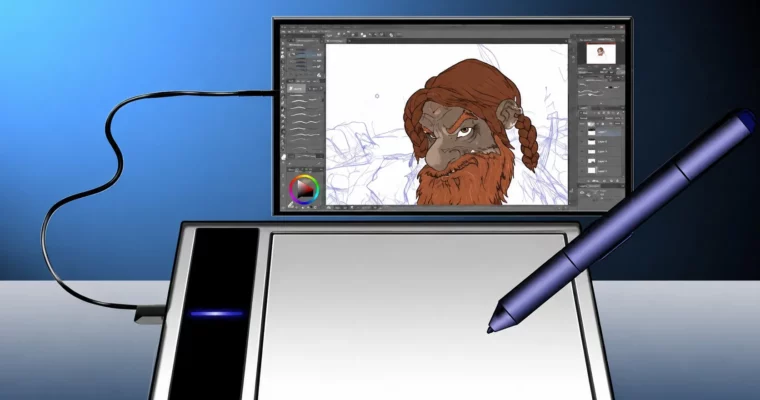
  • Tools: A drawing tablet (e.g., Wacom, iPad, Galaxy Tab) or a computer tablet
  • Hardware: A computer or tablet

📝 Description

This isn’t a speed-painting course or a collection of flashy tricks. It’s a solid, methodical foundation in digital art that treats drawing as a skill you can learn, not a talent you’re born with. Rich Graysonn breaks down the entire process into digestible chunks, starting with the most basic question: how do you even hold a stylus and draw a straight line?

The course is built around the idea that art is problem-solving. You’ll move from simple lines and shapes to understanding form, perspective, and eventually constructing complete scenes with figures, environments, and textures. Each section builds on the last, with plenty of practice sessions and assignments to lock in the muscle memory. You’ll also get a practical look at the digital tools themselves—brush engines, file types, layers, and coloring techniques—so you’re not just learning to draw, but learning to draw digitally.

🧑‍🎓 Who this course is for

  • Absolute beginners who have never drawn before
  • Art students looking for a structured, fundamental approach
  • Graphic designers wanting to add illustration skills
  • Anyone serious about improving their art, not looking for shortcuts

🧑‍🏫 About the Author

Rich Graysonn is a working freelance illustrator and educator. He started his teaching journey on YouTube, where he discovered a passion for breaking down the fundamentals of art and anatomy for a wide audience. His experience spans client work in branding, indie games, and apps. He believes the road to artistic freedom is paved with hard work and dedication, and he’s committed to guiding students through the inevitable setbacks.

🏁 Final Result

  • A solid understanding of drawing fundamentals applicable to any digital art software
  • A portfolio of practice exercises, including line work, shapes, forms, a simple figure, and a finished scene with inking and basic coloring
  • The confidence to approach more advanced art courses or personal projects
Curriculum

📋 Course content

  1. Module 1:  Getting Started
    • Yes you need a tablet and here are my honest thoughts on tablets9:50
    • We have to talk about those “System Requirements”11:56
    • There are 2 Styles of 2D software10:34
    • There are also 2 types of 3D software9:26
    • The very big A.I. Elephant in the Room10:43
    • Opening a new Document9:29
    • Getting a grip on filetypes10:55
    • Pixels vs Vectors8:09
    • What is a brush and how do they work13:36
    • My easy guide to brush engines12:35
    • Art as Problem Solving15:07
    • How to Upload your Work2:35
    • START HERE10:10
    • Entry Level Tablets3:58
    • Use a Stand1:38
    • Tablet stand Alteratives that won’t break the bank11:02
    • Before we Begin6:37
    • Please Don’t try to draw “Perfect”9:12
    • All about Image and canvas Size13:26
  2. Module 2:  Line Drawing
    • Intro to Line Drawing10:26
    • Let’s Draw Shaky Lines7:11
    • Let’s Draw Straight Lines11:10
    • Let’s get some Line control pt 18:23
    • Let’s get some Line control pt 28:01
    • Lets Draw C Curves15:30
    • Let’s Draw S Curves9:58
    • Let’s have a bit of fun with what you’ve learned10:55
    • The Assignment5:59
    • PRO TIP : How to get better lines and curves3:16
    • PRO TIP : It’s just like writing zeroes6:02
  3. Module 3:  Simple Shapes
    • Let’s Draw Ovals7:30
    • Let’s Draw Circles8:20
    • Combining what we learned10:10
    • Finding the Center6:26
    • Live Demo3:09
    • The Assignment5:29
    • Lets make rectangles9:12
    • Assignment 13:22
    • BETRAYED!!!! Here’s what happens when an app wont work16:35
    • Triangles and Angles14:35
    • Assignment 23:48
    • Quick Warm up !5:28
    • Squares and Rectangles3:26
    • Circles and Ovals13:25
    • Polygons5:56
    • Trapezoids6:11
  4. Module 4:  Form and Perspective
    • Drawing the Sphere12:14
    • Drawing the Square and Cube25:47
    • The Power of the Cylinder12:01
    • Cylinder Practice 119:50
    • Cylinder Practice 232:31
    • Simple Organic Shapes7:55
    • Shape Training13:08
    • Draw Shapes With Me23:53
    • 5 Minute Sprint : Organic Shapes5:12
    • Drawing from Observation26:21
    • Drawing Simple Objects21:30
    • Observation exersizes3:46
    • More About Lines11:51
  5. Module 5:  Draw Better
    • Intro3:13
    • Draw Better 1 Moving Cylinders9:07
    • Draw Better 2 :Cylinders in Space12:35
    • Draw Better 3: The Horizon Line6:48
    • Draw Better 4 : Better Boxes14:45
    • Draw Better 5 : Drawing even better more accurate Boxes16:15
    • Draw Better 6 : Here’s how you can add variety to a simple Box7:21
    • Draw Better 7: The Shape Monster Game11:42
    • Draw Better 8 : A very Simple Stick Figure6:26
    • Draw Better 9: A Very Simple Stick Figure pt 210:25
    • Draw Better 10 : A Very Simple Stick Figure pt 38:36
    • Draw Better 11: Draw Better Stick Figure Poses14:56
    • Draw Better 12 : Skills you didn’t know you had13:40
    • Draw Better 13: More stuff you can draw8:44
  6. Module 6:  Shapes into Form
    • The “Workbook” and FILES9:06
    • 3 Very useful Shapes3:36
    • Find Your Favorite Drawing Tool9:09
    • Practice session with me14:18
    • Changing Shapes13:58
    • Shapes into Form7:31
    • Form Practice Session15:02
    • Connect, Overdraw and Erase8:47
    • Shapes are Just Roadmaps8:21
    • Develop a workflow6:14
    • Small Medium and Large7:03
  7. Module 7:  Figure Drawing
    • Simple Faces15:49
    • The Visor15:56
    • Better Nose and Lips8:28
    • Explaining the Eye11:54
    • Drawing the Eye15:52
    • The Torso14:24
    • Making Attachments15:52
    • I need to explain5:21
    • Arms and Legs15:02
    • Figure Notes1:23
    • Draw hands the easy way13:54
    • Drawing Feet the easy way9:05
    • The Assignment2:16
  8. Module 8:  Building a Scene
    • What is a Dgital Drawing kIt11:33
    • Gather Reference6:11
    • Creating a Folder structure16:42
    • The tree breakdown15:27
    • The PNG Explained16:31
    • Drawing Leaves16:34
    • Step by Step5:22
    • The House Breakdown12:01
    • The House breakdown pt 29:45
    • The House breakdown pt 314:58
    • Moving Forward7:17
  9. Module 9:  Inking and Textures
    • Choose your Favorite Pen6:53
    • The Clean up15:36
    • Inking with shape tools15:16
    • The Transform Tools16:39
    • Make it Grey17:05
    • Basic Control16:54
    • My secret technique for inking texture14:43
    • Inking Rocks16:40
    • Tree textures15:46
    • Making grass15:53
    • Stonework16:50
    • Bricks and brickwork13:31
    • The brickwall texture11:08
    • Items16:31
    • Level up with buildings14:09
  10. Module 10:  Digital Coloring
    • Digital Technique 1 : Simple Shading18:12
    • Digital Technique 2 Using the Gradient Tool18:12
    • Digital Technique 3 : Introduction to Cel Shading17:32
    • Digital Technique 4 : Introduction to the Airbrush11:39
    • Digital Technique 5 : More on the Gradient14:32
    • Digital Technique 6 : Simple “Painterly” Technique10:39
Watch online or Download for Free
Complete Beginner’s Guide to Digital Art by Rich Graysonn
NAME
SIZEDURATION
1. This course is being updated
4.2 MB7m
3. The Big Picture on 2D digital art apps and software
45.8 MB54m
4. Introduction
10.8 MB17m
5. First Time Graphics Tablet Users
90.1 MB26m
9. All About Shapes
80.8 MB2h 30m
11. Drawing from Observation
31.4 MB1h 3m
13. TIME TO LEVEL UP !!
10.7 MB9m

Download all Videos (132)
1.2 GB24h 37m

Project Files (Assets, Resources)
141.2 MB

Download all

Join us on
  Channel    and      Group

Leave a Comment

Your email address will not be published. Required fields are marked *