Blender Starter Kit – Your First Aid into 3D by FridayLab Studio

Duration:2.5 hours
Actual Duration:2h 38m
Release date:2024, November
Publisher:Udemy
Skill level:Beginner
Language:English
Exercise files:Yes
Software:Blender
Course URL:https://www.udemy.com/course/blender-starter-kit/
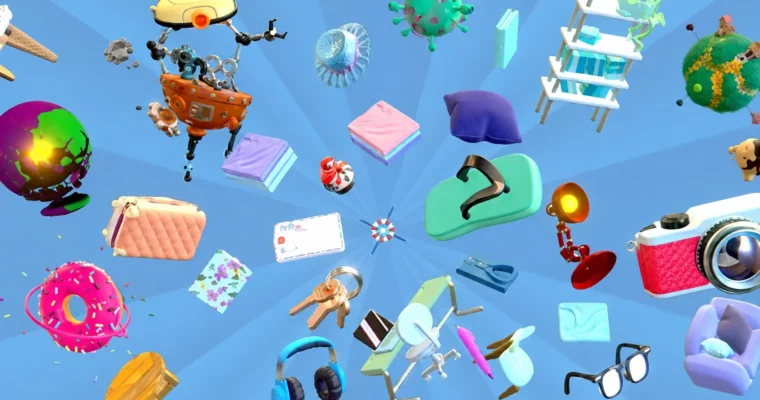
This course is your no-nonsense, hands-on entry point into Blender. Forget the overwhelming tutorials—FridayLab Studio breaks down the absolute core of the software into bite-sized, practical lessons. You’ll go from staring at a blank screen to confidently moving objects, editing meshes, and setting up a basic render. It’s built for people who want to do 3D, not just watch it.
🎯 What you’ll learn
- Navigate Blender’s interface and 3D viewport with confidence.
- Manipulate, organize, and parent objects in a scene.
- Edit mesh geometry using vertices, edges, and faces.
- Create simple animations using keyframes.
- Apply materials, textures, and set up basic lighting for a render.
✅ Requirements
- Skills: Basic computer skills and a willingness to learn.
- Tools: A free copy of Blender.
- Hardware: A computer capable of running Blender.
📝 Description
This isn’t a dry, feature-by-feature walkthrough. FridayLab Studio focuses on the logic behind Blender’s tools, so you understand why things work, not just what button to press. The course uses interactive puzzles and provided project files to make the learning stick. You’ll start by getting comfortable with the interface and 3D navigation, then quickly move into manipulating objects and organizing your scene.
From there, you’ll jump into mesh editing—the core of modeling. You’ll learn to work with vertices, edges, and faces, and discover how modifiers can speed up your workflow. The course then covers the basics of animation with keyframes, before moving into the look development phase: creating materials, applying textures, and understanding UV mapping. Finally, you’ll set up lights and a camera to render your first scene using both EEVEE and Cycles. It’s a complete, beginner-friendly pipeline that gives you a solid foundation to build on.
🧑🎓 Who this course is for
- Absolute beginners with no prior experience in Blender or any 3D software.
- Aspiring 3D artists looking for a structured, non-intimidating starting point.
- Game developers and hobbyists who want to learn the fundamentals of 3D asset creation.
- Anyone curious about 3D who wants a fun, practical introduction.
🧑🏫 About the Author
FridayLab Studio is a creative studio founded by Eli Rabinovich and Maor Fridman. They specialize in creating, exploring, and teaching the art of 3D. Beyond their freelance services and workflow development, they are passionate educators who share their knowledge through their YouTube channel, Udemy, and private lessons. Their teaching style is built on the principle of teaching others the way they would have wanted to be taught—clear, practical, and engaging.
🏁 Final Result
- A solid, practical understanding of Blender’s core workflow.
- The confidence to create your own simple 3D models, animations, and renders.
- A portfolio-ready foundation to tackle more advanced 3D projects.
 Channel