It looks like you're using an adblocker.
Adblockers make us sad. We use ads to keep our content happy and free. If you like what we are doing please consider supporting us by whitelisting our website. You can report badly-behaved ads by clicking/tapping the nearby 'Advertisement' X text.
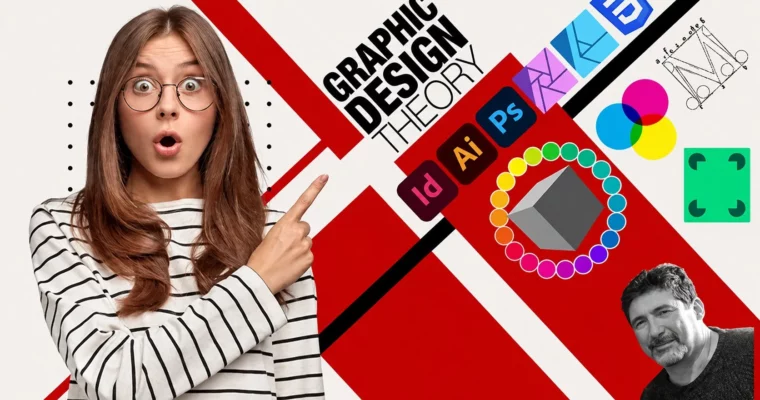
Graphic Design Theory – A Complete Graphic Design Course by Phil Ebiner, Mario Macari
Master the principles of graphic design—color, typography, layout, and composition—to create professional, standout visuals using tools like Photoshop, Canva, and Illustrator.
A complete, no-fluff course that teaches you the real rules behind great design. Whether you’re using Photoshop, Canva, or Illustrator, this course breaks down color theory, typography, and layout so you can finally make your work look polished and professional.
🎯 What you’ll learn
Apply core design principles like balance, contrast, and hierarchy to any project
Choose and pair fonts with confidence using typography fundamentals
Build effective color palettes based on color psychology and harmony
Master layout and composition techniques for print and digital media
Navigate popular tools like Photoshop, Canva, and Illustrator for practical projects
✅ Requirements
Skills: No prior graphic design experience required.
Tools: A computer with internet access; access to Adobe Photoshop, Illustrator, InDesign, or Canva is helpful but not mandatory.
📝 Description
This isn’t just another “click here” software tutorial. It’s a deep, practical look at the principles of graphic design that make your work look intentional and professional. You’ll start with the science of light and color, move through the anatomy of type, and then tackle the core principles—balance, contrast, proximity, hierarchy—with hands-on projects for each one.
The course is built around real-world application. You’ll get dedicated crash courses in Adobe Photoshop, Illustrator, InDesign, and Canva, so you can immediately apply what you learn. There’s also a surprisingly thorough section on computer hardware, explaining how CPUs, GPUs, and RAM affect your workflow. It’s the kind of foundational knowledge that saves you time and frustration down the road.
🧑🎓 Who this course is for
Beginners with no design experience who want to create beautiful, effective graphics
Anyone using Photoshop, Canva, Illustrator, or InDesign who wants to move beyond templates
Hobbyists and small business owners looking to improve their visual communication
Designers with basic skills who want a structured refresher on advanced principles
🧑🏫 About the Author
Phil Ebiner is a top-rated Udemy instructor with over 3.4 million students. He graduated from Loyola Marymount University’s School of Film and Television and has worked on thousands of projects for film, TV, and online. He specializes in teaching creative and technical skills in a clear, project-based style.
Mario Macari brings over a decade of industry experience as a university professor and award-winning designer. He has created work for clients like Disney, Apple, Microsoft, and DC Comics. His teaching blends traditional art fundamentals with modern digital techniques, covering marketing, UX/UI, illustration, and motion graphics.
🏁 Final Result
A solid understanding of design theory and the confidence to apply it to any project
Practical experience with Photoshop, Illustrator, InDesign, and Canva through guided projects
A portfolio of exercises demonstrating your grasp of color, typography, and layout principles
Curriculum
📋 Course content
Module 1: Welcome & Foundations
Welcome to the Graphic Design Theory Course2:51
The Importance of Graphic Design Theory3:03
Why You Can Succeed in Graphic Design9:37
Why AI Won’t Replace Graphic Designers7:07
How to Become a Graphic Designer: A Comprehensive Step-by-Step Guide17:57
Understanding the Principles of Graphic Design – A Quick Overview3:41
Communication Skills7:45
Time Management8:16
Client Relations8:58
Teamwork6:04
Visual Perception in Graphic Design6:38
A Brief Introduction to Basic Design Principles9:32
The Art and Science of Typography4:47
Module 2: The Science of Light & Color
Introduction to ‘Let There Be Light’1:24
The Electromagnetic Spectrum3:41
The Wonders Within Your Eye5:02
Fun with Photons3:44
Light is Bendy3:43
The Anatomy of Light and Shadow4:39
Hard, Soft and Ambient Lighting2:52
Light is measured in Lumens3:08
The Inverse Square Law of Light2:26
Color Temperature4:49
The Color Rendering Index2:28
Demonstration: How to Make a Social Media Graphic18:10
Module 3: Value & Tone
Introduction to ‘Value Added’1:51
Steps of Gray4:59
Tones Create Form3:07
Understanding 256 levels of Gray in 8-Bit Images4:00
Mysteries of the Histogram Revealed2:51
The Zone System3:46
The Levels Panel Simplified3:19
The Curves Panel Demystified7:04
Halftones in Print4:51
256 Levels of Transparency3:25
Tone and Value in Graphic Design3:53
Module 4: Basic Color Theory
Introduction to ‘Basic Color Theory’1:38
Understanding Light and Color4:18
RGB and the Additive Color Model4:23
The RGB and CMY Color Wheel3:06
CMY and the Subtractive Color Model4:20
CMYK Color Charts and Color Separations2:29
RYB and the Color Wheel3:56
Color Psychology4:00
Getting Ideas for Color Palettes4:18
Module 5: Typography
Introduction to ‘Typography’1:19
Ideas for Color Palettes4:18
Understanding the Difference between a Typeface and a Font4:07
The Anatomy of Type6:58
Type Categories5:30
Alignment, Kerning, Tracking, and Leading3:00
Points, Picas, Agates, Ems and Ens7:20
Learning Typography Tips2:18
Readability5:18
Legibility2:24
Typographic Hierarchy1:53
Font Pairing2:36
Web vs. Print Fonts7:06
Module 6: Fundamentals of Graphic Design
Introduction to the ‘Fundamentals of Graphic Design’1:32
The Elements of Design4:04
The Basic Principles of Design5:53
Introduction to the Key Principles of Gestalt3:27
Grids2:42
Visual Hierarchy2:10
Composition Techniques4:37
Understanding Vector & Raster Graphics3:46
Source Material: Understanding the Fundamental Principles of Graphic Design3:48
Module 7: The Principles of Design in Depth
The Principle of Balance2:51
More on the Principle of Balance and a project for you2:26
The Principle of Contrast2:53
More on the Principle of Contrast and a project for you2:38
The Principle of Alignment3:40
More on the Principle of Alignment and a project for you2:38
The Principle of Proximity6:59
More on the Principle of Proximity and a project for you1:59
The Principle of Repetition3:03
More on the Principle of Repetition and a project for you2:34
The Principle of Hierarchy4:14
More on the Principle of Hierarchy and a project for you3:04
The Principle of Negative Space2:28
More on the Principle of Negative Space and a project for you2:37
The Principle of Movement3:23
More on the Principle of Movement and a project for you2:03
The Principle of Emphasis3:04
More on the Principle of Emphasis and a project for you2:40
The Principle of Unity3:30
More on the Principle of Unity and a project for you2:40




 Channel