Adobe Illustrator Vector Brush Workshop (2023) by Von Glitschka

Duration:4h 12m
Actual Duration:4h 12m
Release date:2023, July
Publisher:Linkedin
Skill level:Intermediate
Language:English
Exercise files:Yes
Software:Adobe Illustrator, Adobe Photoshop
Course URL:https://www.linkedin.com/learning/adobe-illustrator-vector-brush-workshop
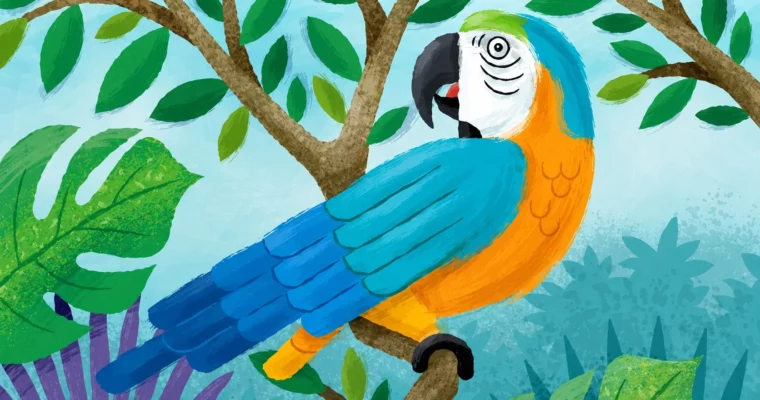
This course is all about ditching the default brushes and making your own. Von Glitschka walks you through every brush type in Adobe Illustrator—art, scatter, pattern, calligraphic, and bristle—and shows you how to build custom ones from scratch. You’ll learn practical techniques for creating organic linework, grainy shading, and repeating patterns that actually look handcrafted.
🎯 What you’ll learn
- Create and control all five vector brush types in Illustrator
- Build custom brush resources using Photoshop
- Design organic linework and grainy shading brushes
- Develop repeating pattern brushes for surface design
- Apply calligraphic and bristle brushes for natural-looking strokes
✅ Requirements
- Skills: Intermediate knowledge of Adobe Illustrator’s interface and basic vector tools
- Tools: Drawing tablet, access to Adobe Illustrator and Photoshop
- Hardware: Minimum 8GB RAM, dedicated GPU recommended for complex brush rendering
📝 Description
This isn’t your typical “click here, drag there” tutorial. Von Glitschka brings a hands-on, almost analog approach to digital brush making. He starts by showing you how to create physical brush resources—yes, using real-world materials—and then digitizes them in Photoshop before bringing them into Illustrator.
The course is structured around the five core brush types, each with its own dedicated chapter. You’ll learn the technical setup for each brush, but more importantly, you’ll see how to apply them in real illustration projects. The customization section is where things get interesting: Von covers grainy shading, layering, speckling, and watercolor effects that give your vector work a handcrafted feel.
What sets this apart is the focus on practical application. Every brush type comes with a usage example, so you’re not just learning theory—you’re seeing exactly how these tools solve real design problems. By the end, you’ll have a library of custom brushes and the know-how to keep expanding it.
🧑🎓 Who this course is for
- Graphic designers and illustrators who want to move beyond default Illustrator brushes
- Intermediate users looking to add organic, hand-drawn textures to vector work
- Anyone interested in creating custom pattern and texture libraries for commercial use
🧑🏫 About the Author
Von Glitschka is a creative director and brand strategist with over 25 years of experience in vector illustration. He’s worked with major brands like Microsoft, Nike, and Adobe, and is known for his distinctive illustrative style that blends traditional drawing with digital techniques. Von is a regular speaker at design conferences and has authored multiple books on vector art and branding. His teaching style is direct, practical, and focused on real-world application.
🏁 Final Result
- A personal library of custom vector brushes for art, scatter, pattern, calligraphic, and bristle types
- Practical experience applying these brushes to create organic linework, grainy shading, and textured illustrations
- A portfolio-ready set of techniques for adding handcrafted feel to commercial vector projects
 Channel