Get Started by Procreate Dreams by Aaron Blaise

Actual Duration:3h 38m
Release date:2023, September
Publisher:CreatureArtTeacher
Skill level:Beginner
Language:English
Exercise files:Yes
Software:Procreate Dreams
Course URL:https://creatureartteacher.com/product/aaron-blaise-get-started-with-procreate-dreams/
Oscar-nominated animator Aaron Blaise walks you through his personal approach to Procreate Dreams in this brand new course. Forget the theory—this is a straight-up, real-time demo where you watch over his shoulder as he builds character animation from scratch. It’s perfect for anyone who wants to stop fiddling with the interface and start making things move.
🎯 What you’ll learn
- Navigate the Procreate Dreams interface, Stage, and Timeline.
- Use Flipbook Mode for traditional frame-by-frame animation.
- Thumbnail and rough sketch your ideas directly on the iPad.
- Analyze the shot breakdown of Aaron’s short film, “Dream.”
- Animate over live-action video footage.
✅ Requirements
- Skills: Basic familiarity with drawing on an iPad.
- Tools: iPad, Apple Pencil or compatible stylus, Procreate Dreams app.
- Hardware: iPad running iPadOS 17 or later (for full Procreate Dreams compatibility).
📝 Description
This isn’t a dry software manual. Aaron Blaise treats Procreate Dreams like a digital sketchbook, showing you exactly how he translates his 30+ years of Disney experience into a modern iPad workflow. He starts from the very beginning—setting up the Stage and Timeline—and moves straight into rough sketching and thumbnailing.
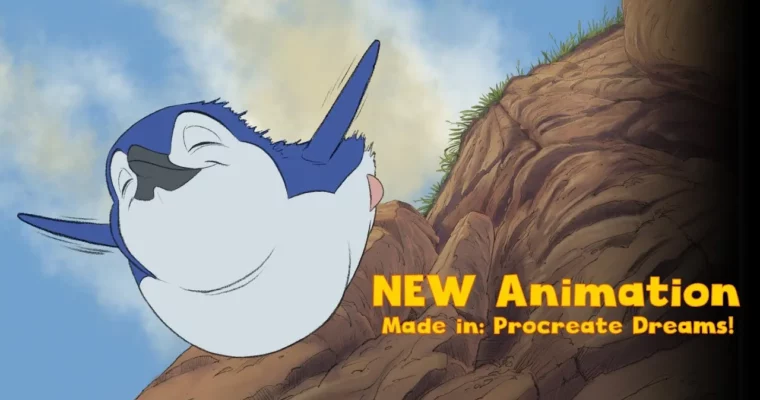
The real meat of the course is the breakdown of his short film, “Dream.” Aaron pulls back the curtain on how he planned and executed the penguin animation, explaining his thought process in real time. You’ll also see how to use live-action video as a reference layer, a technique he used on major feature films. By the end, you’ll have a clear, repeatable method for creating your own frame-by-frame animation without the clutter of complex desktop software.
🧑🎓 Who this course is for
- Beginners who want a clear, no-nonsense introduction to animation on the iPad.
- Experienced artists looking to transition their traditional 2D skills into Procreate Dreams.
- Anyone curious about how a professional animator structures a shot from start to finish.
🧑🏫 About the Author
Aaron Blaise is an Oscar-nominated director and animator with over 30 years in the industry. He spent 21 years at Walt Disney Feature Animation, contributing to classics like The Lion King, Pocahontas, and Mulan. In 2003, he co-directed Brother Bear, earning an Academy Award nomination. He now runs CreatureArtTeacher, sharing his expertise through detailed tutorials and courses.
🏁 Final Result
- A solid understanding of the Procreate Dreams interface and animation pipeline.
- A completed rough animation sequence, built from thumbnail to final playback.
 Channel